MyCT
語音分析評分 X 人工智慧課堂 X 母語式教學
「先聽說,後讀寫」
母語學習法是學習語言最有效的方法
MyCT讓學生像學習母語般學習華語,無壓力學習更快樂
結合人工智慧新科技,豐富的課程與學習診斷
MyCT數位學習帶給你無限可能
MyCT
Phonetic Analysis X AI Classroom X Native Language Teaching
"Listen first, then Read and Write"
The native language learning method is the most effective way to learn a language.
MyCT allows students to learn Chinese like their mother tongue, making learning stress-free and enjoyable.
Combining new technology with artificial intelligence, rich curriculum and learning diagnostics
MyCT eLearning gives you unlimited possibilities.
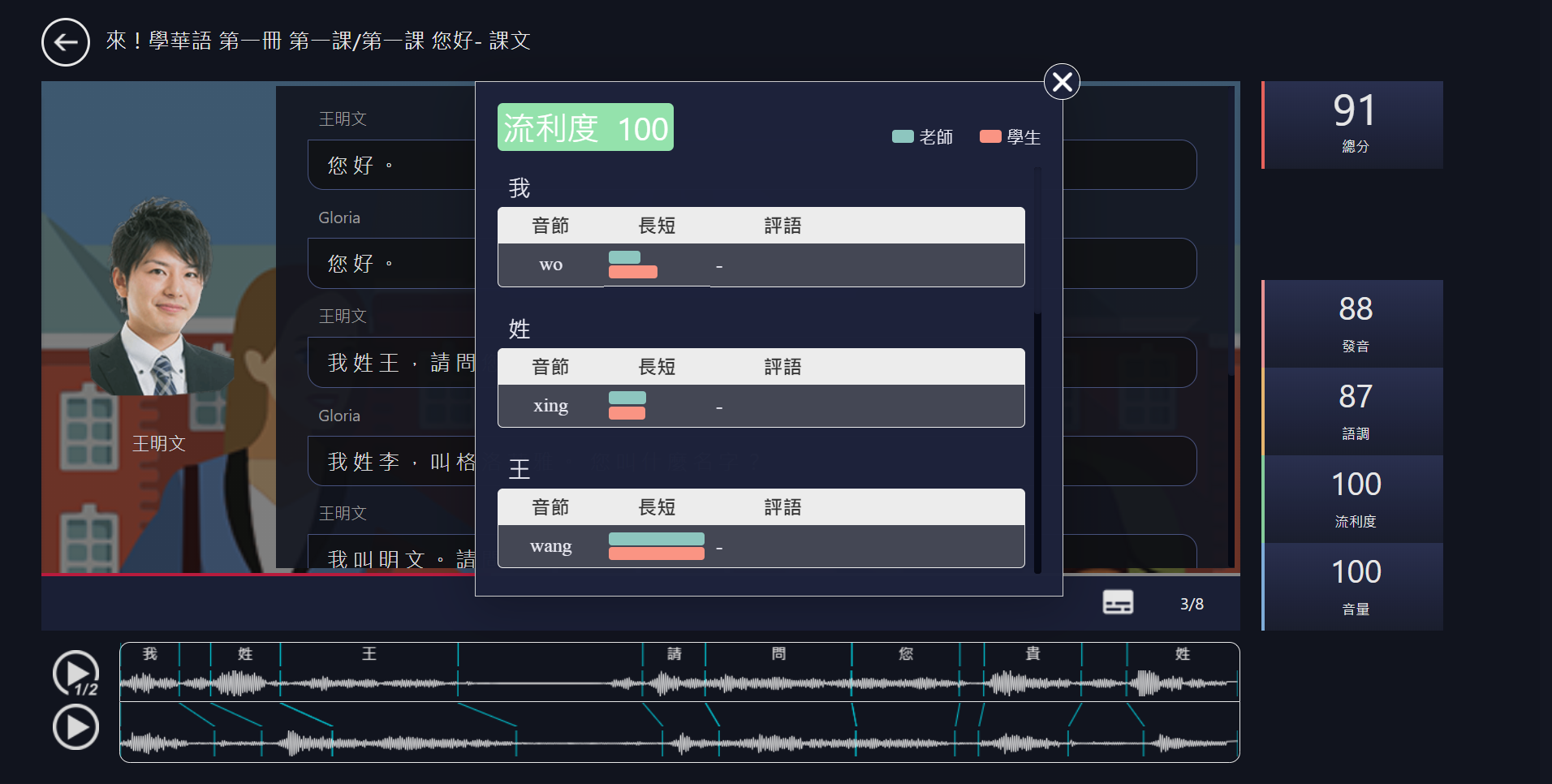
口說線上即時診斷
學生在聆聽老師句子後,錄下自己的聲音,MyCT就會立即將學生的聲音與老師的聲音比對,及時診斷,協助學生找出弱點,針對加強提升口語能力。
Immediate Online Speaking Diagnosis
After students listen to the teacher's sentences and record their own voice, MyCT will immediately compare the students' voice with the teacher's voice and make a timely diagnosis to help students identify their weaknesses and improve their speaking skills.
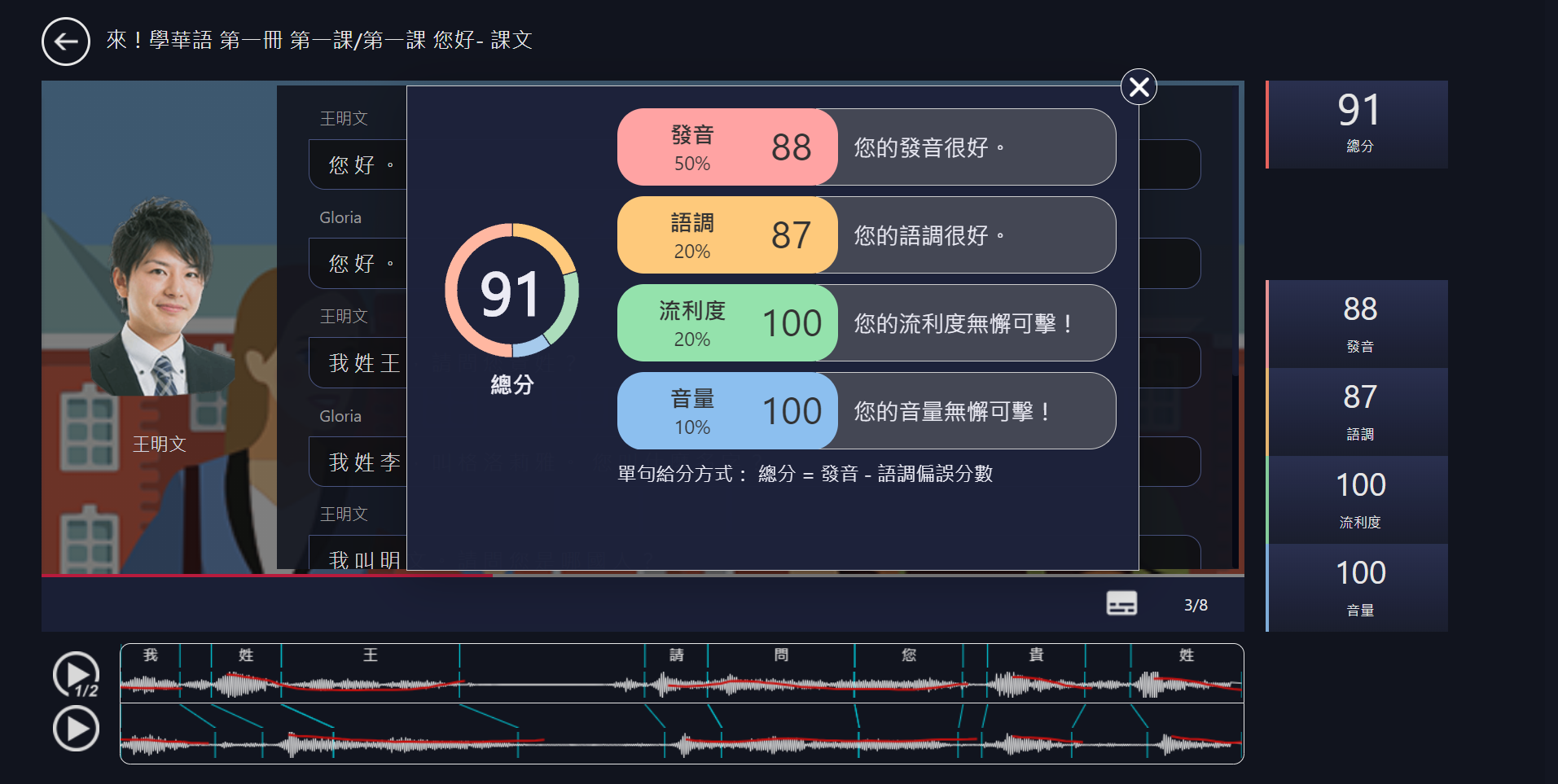
發音
不僅給予一個分數,更會告訴你問題在哪,以及如何做改善。
MyCT告訴你如何掌握發音中的基本元素,讓你如同母語人士說華語。
Pronunciation
MyCT not only gives you a score, but also tells you what the problem is and how to improve.
MyCT shows you how to master the basic elements of pronunciation so that you can speak Mandarin like a native speaker.
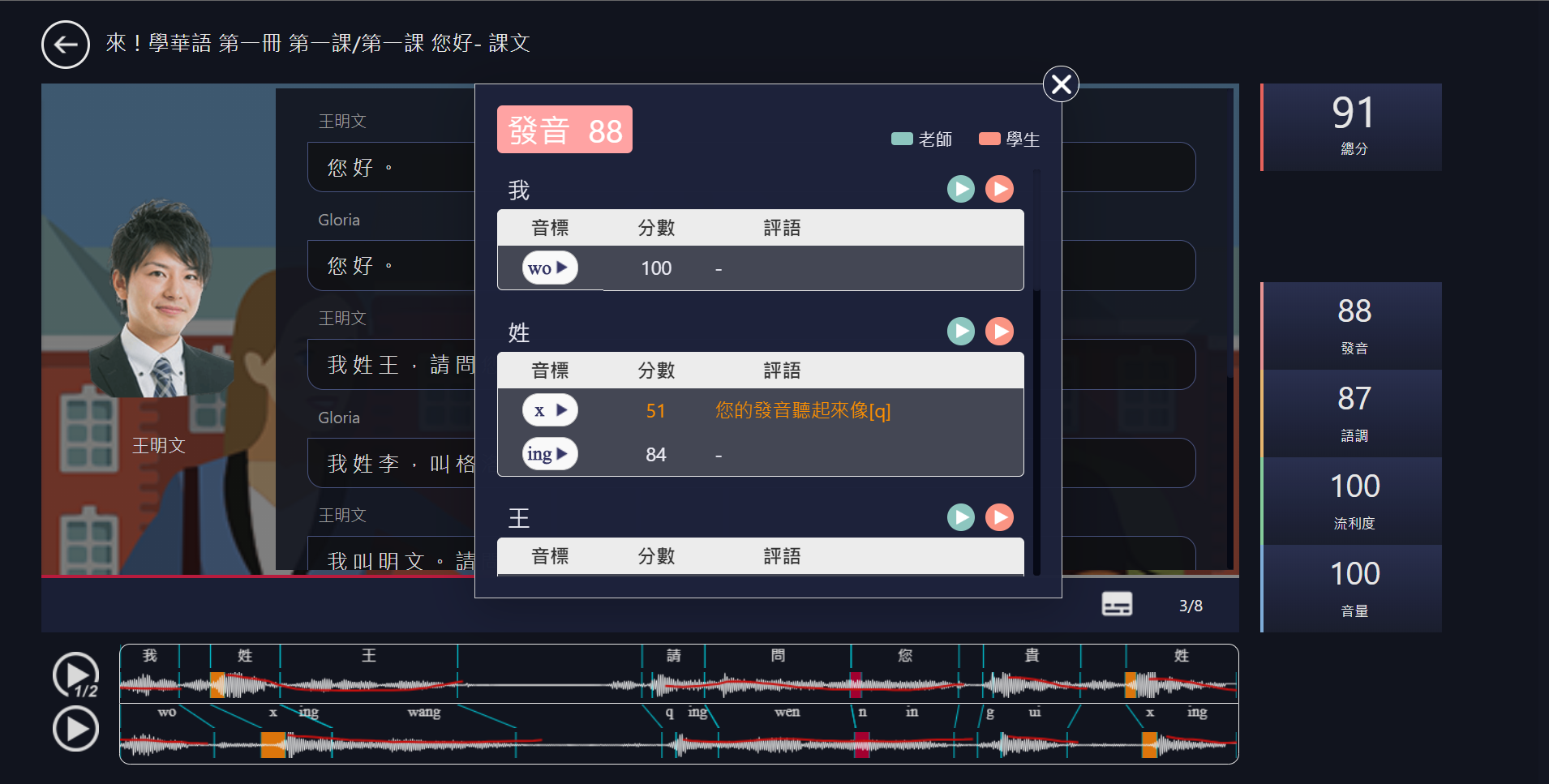
語調
準確分析華語特有的四聲語調,比對與老師示範的差異,
協助你調整每個音節的音調高低,口音更自然。
Pitch
MyCT accurately analyzes the four tones of the Mandarin,
compares the differences with the teacher's demonstration,
and helps you adjust the pitch of each syllable for a more natural accent.
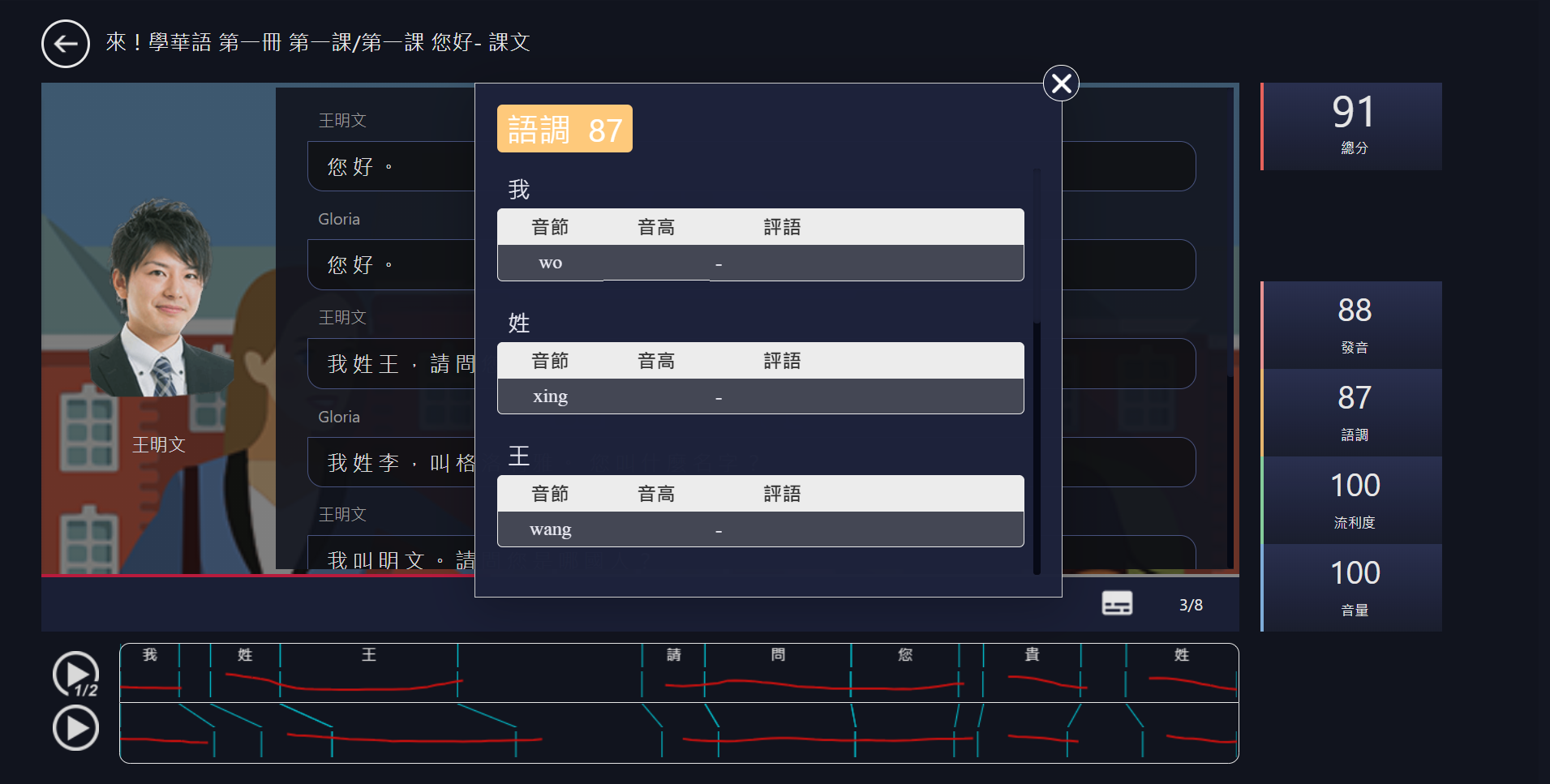
音量
重音位置很重要,不同重音位置會表達出不同語意。,
MyCT會幫助你將重音擺在對的音節上,讓溝通能夠更順暢。
Emphasis
The position of the accent is very important. Different accent positions will express different semantic meanings.
MyCT will help you place the accent on the right syllable so that you can communicate more smoothly.
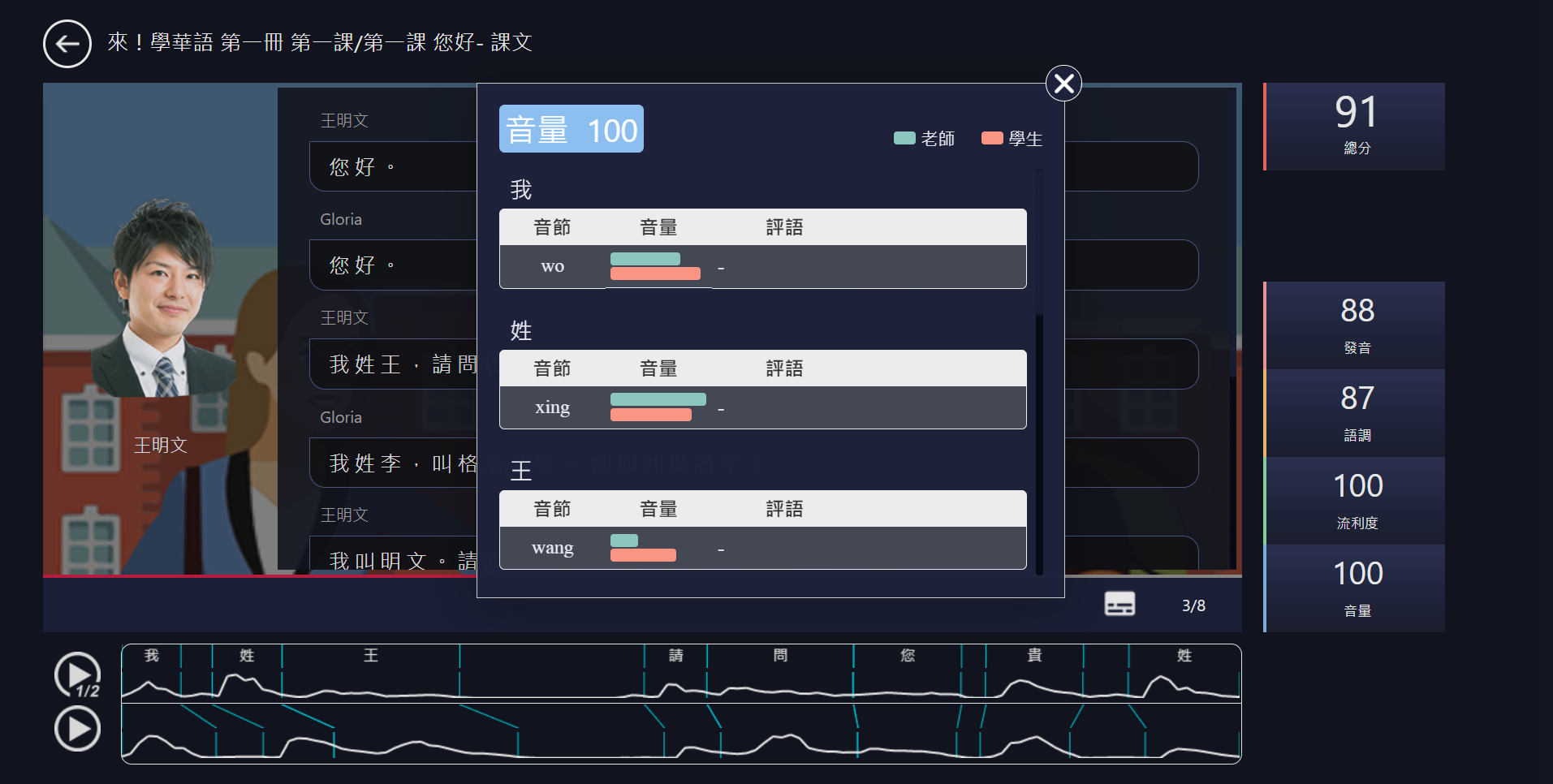
流利度
說話節奏的快慢,往往是外語學習者說話不自然的主要原因。
MyCT能夠透過比對分析,指導你調整為最合適的快慢節奏,口說表達更自信。
Timing
The rhythm of speech is often the main reason why foreign language learners do not speak naturally.
MyCT can guide you to adjust your speech to the most appropriate pace through comparison and analysis, so that you can speak more confidently.
科技讓教學更輕鬆,雲端整合教學管理
過去針對加強「聽、說」的回家作業,總讓語言教師傷透腦筋,
我們想要幫助老師找回教學熱誠,增加學生的學習動力。
Technology makes teaching easier with cloud integrated teaching management.
In the past, assignments to enhance "listening and speaking" have always caused language teachers a lot of frustration.
We want to help teachers regain their enthusiasm for teaching and increase students' motivation to learn.
30秒完成指定作業,無須批改自動結算成績
MyCT教學管理系統,能夠快速建立雲端班級社群,
幫助老師花最少的時間完成交辦作業與出測驗,掌握全班學習狀況更有效率!
Complete assigning assignments in 30 seconds and automatically settle grades without correction.
MyCT learning management system can quickly establish a cloud-based class community.
It helps teachers to spend the least amount of time on assignments and tests, and to keep track of the class' learning status more efficiently!
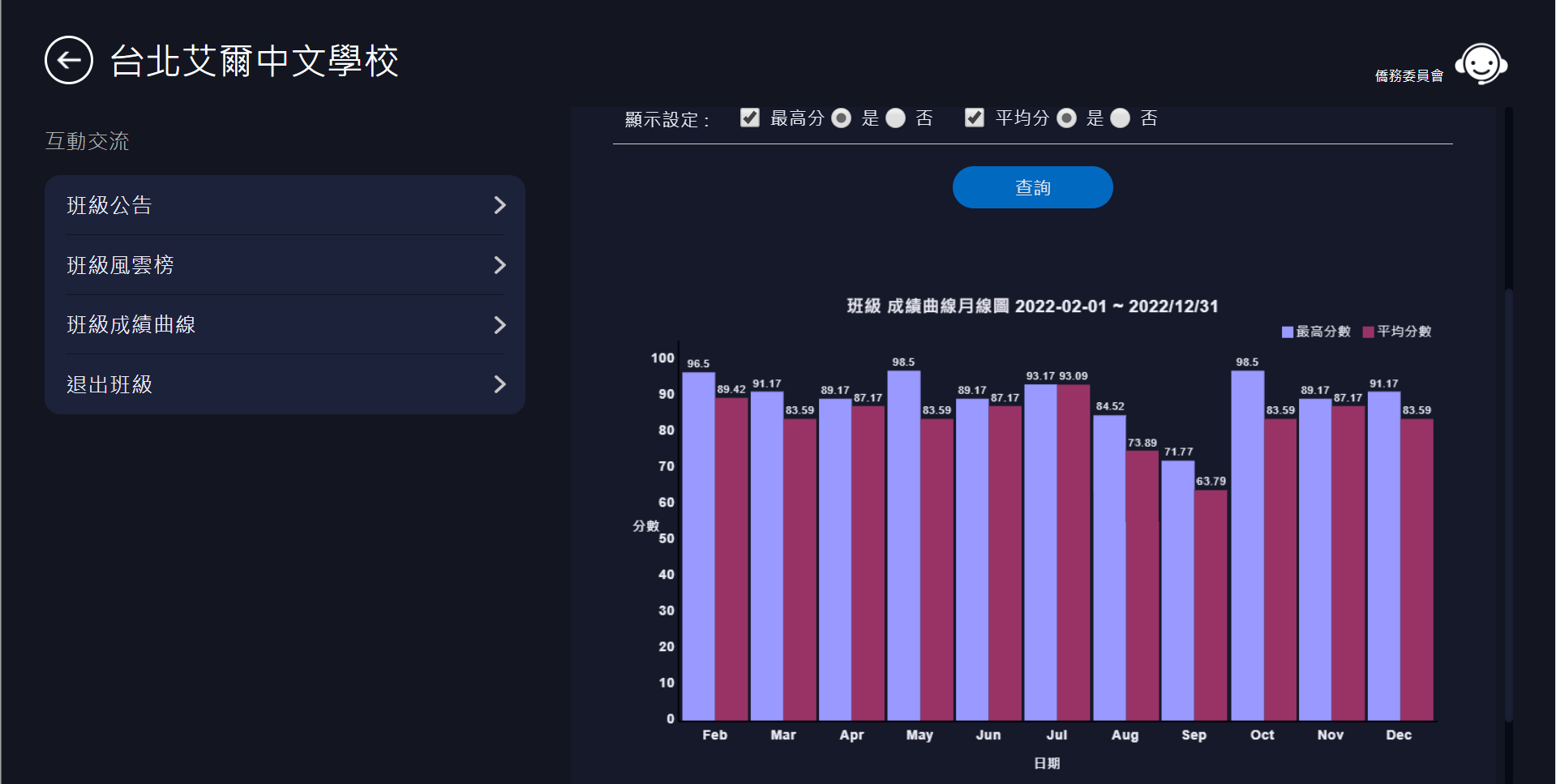
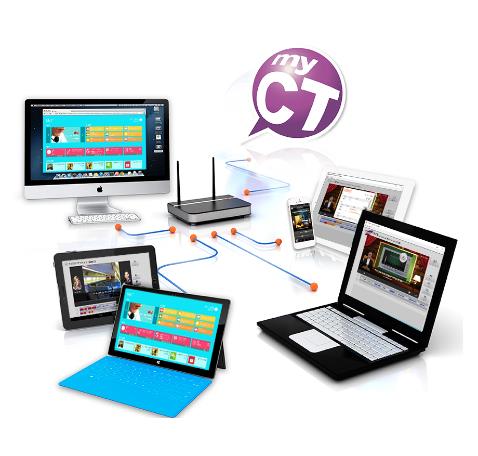
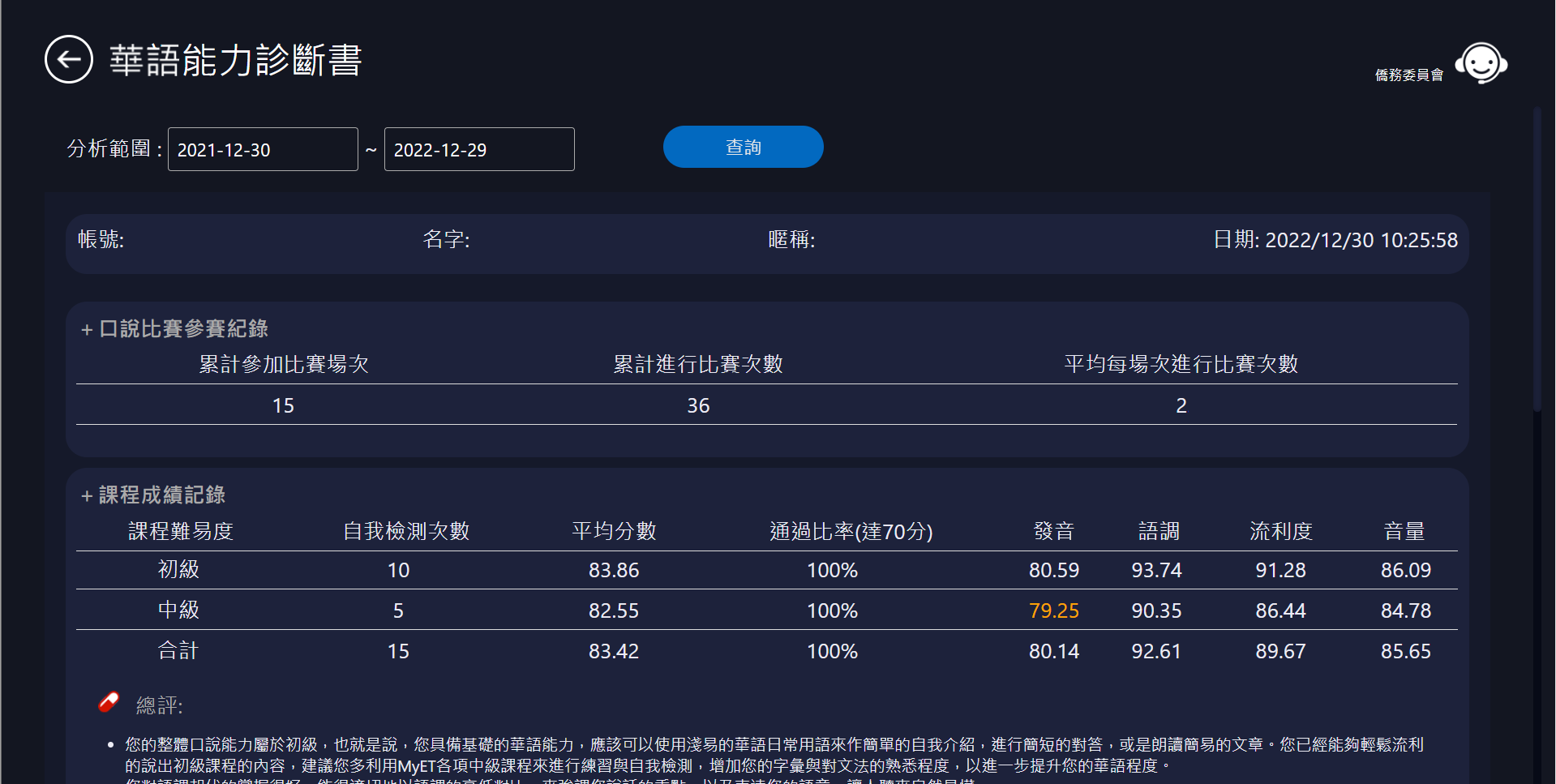
雲端整合跨平台裝置,隨時彙整學習歷程記錄,
讓老師與學生能隨時隨地查閱學習狀況,
個人化口說能力診斷書,
快速掌握學習成效,教學更能對症下藥!
Mobile learning cloud managementfrees teachers without problems.
The cloud integrates cross-platform devices to compile learning history at any time.
Teachers and students can check their learning status anytime and anywhere.
The personalized speaking diagnosis can quickly grasp the effectiveness of learning and finds the right antidote!
STEP 1:
掃描QR Code或點擊下方MyCT LOGO,下載並安裝最新版MyCT APP。
Download and install the latest version of MyCT app.

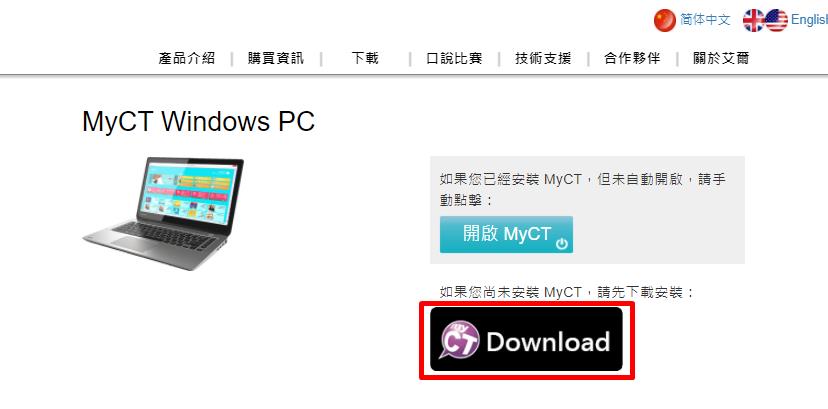
(NB/PC/Mac/Chromebook/Pad)
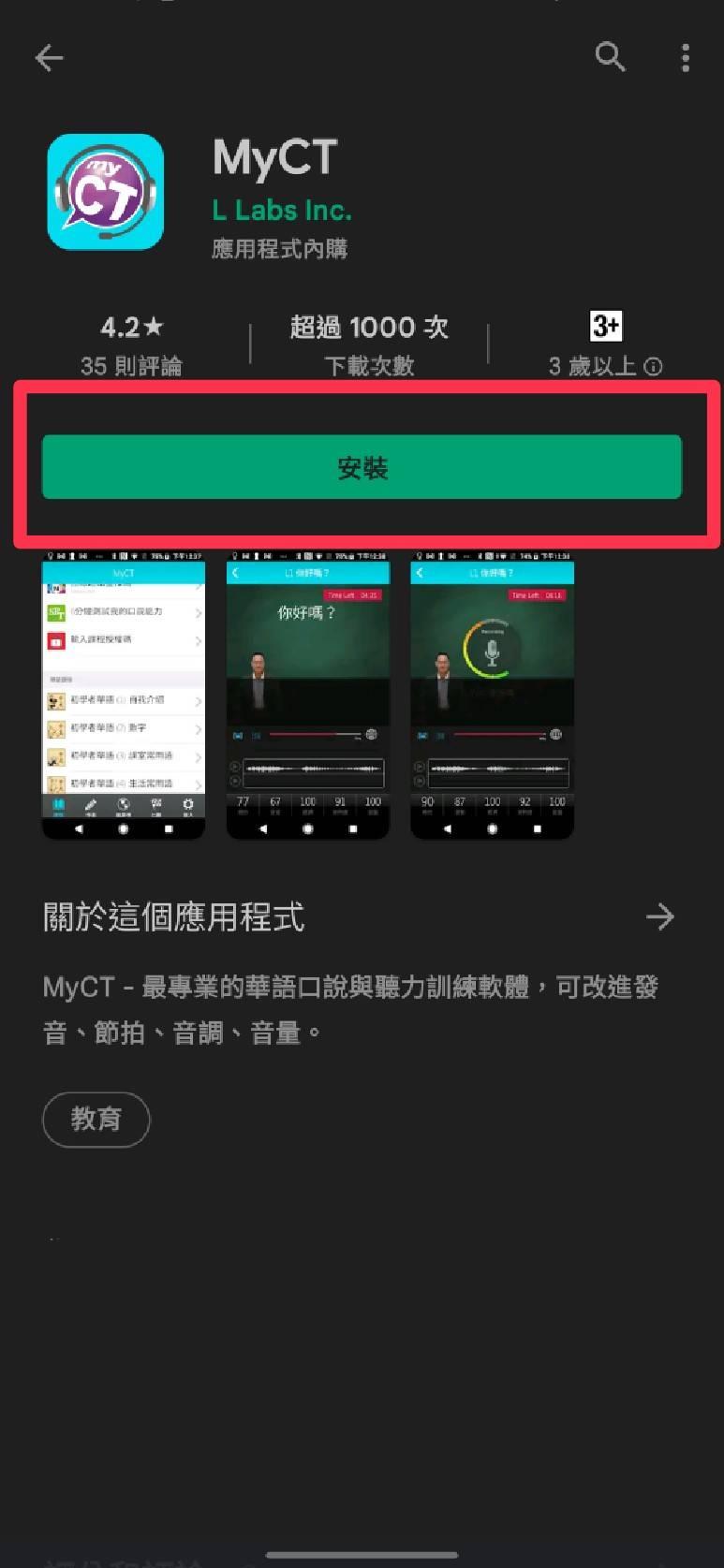
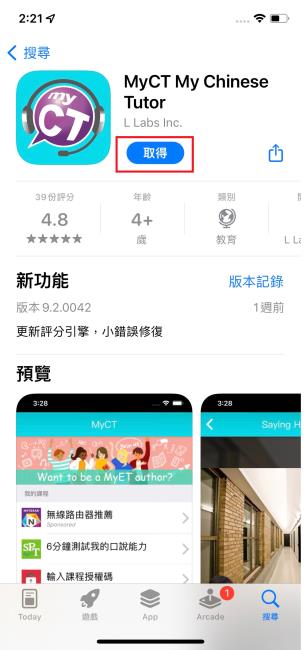
(Andriod Phone) (iOS Phone)
STEP 2:
開啟MyCT,確認伺服器顯示為「僑務委員會」後,點擊「登入/註冊」,輸入您於全球華文網註冊的個人帳號密碼。(點擊前往註冊全球華文網帳號(另開新視窗))
Launch MyCT, confirm that the "Overseas Community Affairs Council" server is displayed in the upper right corner, choose it, and enter your password to log in.
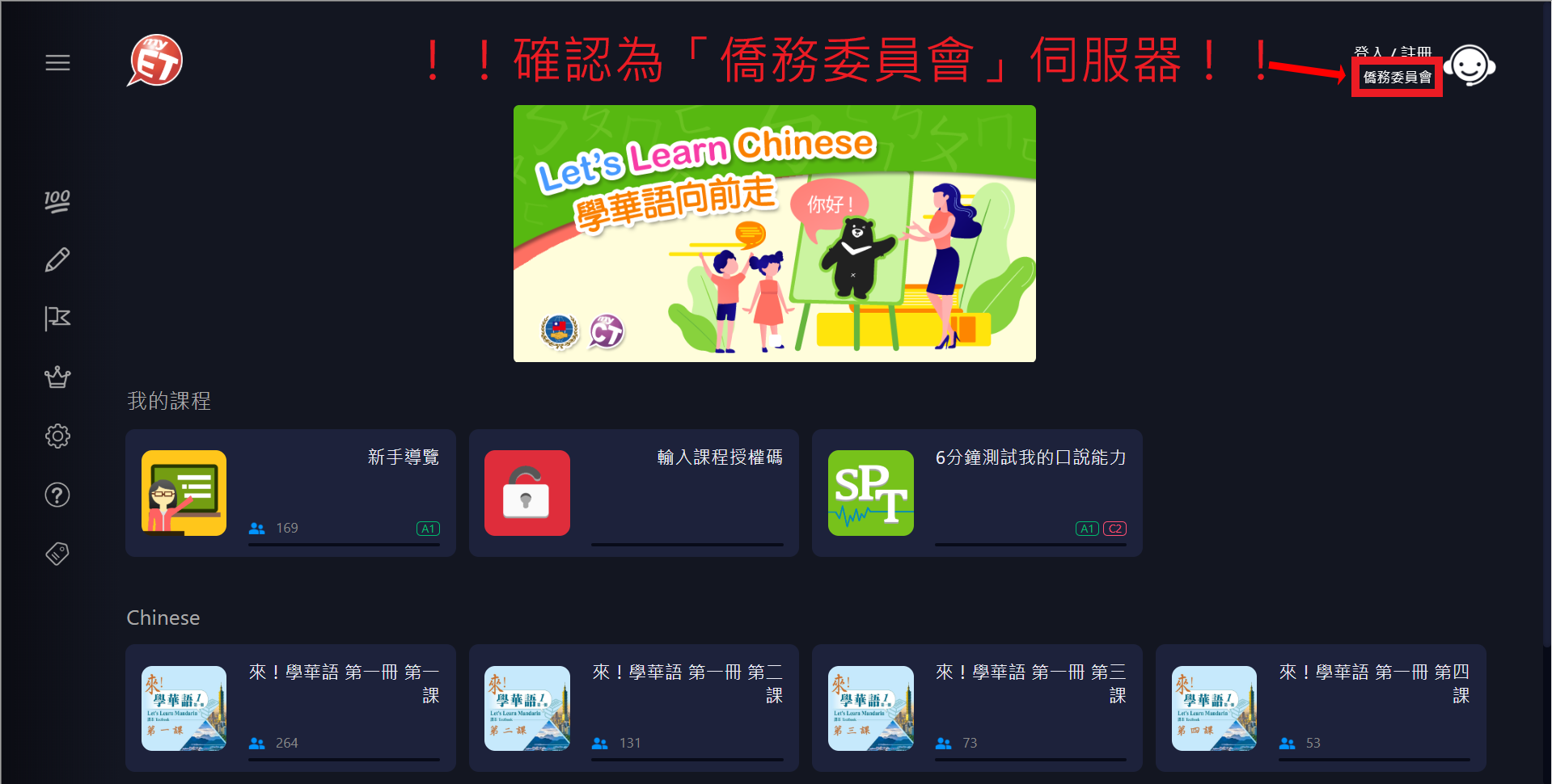
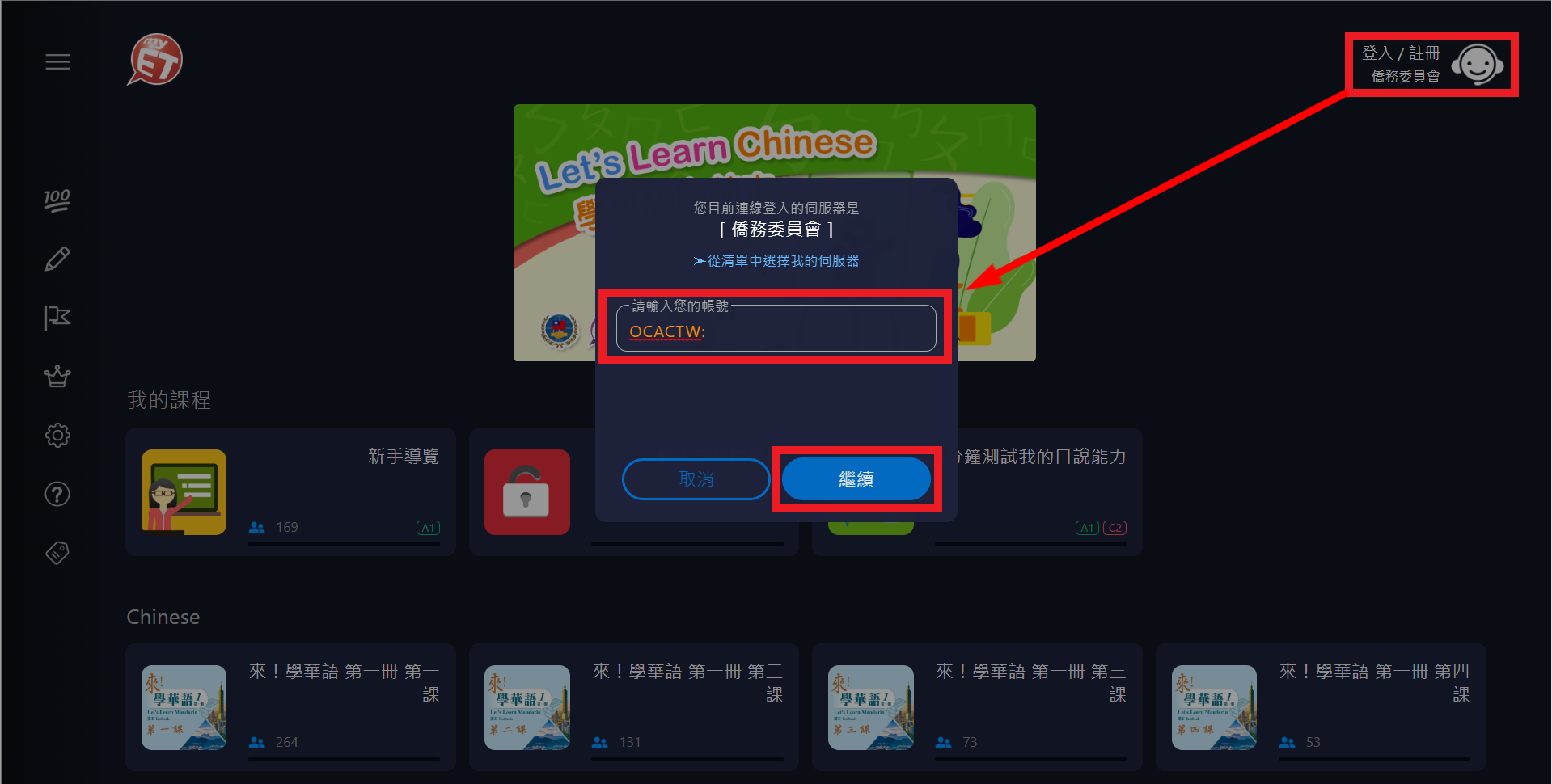
(NB/PC/Mac/Chromebook/Pad)
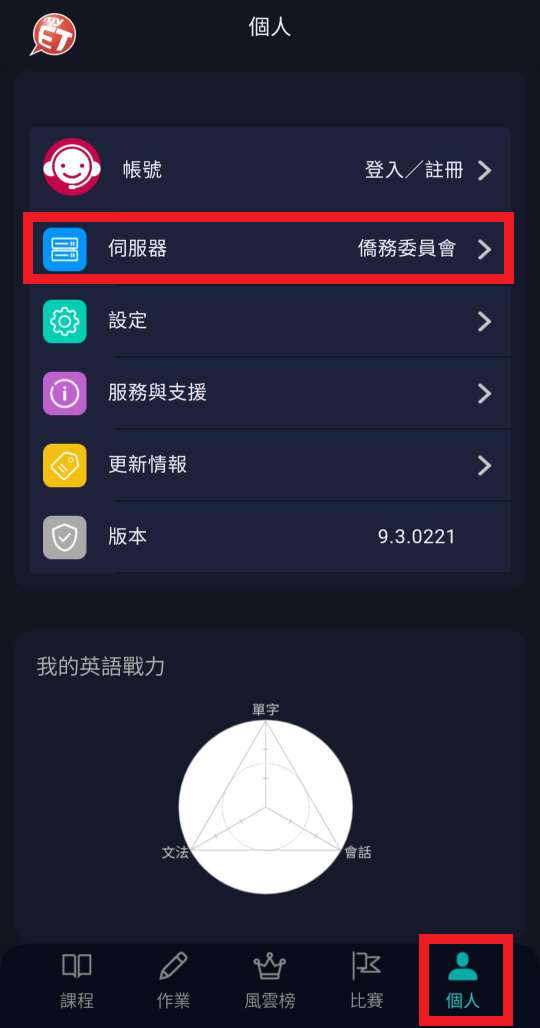
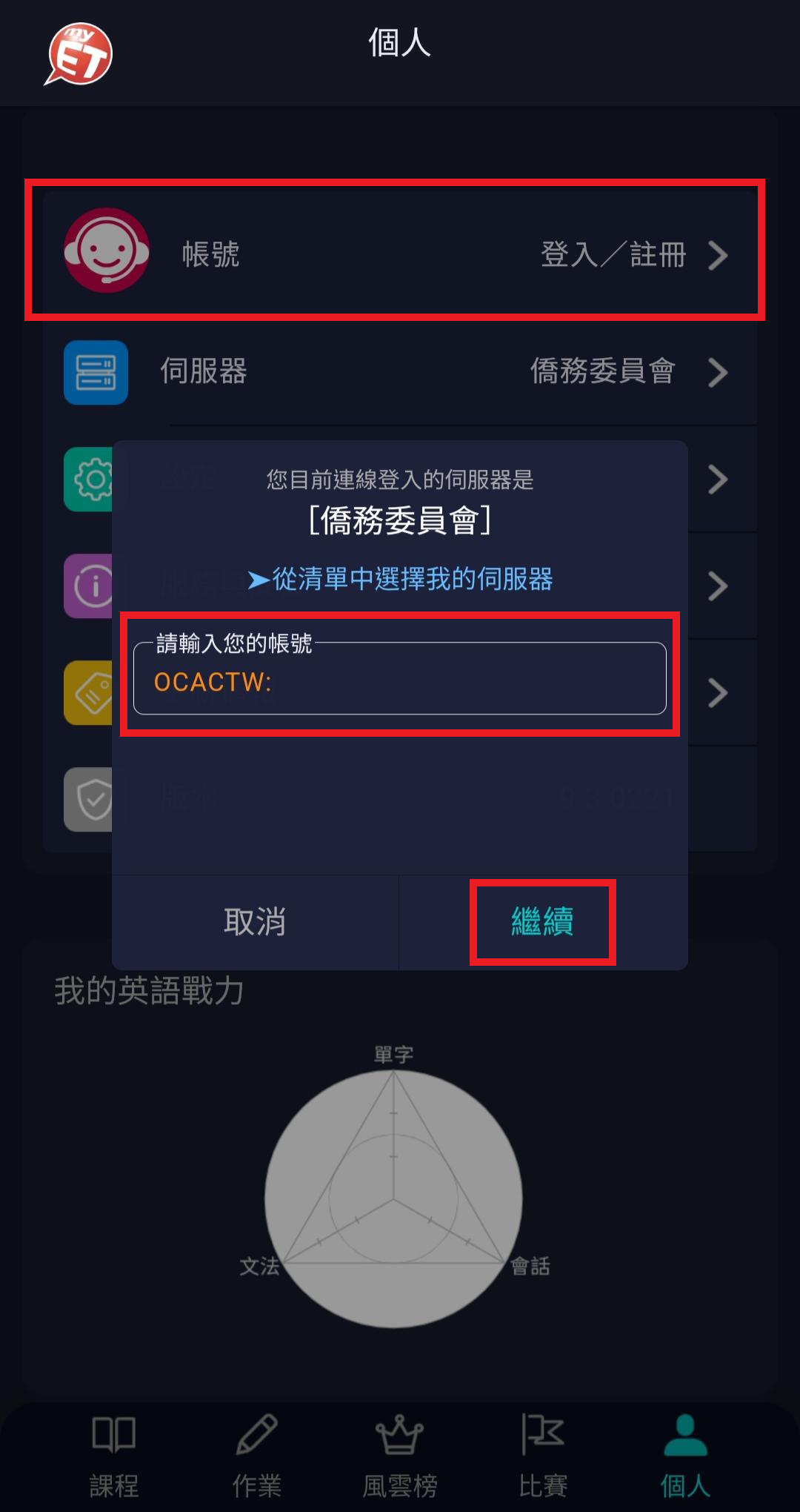
(Phone)
STEP 3:
登入後,在「我的課程」看到《來!學華語》課程Icon,您可以點選進入課程開始學習。
After logging in, you can see the course in "My Courses", and you can start using it.
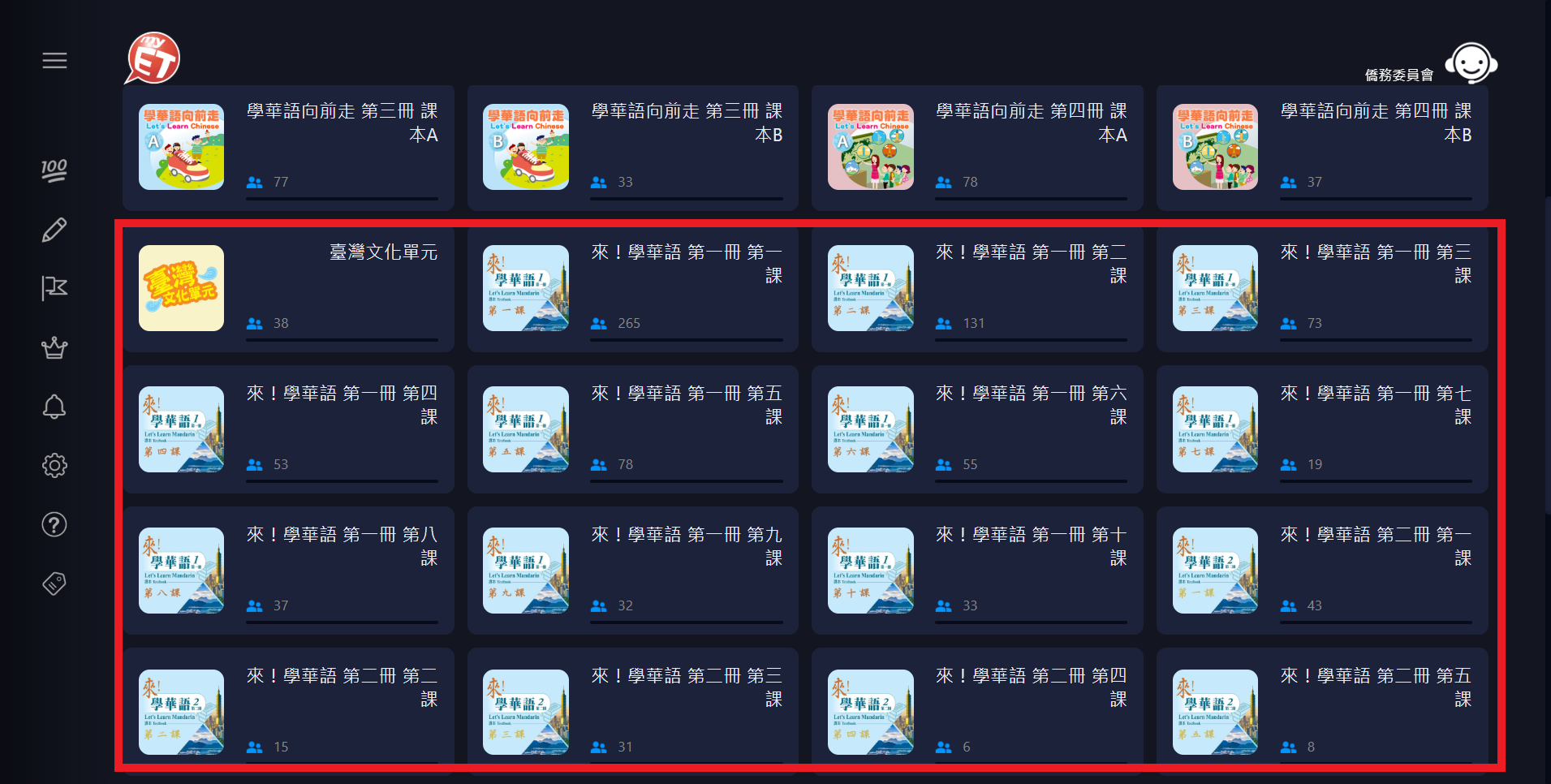
(NB/PC/Mac/Chromebook/Pad)
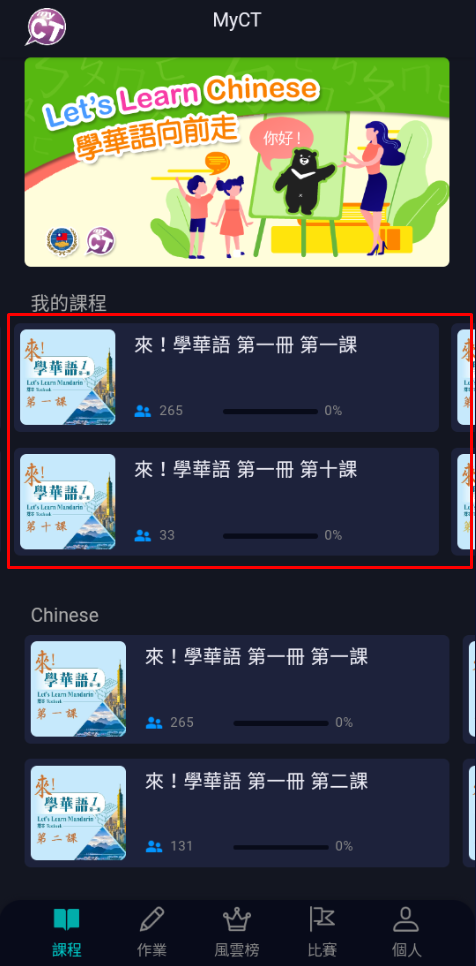
(Phone)
請依照您的使用身分及操作裝置,選擇下載適合您的使用手冊。
Please choose to download the user manual suitable for you according to your user identity and operating device.
教師版使用手冊 For Teachers:
行動版
(Apple iOS/Android)
電腦/Pad版
(Windows/Mac/Pad)
學生版使用手冊 For Students:
行動版
(Apple iOS/Android)
電腦/Pad版
(Windows/Mac/Pad)
MyCT客服信系統 MyCT Support System:
STEP 1:
登入後點開左邊選單,選擇「服務與支援」。
After logging in, click on the menu in the upper left corner and select "Contact MyCT Support".
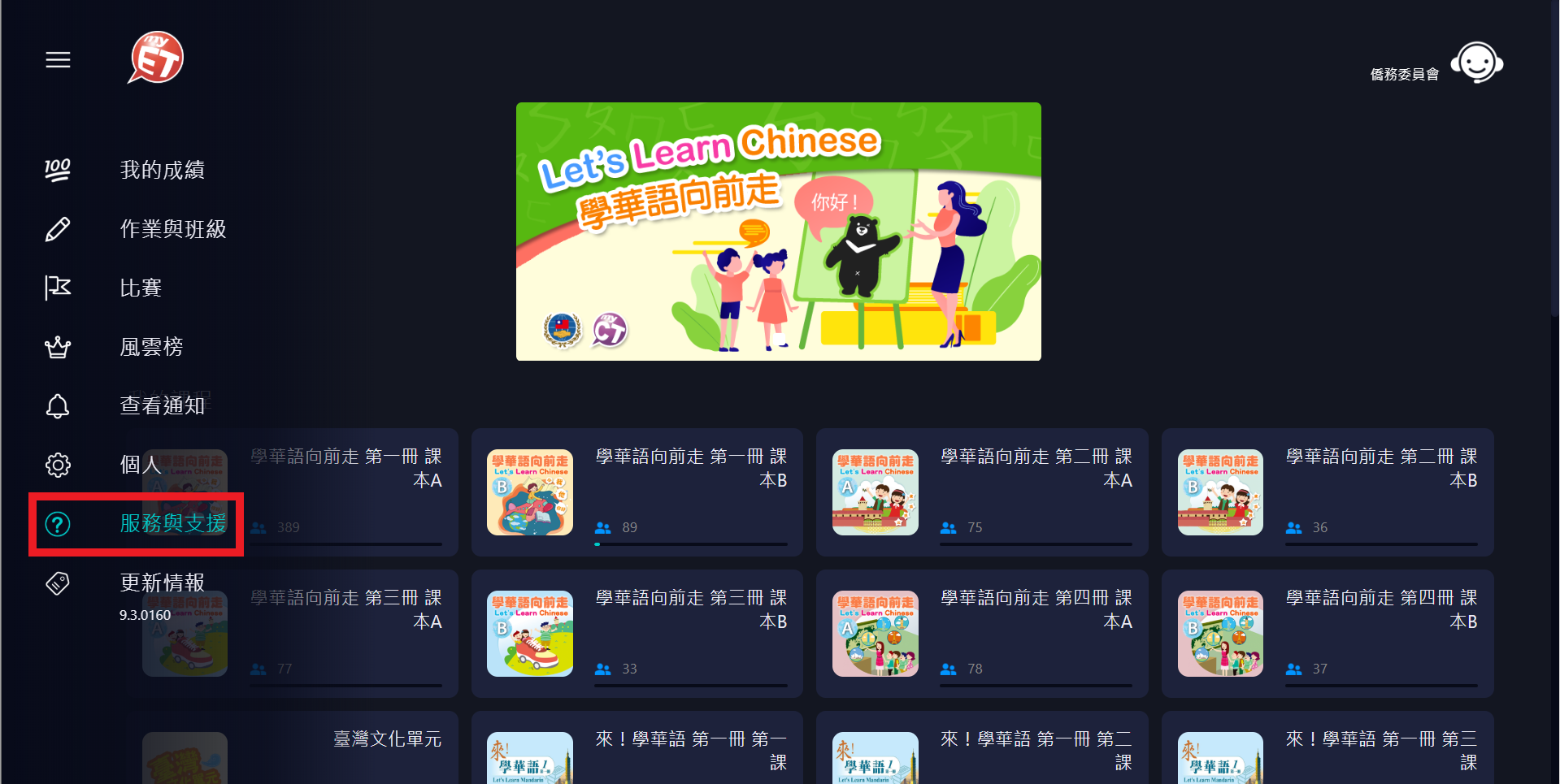
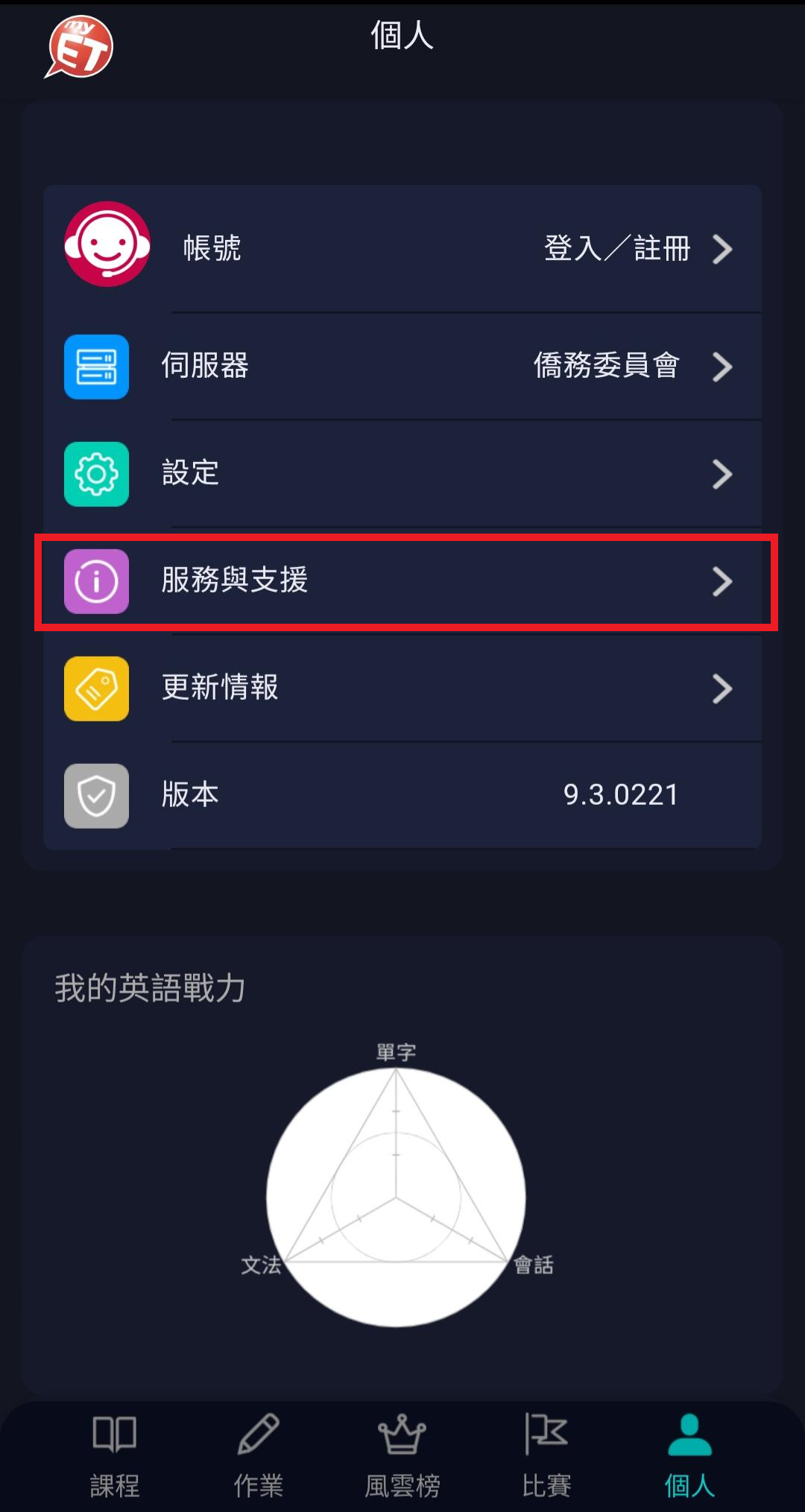
STEP 2:
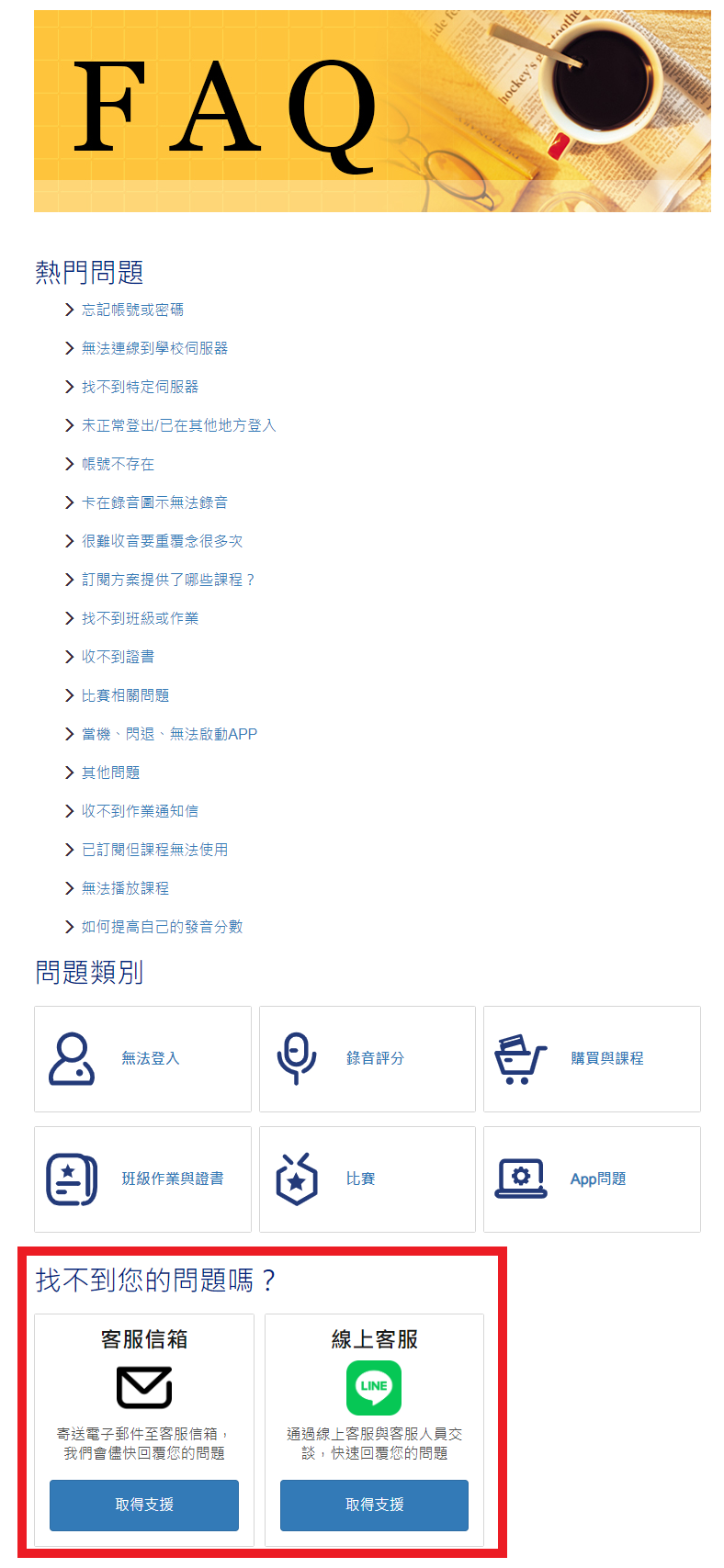
在此可看到所有熱門問題。若找不到您的問題,可點選「客服信箱」或「線上客服」洽詢。
Here you can see all popular issues. If you can't find your question, you can click "Customer Service Email"or"Live Support".