MyCT AI 口說學習平台
AI 即時評分與分析 X 多樣課程類型與學習模式 X 主流教學理論與學習法
「先聽說,後讀寫」是學習一種語言最有效的方法
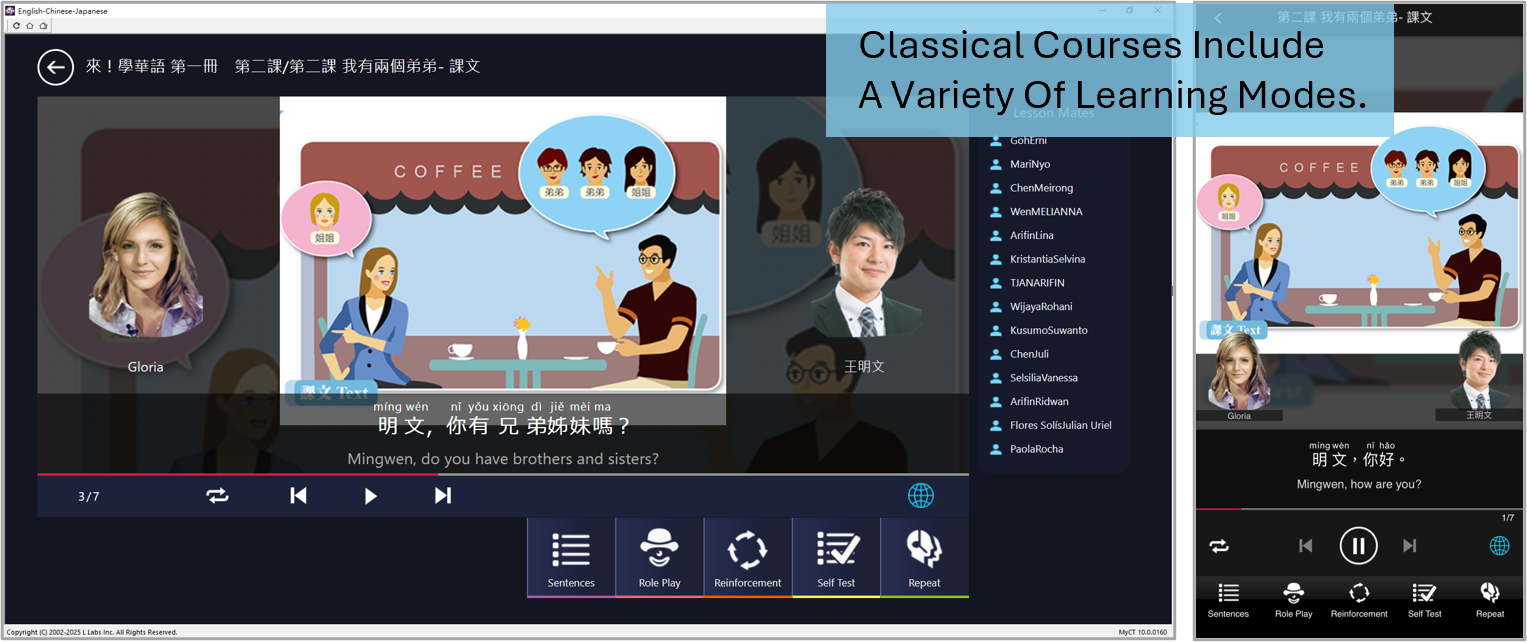
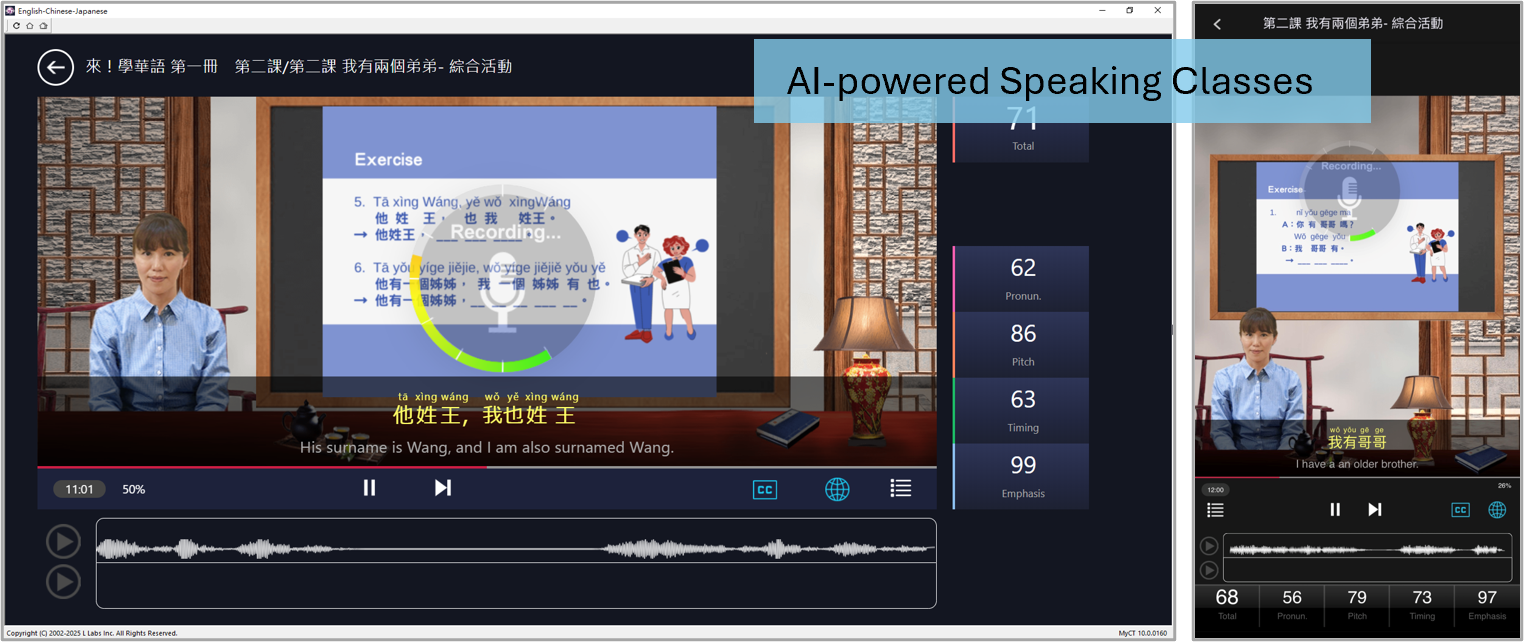
MyCT AI 口說學習平台,包含古典、人工智慧口語課堂、任務導向學習等多樣的課程架構
融合主流語言教學理論所設計的學習模式,以及母語學習方法規劃
以「眼看,耳聽,口說」多重感官並用的沉浸學習過程,
搭配獨創的自動語音分析(ASAS®)及「動態劇情導向的數位語言教學的方法及系統」(I679620 號)技術,
及詳盡的學習診斷分析數據,
讓學習華語變得不再困難與枯燥,可以是輕鬆高效,有趣又快樂!
MyCT AI Speaking Learning Platform
Real-time AI scoring & analysis × Diverse course types & learning modes × Proven teaching theories & methodologies
"Listen and speak first, then read and write" is the most effective way to learn a language.
The MyCT AI Speaking Learning Platform offers a wide range of course structures,
including classical courses, AI-powered speaking classes, and task-based learning.
It integrates mainstream language teaching theories with native-language acquisition approaches to design effective learning modes.
Through an immersive learning experience that engages multiple senses—"seeing, listening, and speaking"—
combined with our proprietary Automatic Speech Analysis System (ASAS®)
and "Method and System for Dynamic Scenario-Driven Digital Language Instruction," plus detailed learning diagnostic data,
learning Mandarin becomes no longer difficult or tedious, but easy, efficient, engaging, and enjoyable.
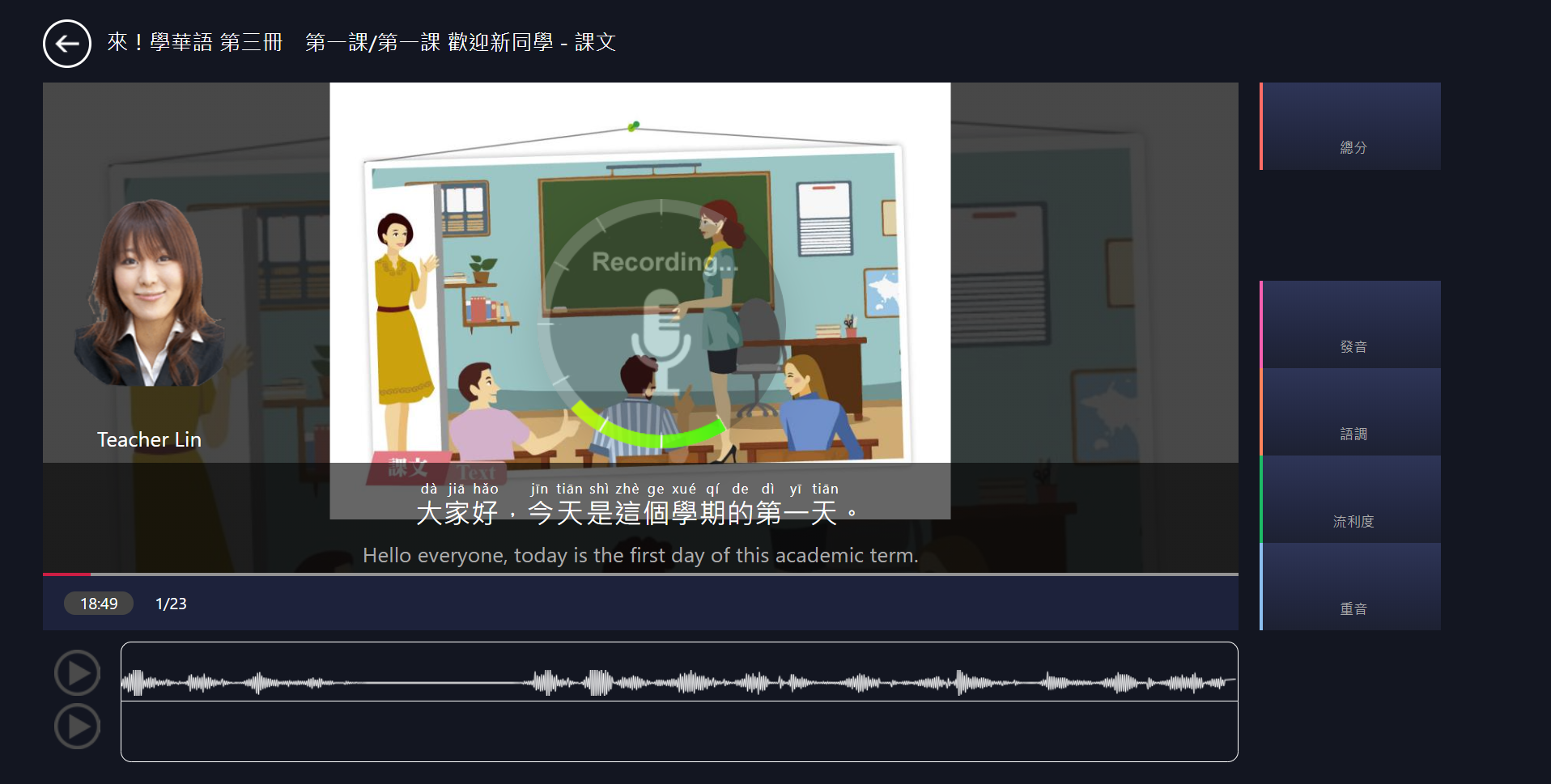
AI 口說即時評分與診斷分析
學習者聆聽老師的聲音,然後看著文句開口說,
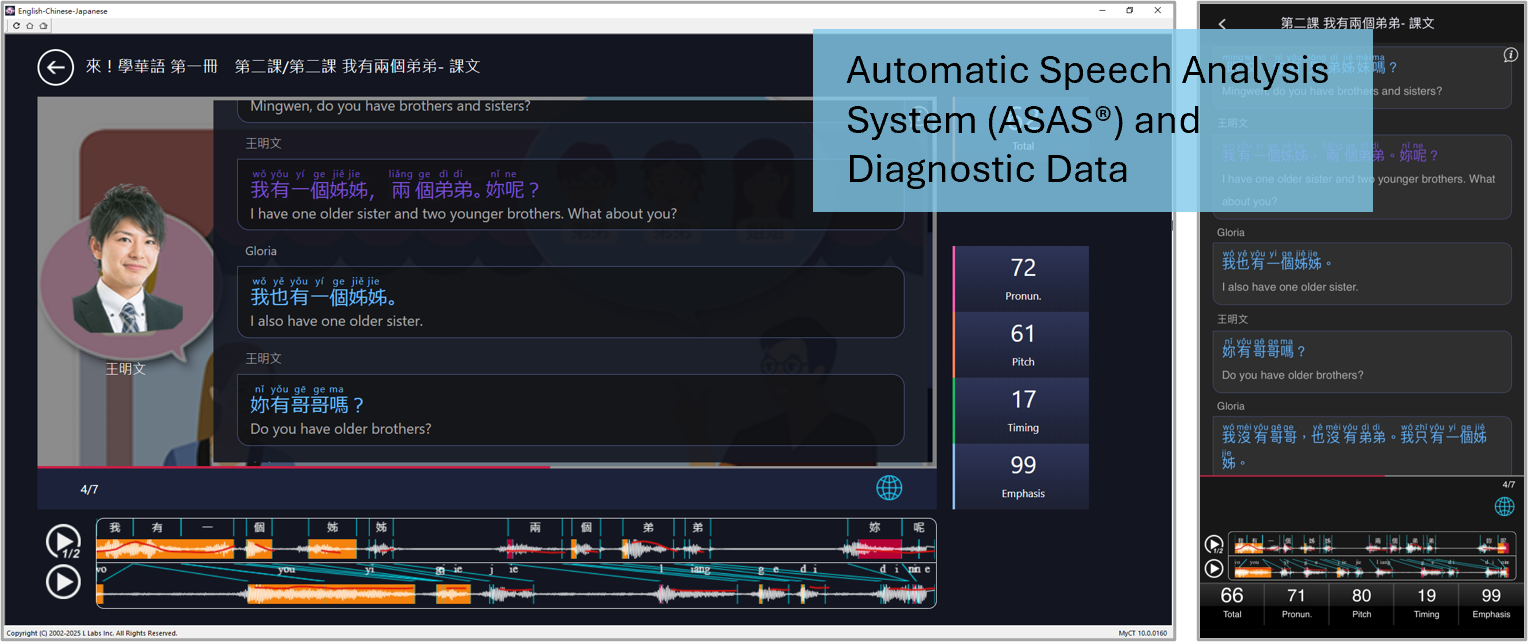
MyCT 的 AI 自動語音分析系統(ASAS®),在每個字和句子的重要組成元素,
即時分析診斷口說內容,給予明確的量化分數,告知問題發生原因,
並針對問題提供改善建議,
讓學習者在真實環境下,自然的開口說華語,與他人進行有意義的溝通及言語交流。
Real-Time AI Speaking Assessment & Diagnostic Analysis
Learners listen to the teacher's voice and then speak by following the displayed sentences.
MyCT's AI-powered Automatic Speech Analysis System (ASAS®) analyzes key elements of each word and sentence in real time,
providing clear, quantifiable scores, identifying the causes of errors, and offering targeted improvement suggestions.
This enables learners to speak Mandarin naturally in realistic contexts,
and to engage in meaningful communication and verbal interaction with others.
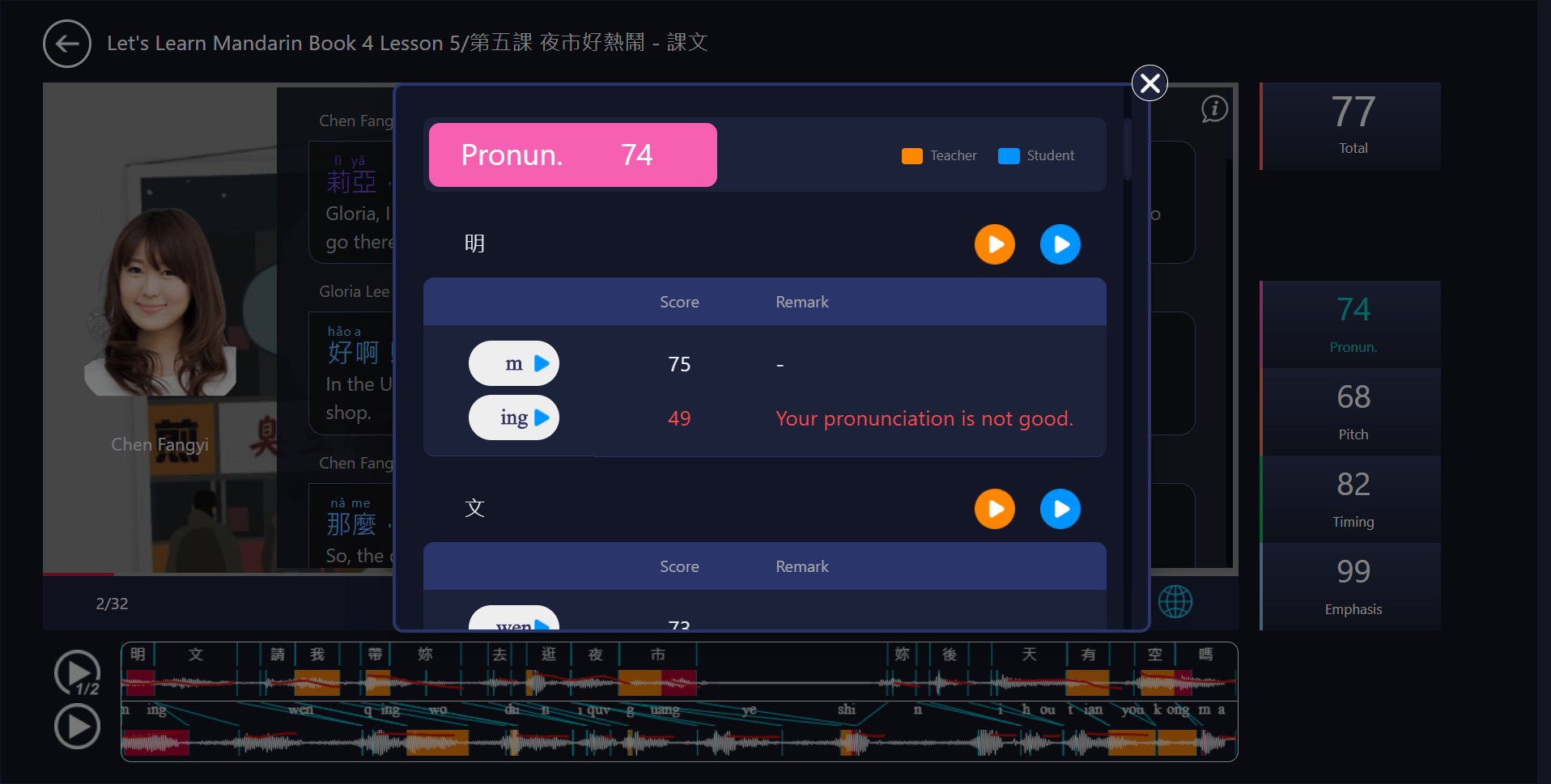
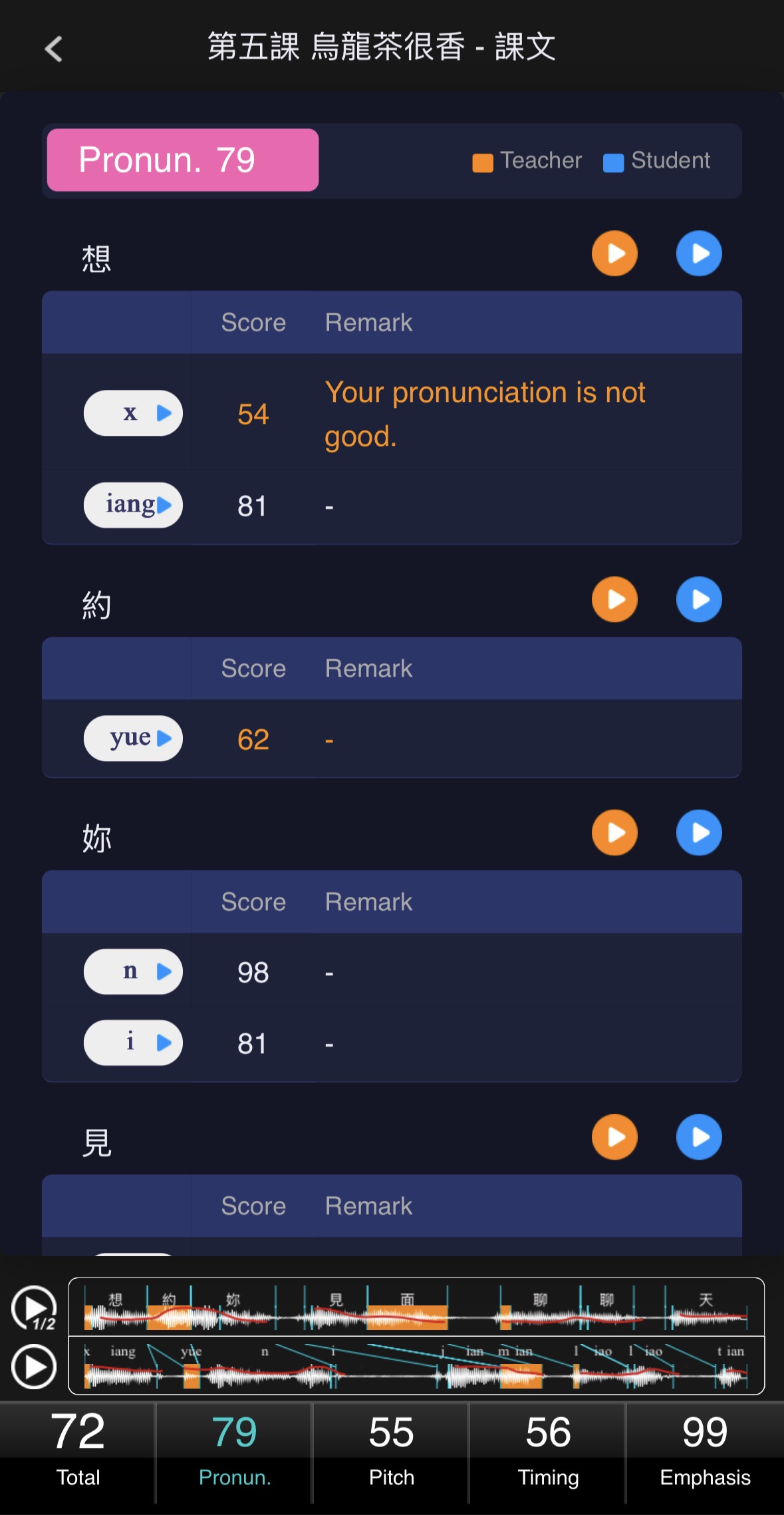
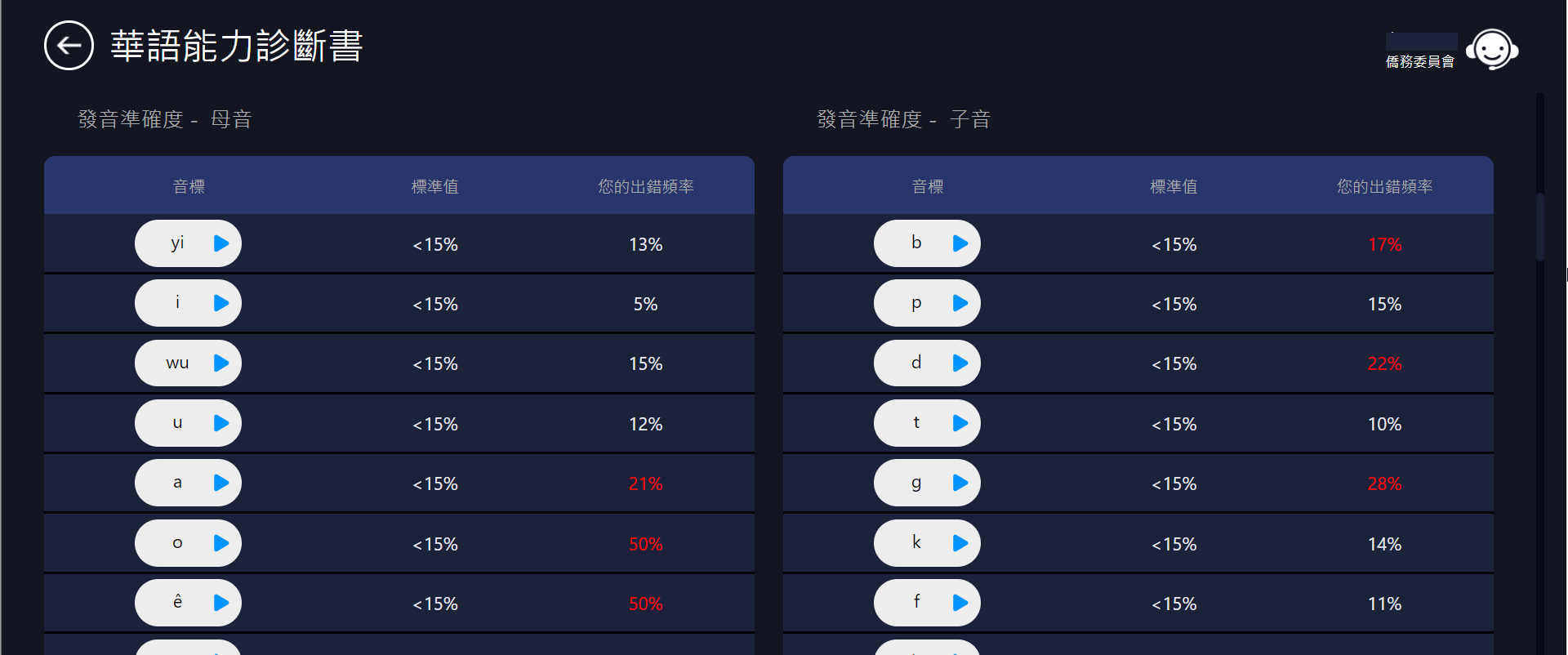
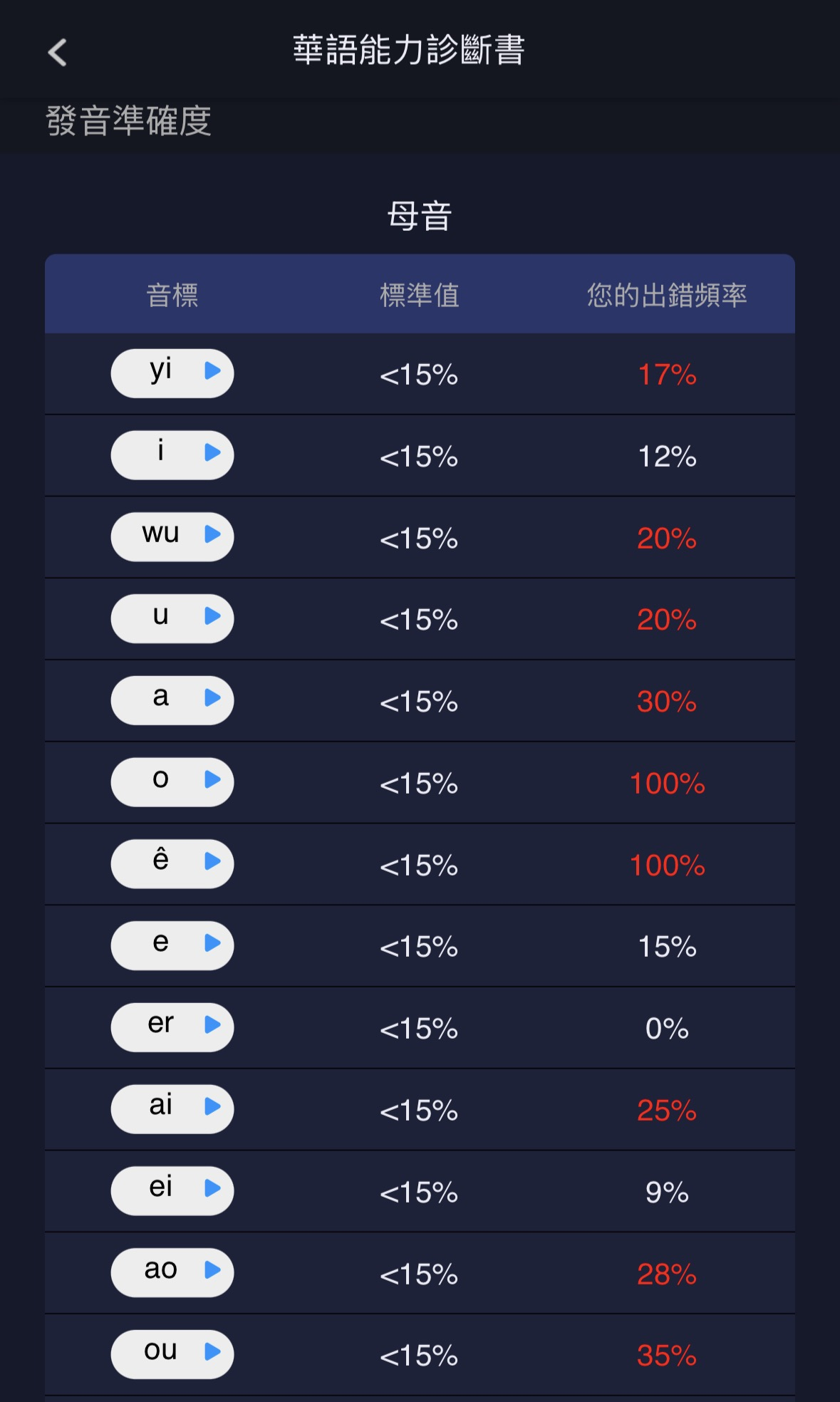
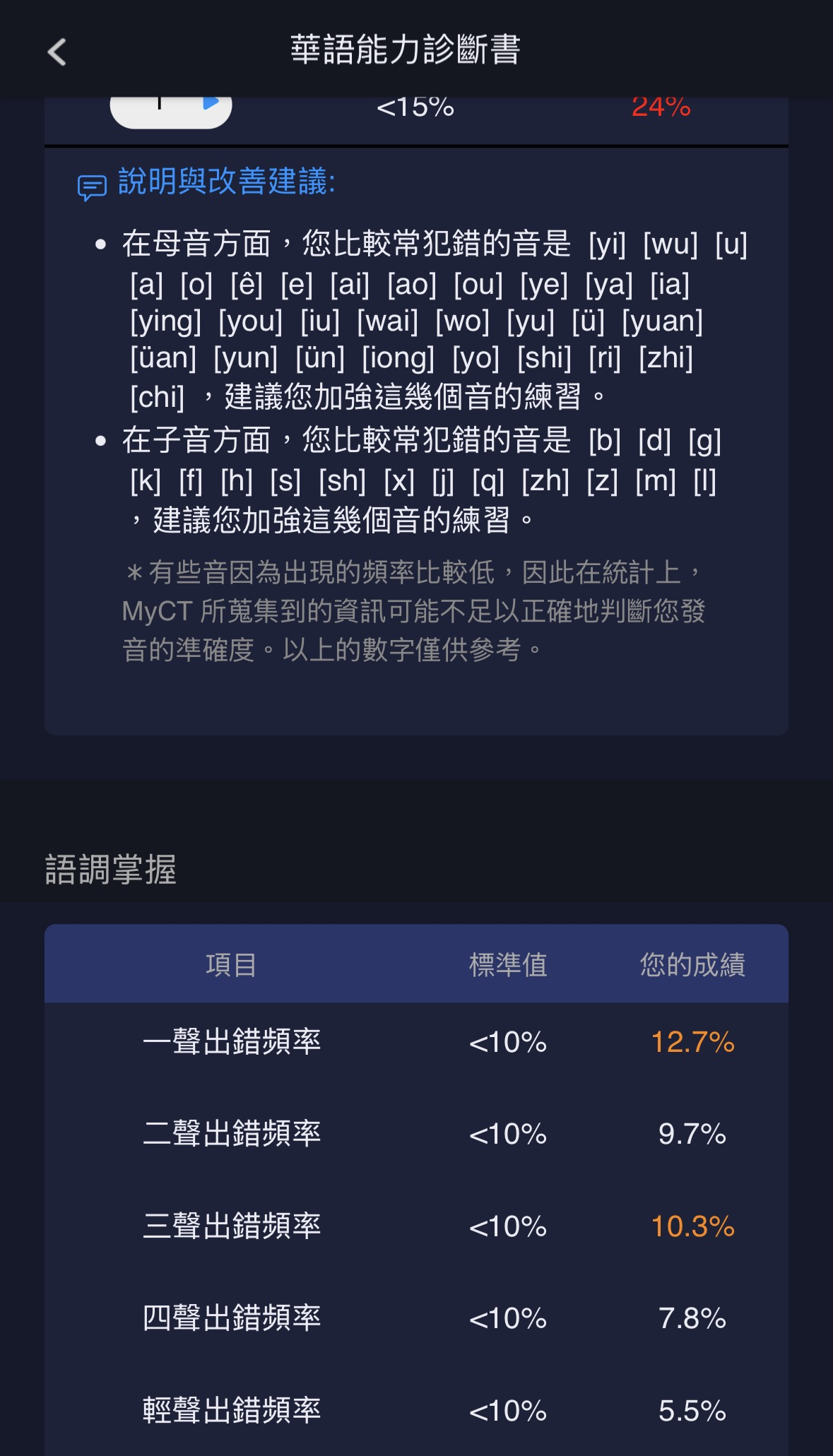
發音
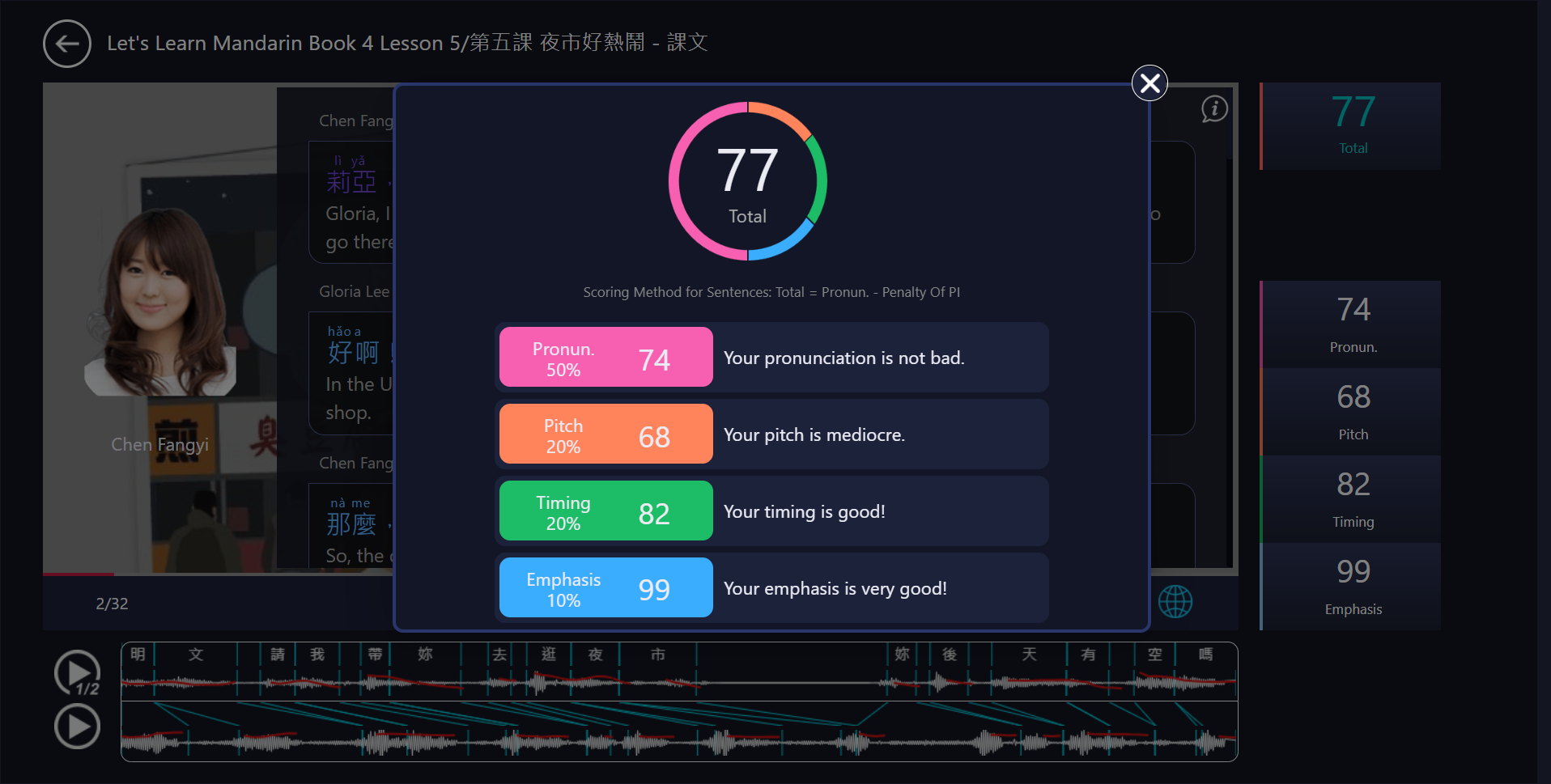
學習者可比較自己與老師每個字在發音表現上的差異,一方面熟悉每個字的正確唸法,
同時,MyCT 會一一對於句中每個字的聲母及韻母,分析評比和給分,
並且針對表現不好的部分提供詳細的評語和改善建議,
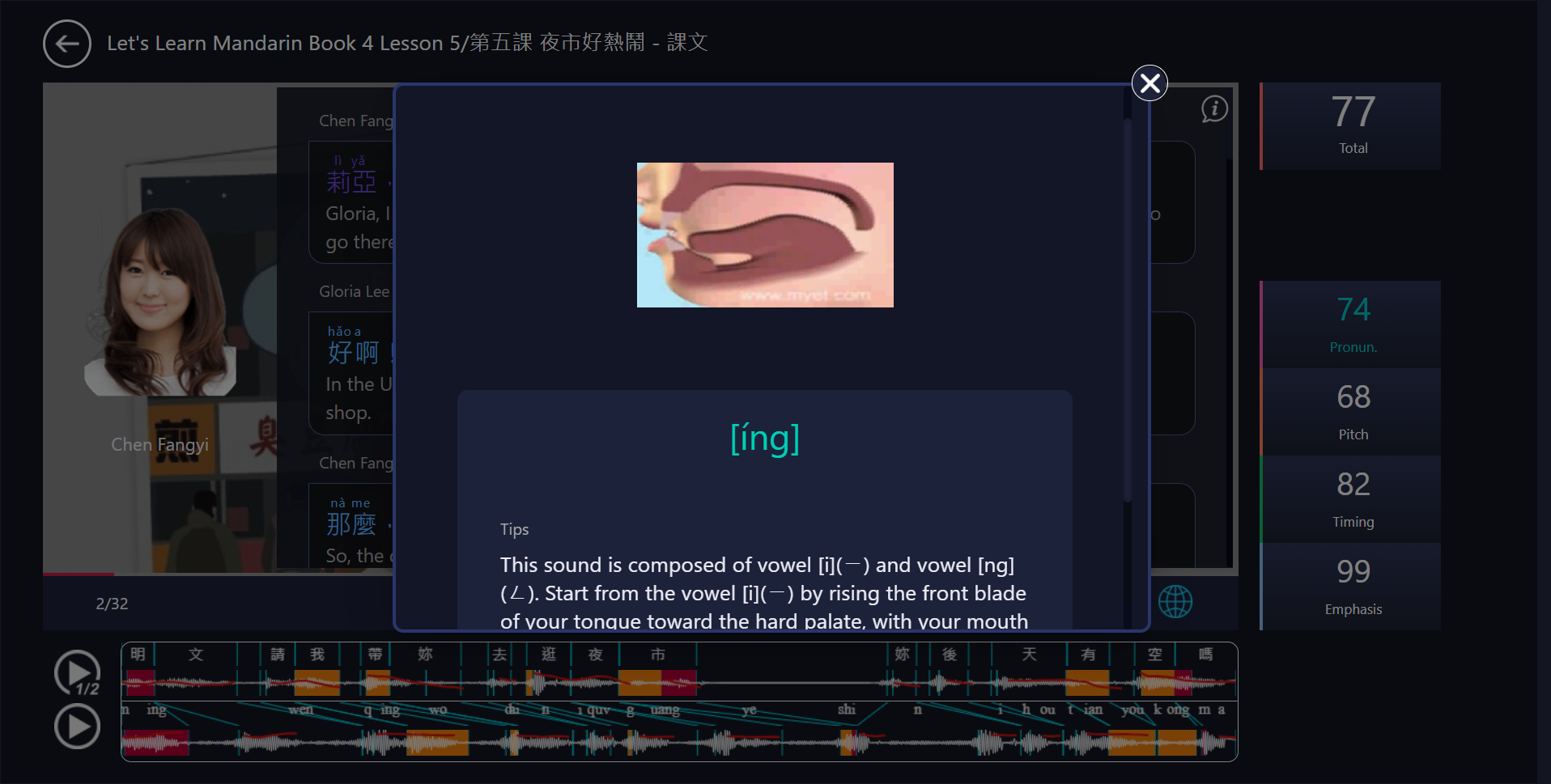
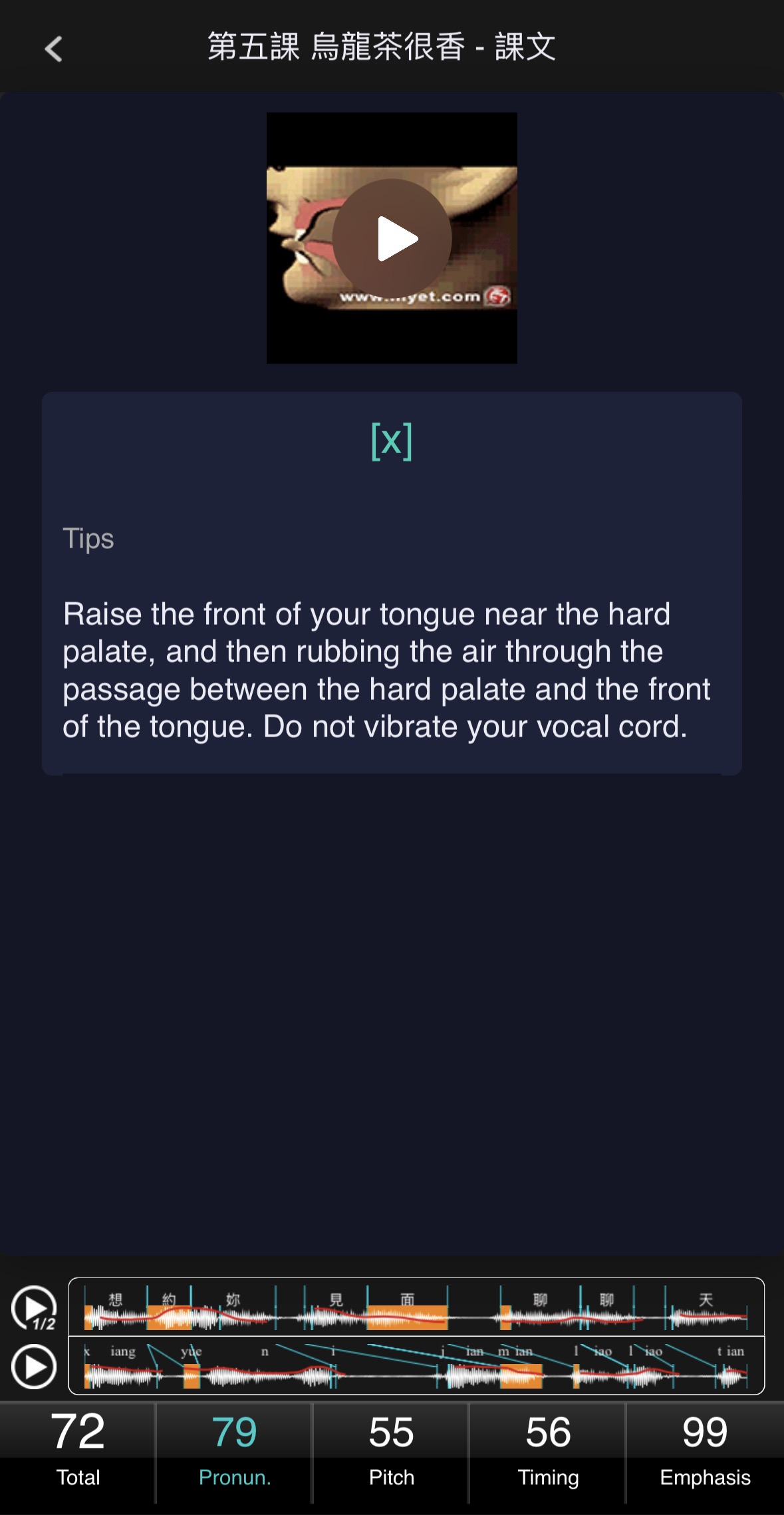
同時藉由 3D 發音動畫圖,教導學習者清楚掌握華語每個聲母及韻母正確發音的重要關鍵。
Pronunciation
Learners can compare their pronunciation with the teacher's at the word level,
helping them become familiar with accurate pronunciation.
MyCT analyzes and scores the initials and finals of each word within a sentence,
providing detailed feedback and improvement suggestions for weaker areas.
In addition, 3D pronunciation animations clearly demonstrate the key techniques
for producing each initial and final sound in Mandarin,
enabling learners to master correct pronunciation more effectively.
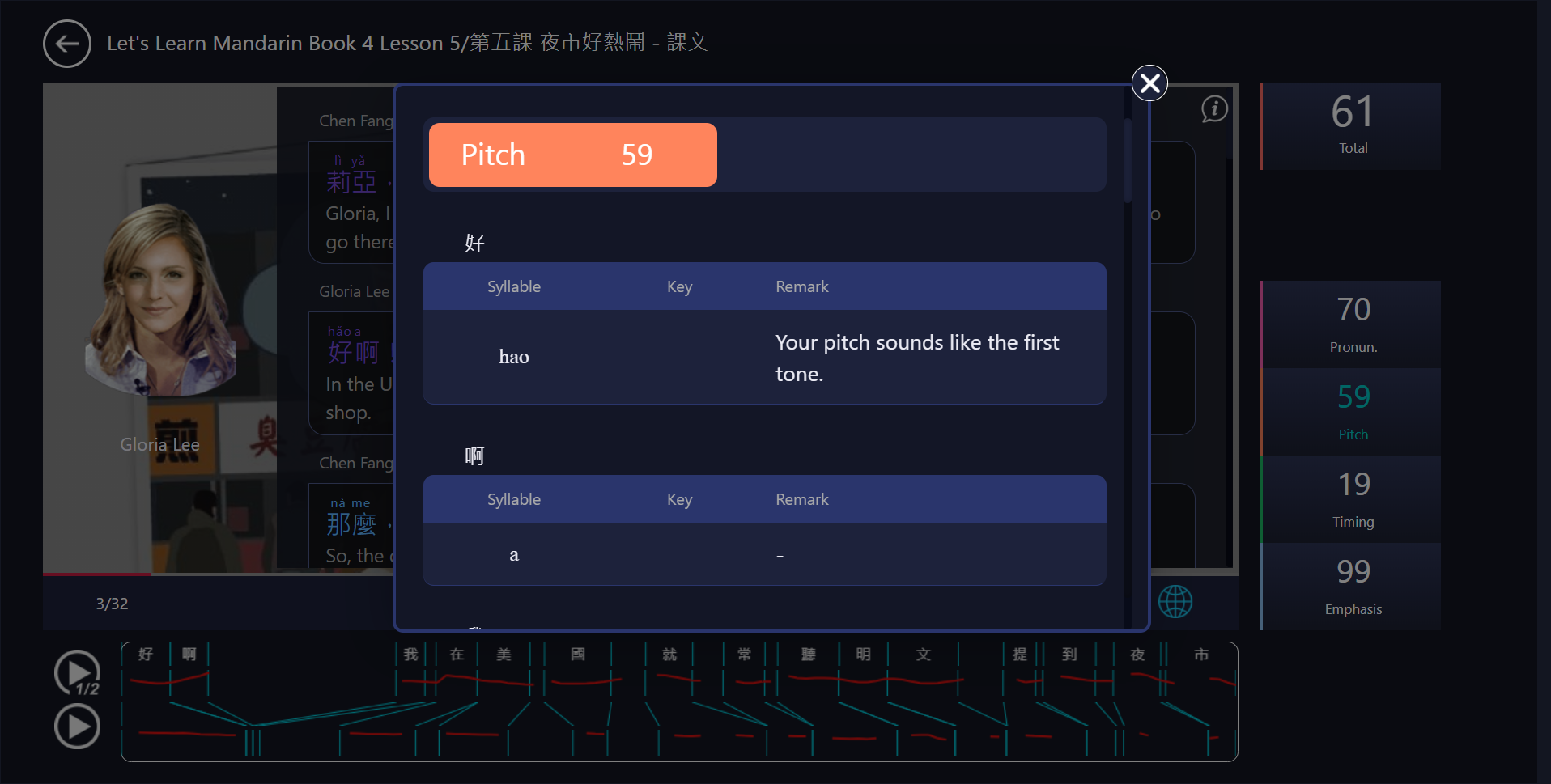
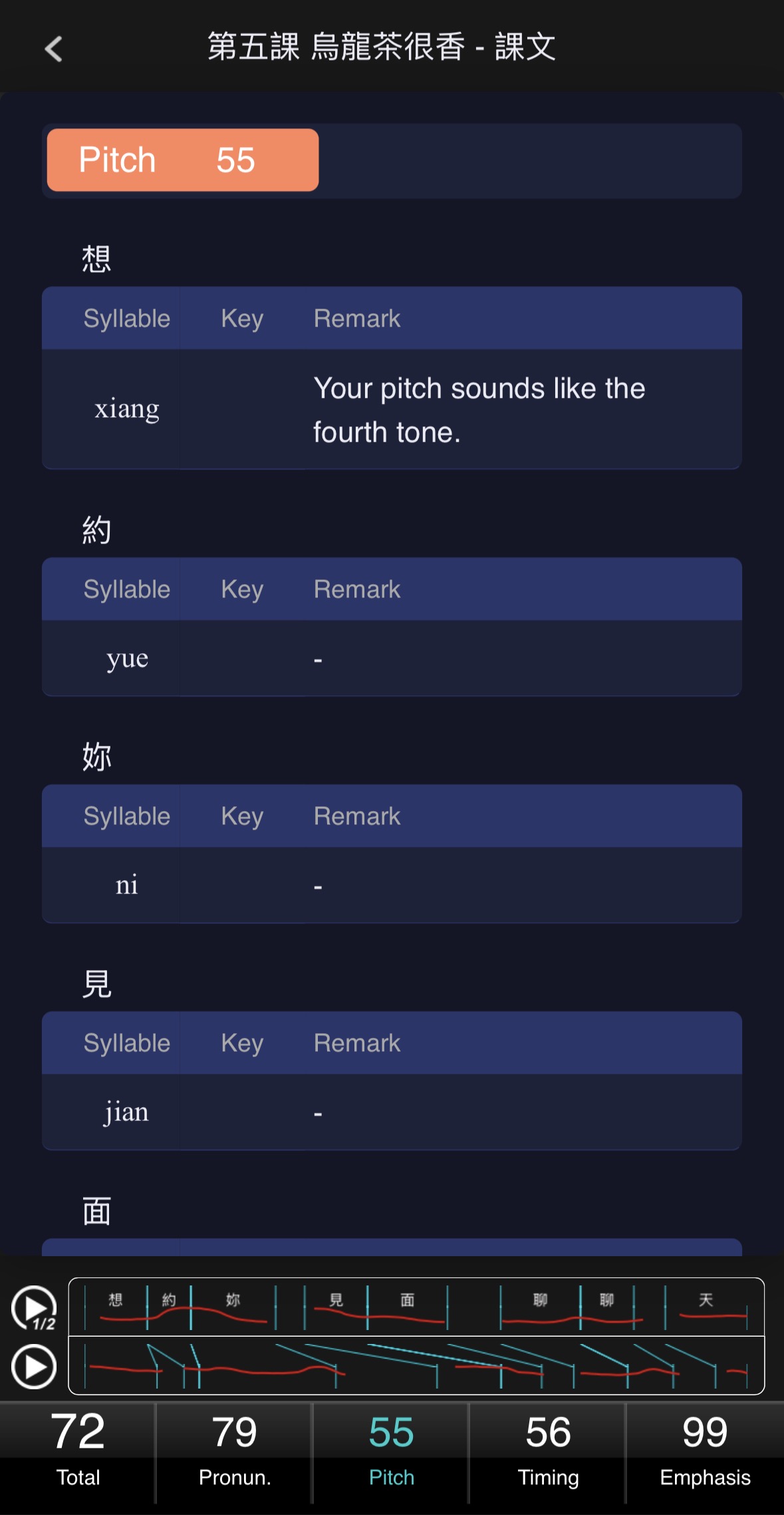
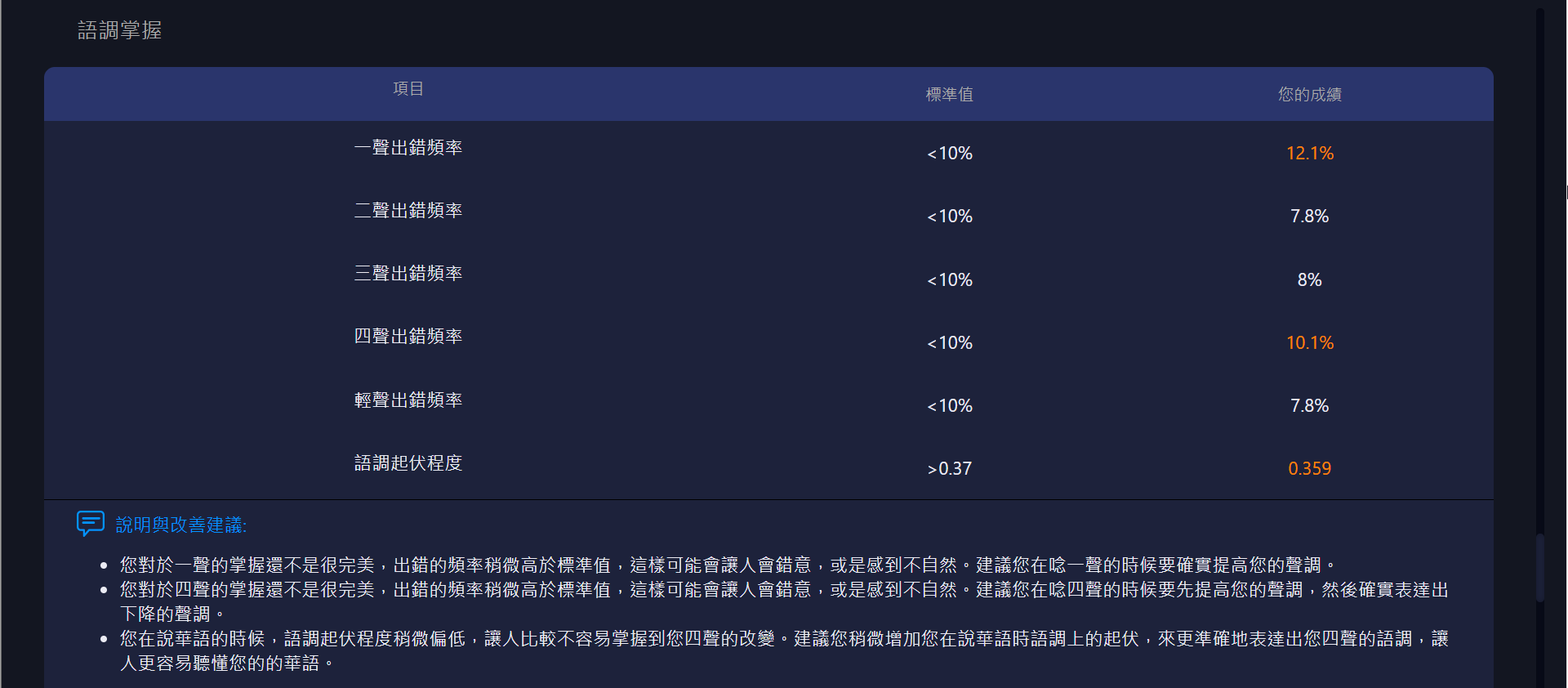
語調
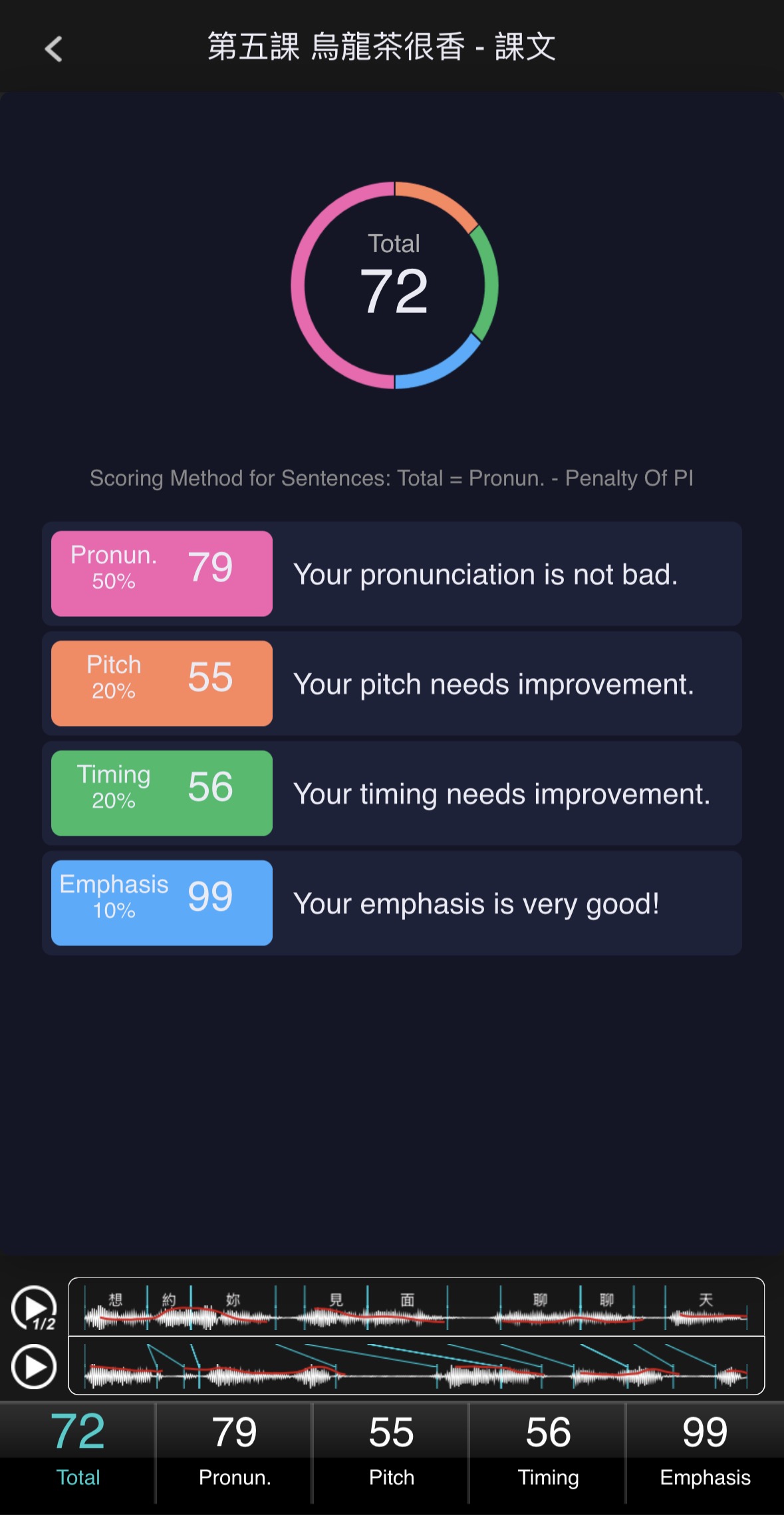
準確分析華語特有的四聲語調,比對與老師示範的差異,
協助你調整每個音節的音調高低,口音更自然。
MyCT 會一一對於句中每個字的語調,進行分析評比和給分,
並針對表現不好的部分提供詳細的評語和改善建議,
藉由比較自己與老師語調表現上的差異,
讓學習者掌握華語四聲語調的抑揚頓挫、高低和輕重變化,掌握語調在口說中所具有的關鍵意義,
進而在真實環境中,熟練正確運用語調,清楚傳達說話者的情緒與態度,與他人進行有意義的溝通及言語交流。
Pitch
Accurately analyzes the four tones unique to Mandarin by comparing learners' pronunciation with the teacher's model,
helping adjust pitch and tone for more natural speech.
MyCT evaluates and scores the tone of each word within a sentence,
providing detailed feedback and improvement suggestions for weaker areas.
By comparing their intonation with the teacher's, learners can better understand the pitch variations,
rhythm, and stress patterns of Mandarin tones, and recognize their critical role in spoken communication.
This enables learners to use tones accurately in real-life situations,
clearly conveying emotions and attitudes, and engaging in meaningful verbal interaction with others.
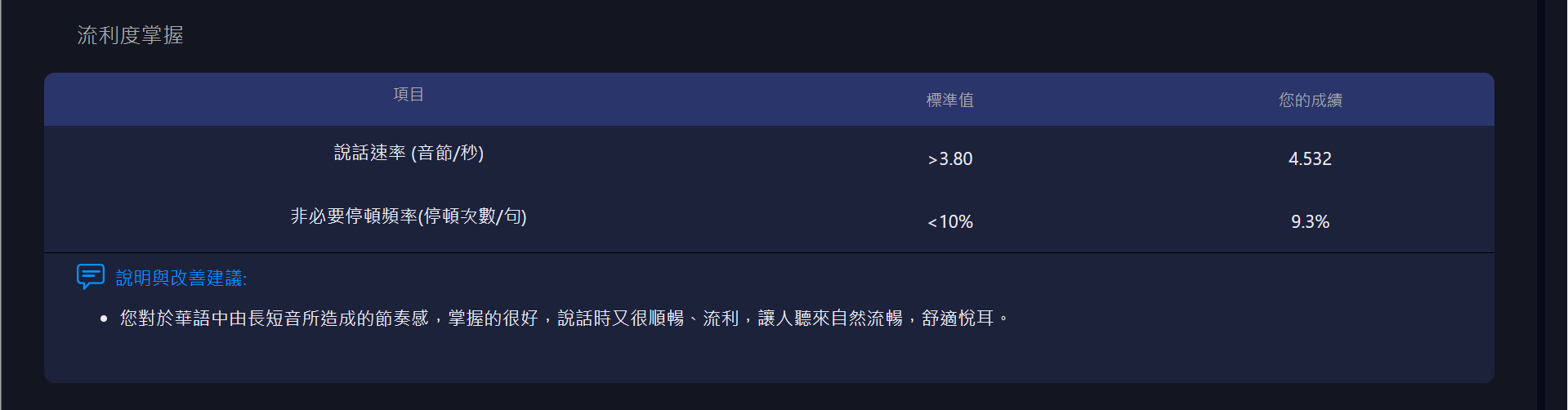
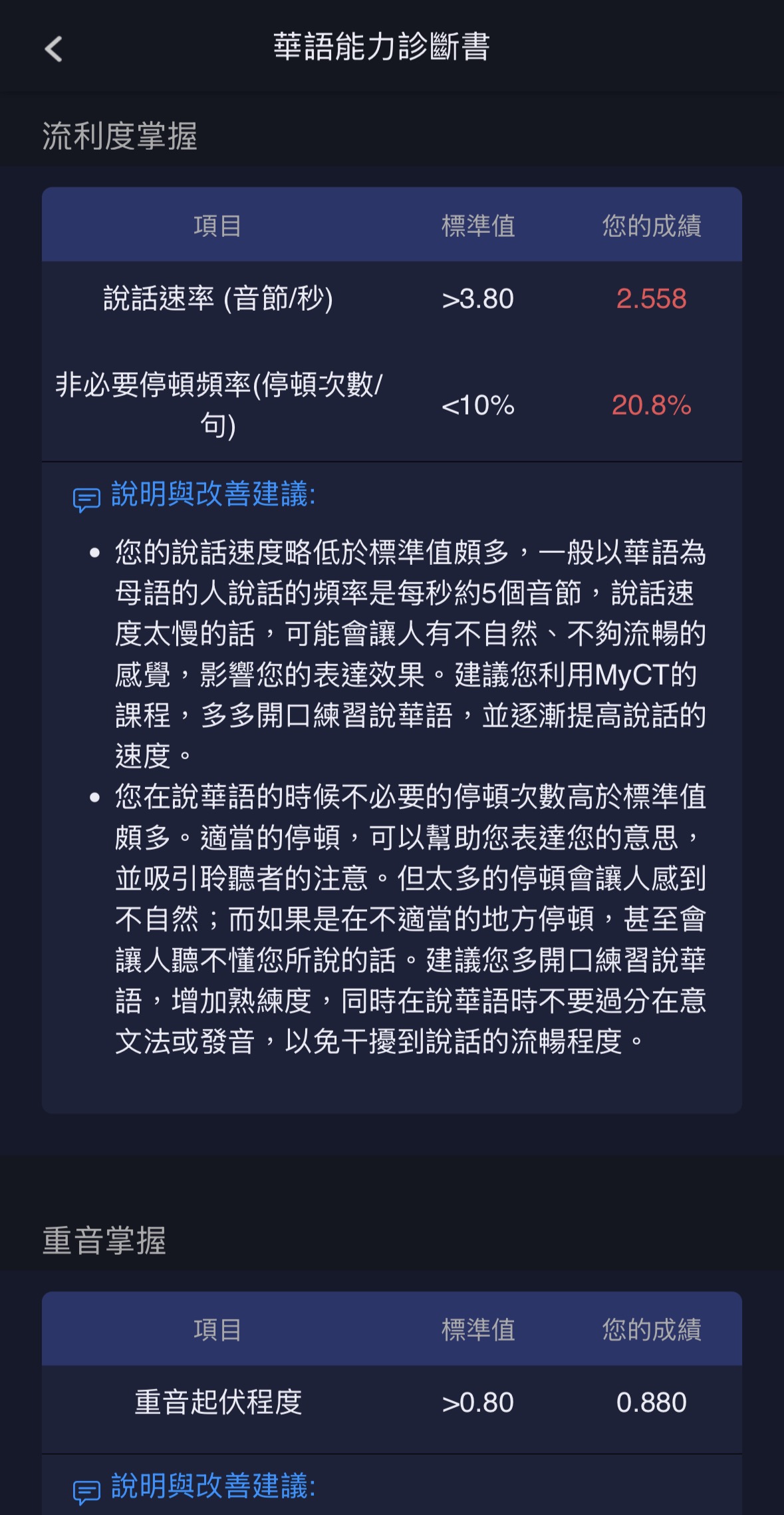
流利度
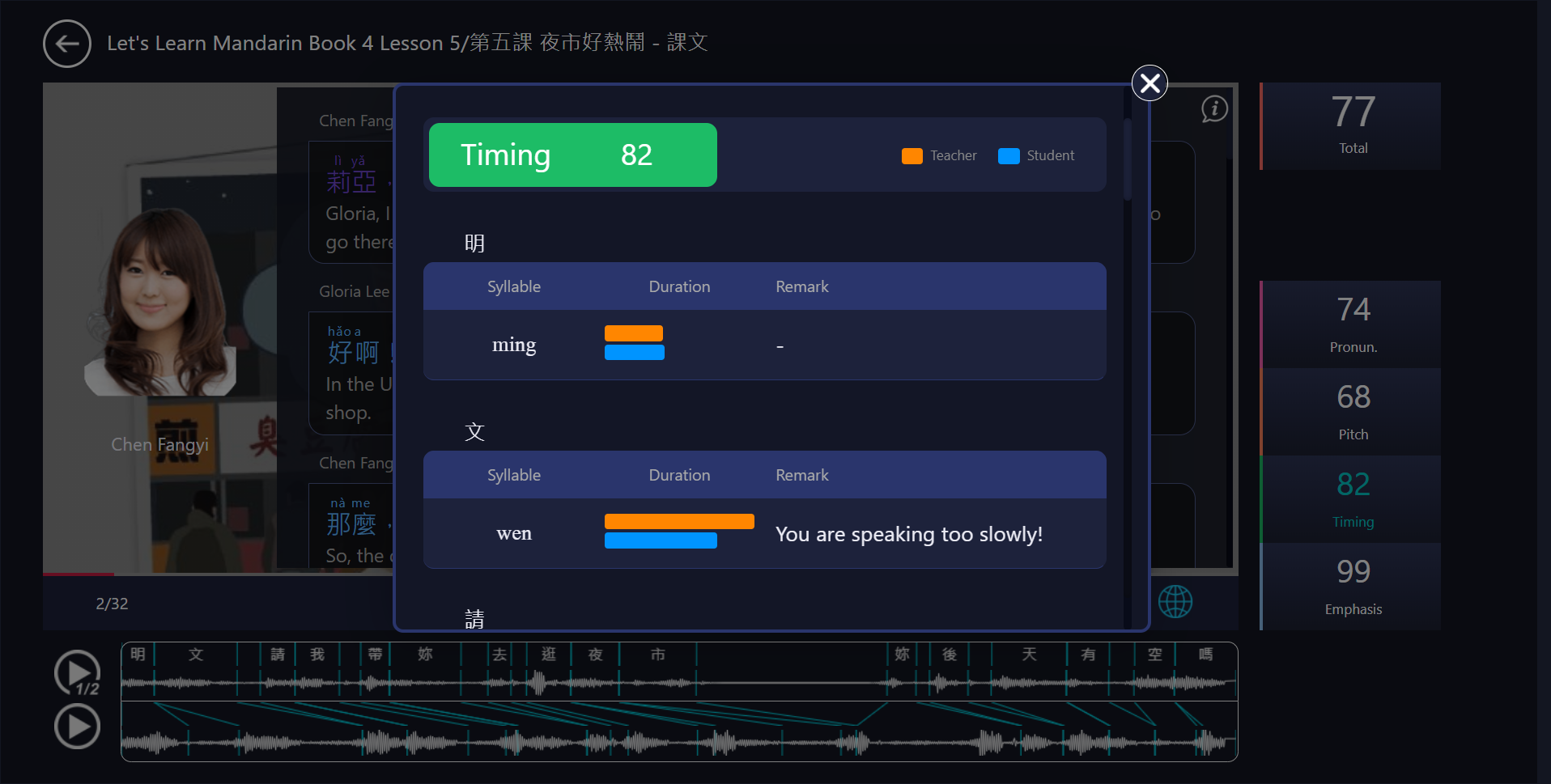
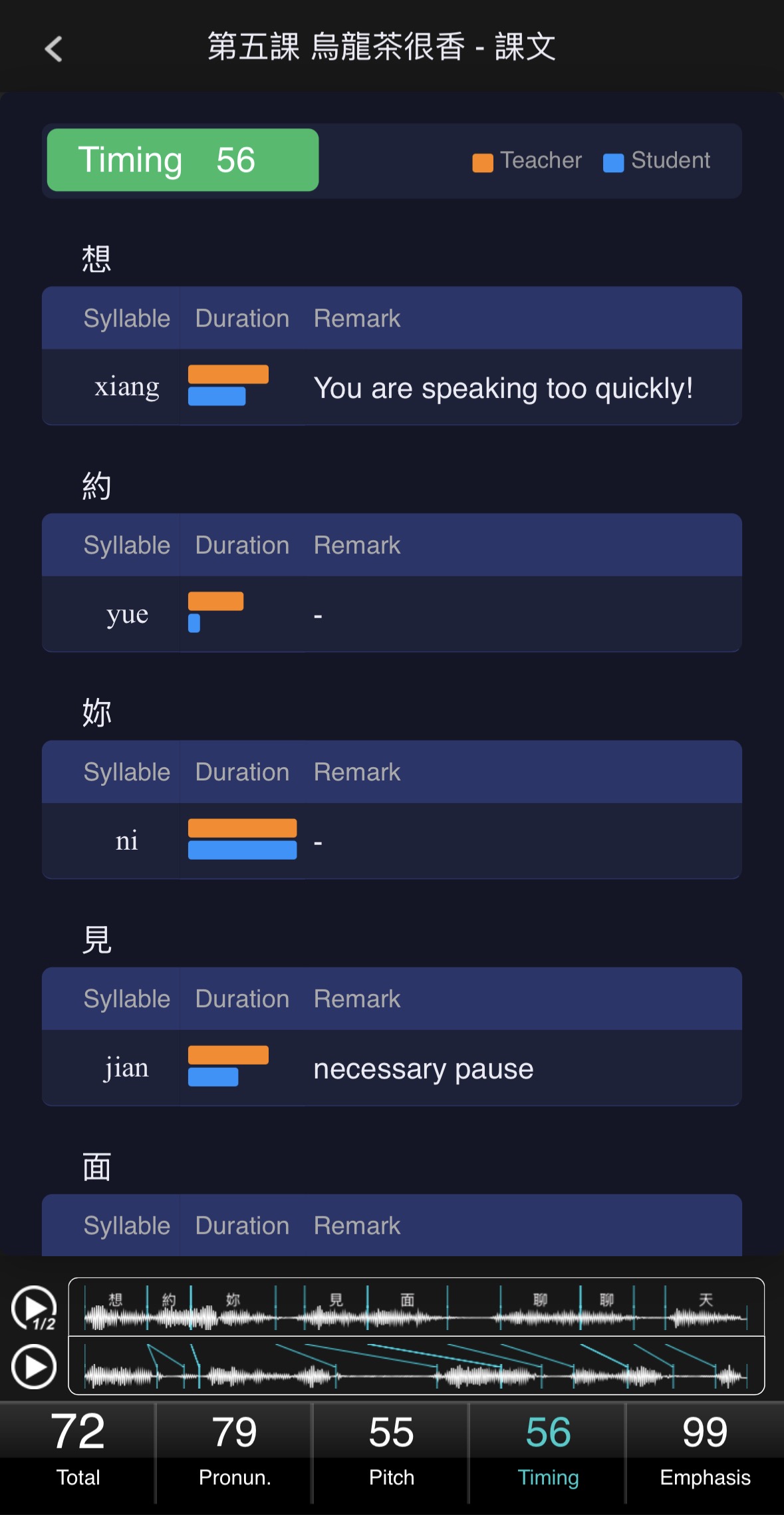
說話節奏的快慢,往往是外語學習者說話不自然的主要原因。
MyCT 能夠透過比對分析,指導調整為最合適的快慢節奏,口說表達更自信。
MyCT 會一一對於句中口說表達中,連貫使用每個字的流利度,進行分析評比和給分,
並針對表現不好的部分提供詳細的評語和改善建議,
藉由比較自己與老師流利度表現上的差異,
讓學習者掌握順暢、準確地運用詞彙,結合清晰的發音,適當的語速,
進而在真實環境中,能夠自信,流暢,自然且輕鬆的與他人進行有意義的溝通及言語交流。
Timing
Speaking pace is often a key factor that makes non-native speech sound unnatural.
MyCT analyzes and compares learners' speech with the teacher's model,
helping adjust to an optimal pace for more confident expression.
MyCT evaluates and scores the fluency of each word within a sentence,
providing detailed feedback and improvement suggestions for weaker areas.
By comparing their fluency with the teacher's, learners can develop smooth and accurate word usage,
combined with clear pronunciation and appropriate speaking speed.
This enables learners to communicate confidently, fluently, and naturally in real-life situations,
engaging in meaningful verbal interaction with others.
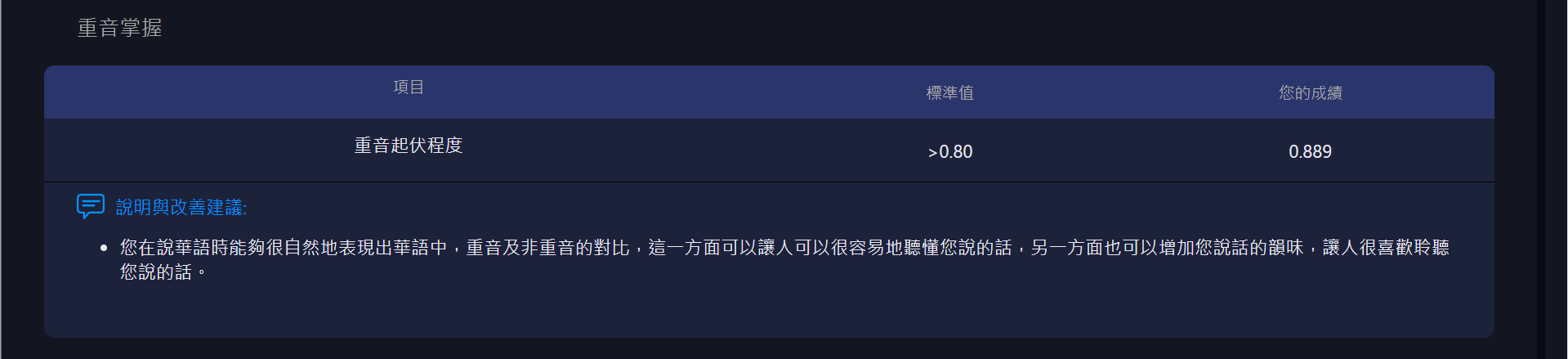
重音
重音位置很重要,不同重音位置會表達出不同語意,
MyCT 會幫助學習者將重音擺在對的音節上,讓溝通能夠更順暢。
MyCT 會一一對於句中每個字的重音,進行分析評比和給分,
並針對表現不好的部分提供詳細的評語和改善建議,
藉由比較自己與老師重音表現上的差異,
讓學習者掌握句中每個字的音量大小,音長的長或短,音高的高或低所具有的關鍵意義,
進而在真實環境中,能夠自然且正確的應用詞彙,清楚表達語意及情感,
與他人進行有意義的溝通及言語交流。
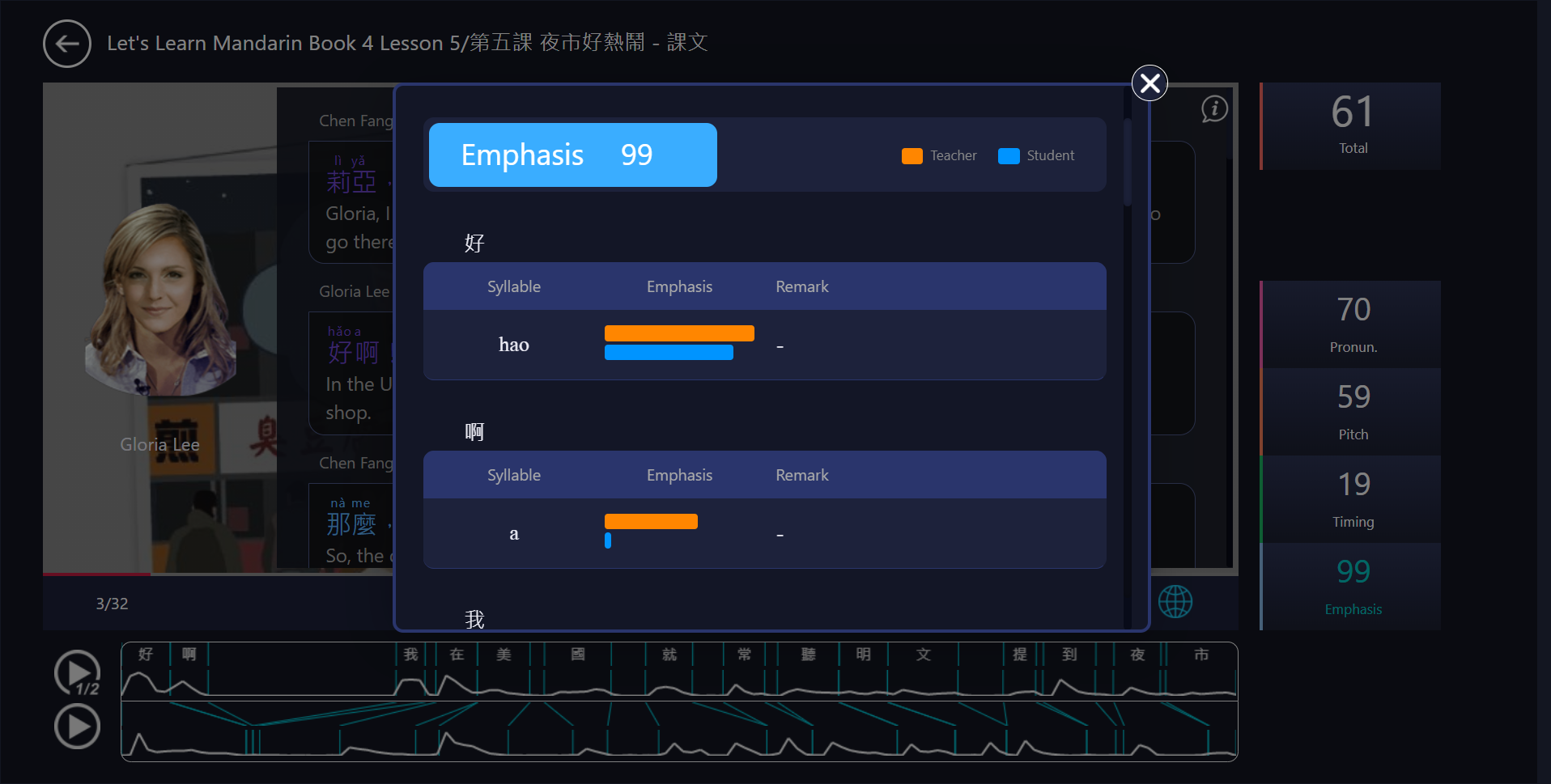
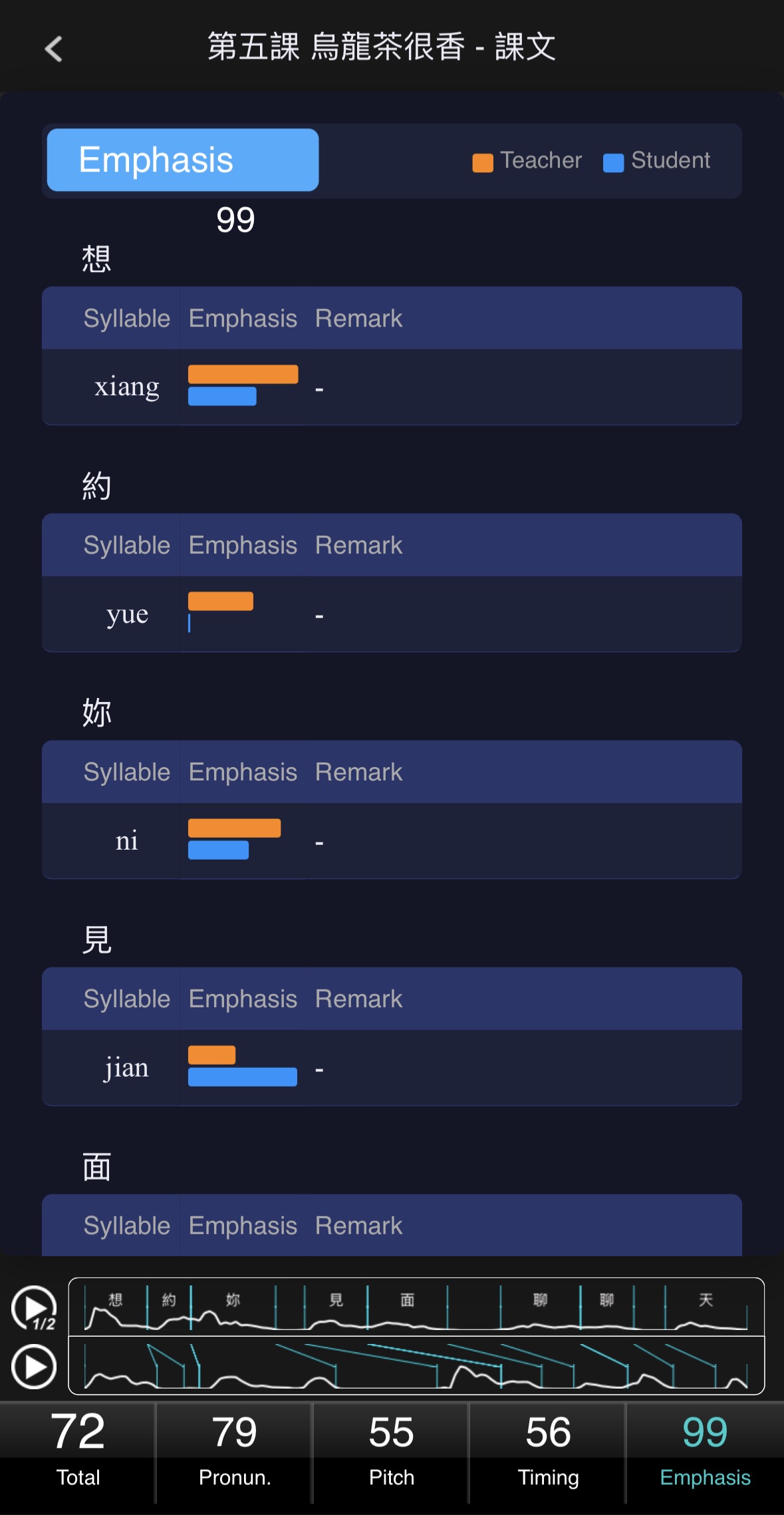
Emphasis
The position of stress is critical, as different stress positions can convey different meanings.
MyCT helps learners place stress on the correct syllable, making communication smoother.
MyCT analyzes and scores the stress of each word within a sentence,
providing detailed feedback and improvement suggestions for weaker areas.
By comparing their stress patterns with the teacher's,
learners can master the significance of loudness, duration, and pitch variations of each word,
enabling them to use vocabulary naturally and accurately in real-life situations,
clearly expressing meaning and emotion in meaningful verbal interaction with others.
科技輔助華語教學,數位行動聽說學習
教師線下教學加上 MyCT 線上學習(OFFLINE TO ONLINE)的創新教與學方案,
讓華語聽說教學不再受到場域空間,時間及人力的限制,
另外,MyCT 採用主流聽說與溝通式教學法設計的學習模式,
加上「先聽說,後讀寫」最佳的母語學習方法,
讓 MyCT 不僅僅是教師最佳的教學夥伴之一,
也能同步提昇華語教與學的效果及師生傳統面對面口說指導的效率。
Technology-Enhanced Mandarin Teaching & Mobile Listening and Speaking Learning
By integrating offline teaching with MyCT's online learning (Offline to Online),
this innovative teaching and learning solution removes the limitations of time, space,
and teaching resources in Mandarin listening and speaking instruction.
MyCT adopts mainstream communicative and listening-speaking teaching approaches,
combined with the "listen and speak first, then read and write" principle of natural language acquisition.
It not only serves as a powerful teaching partner for instructors,
but also enhances overall teaching and learning effectiveness,
while improving the efficiency of traditional face-to-face speaking instruction.

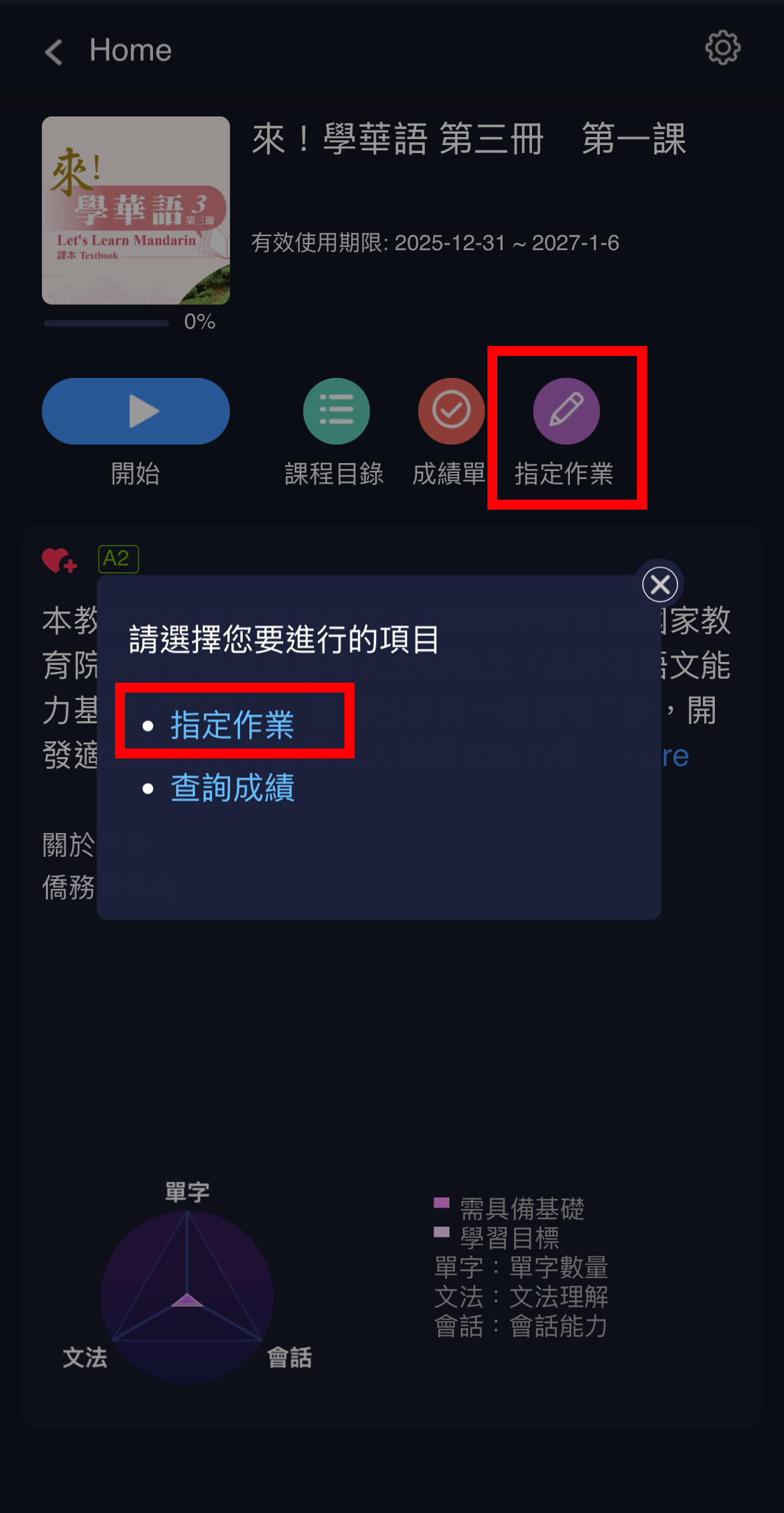
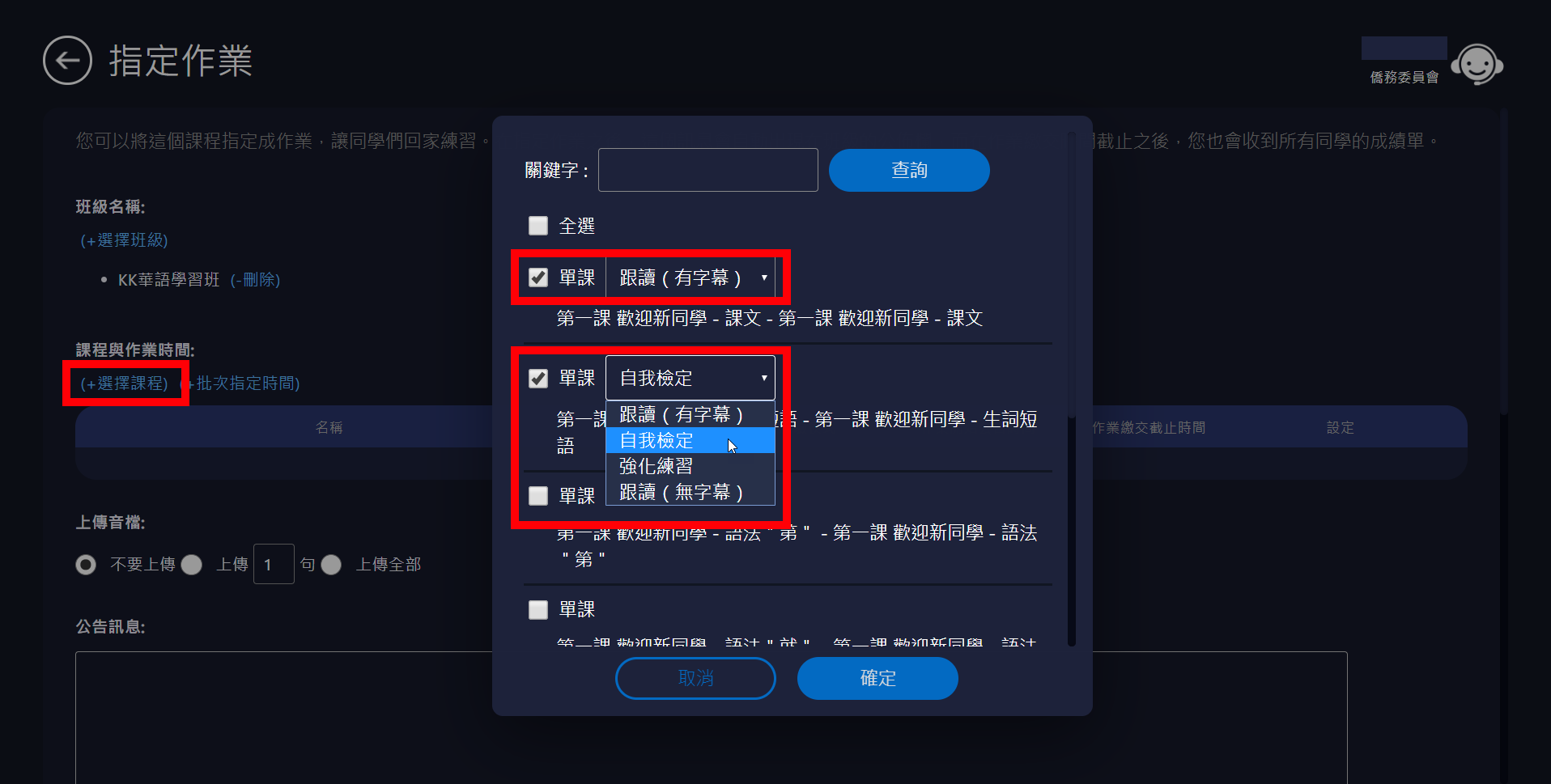
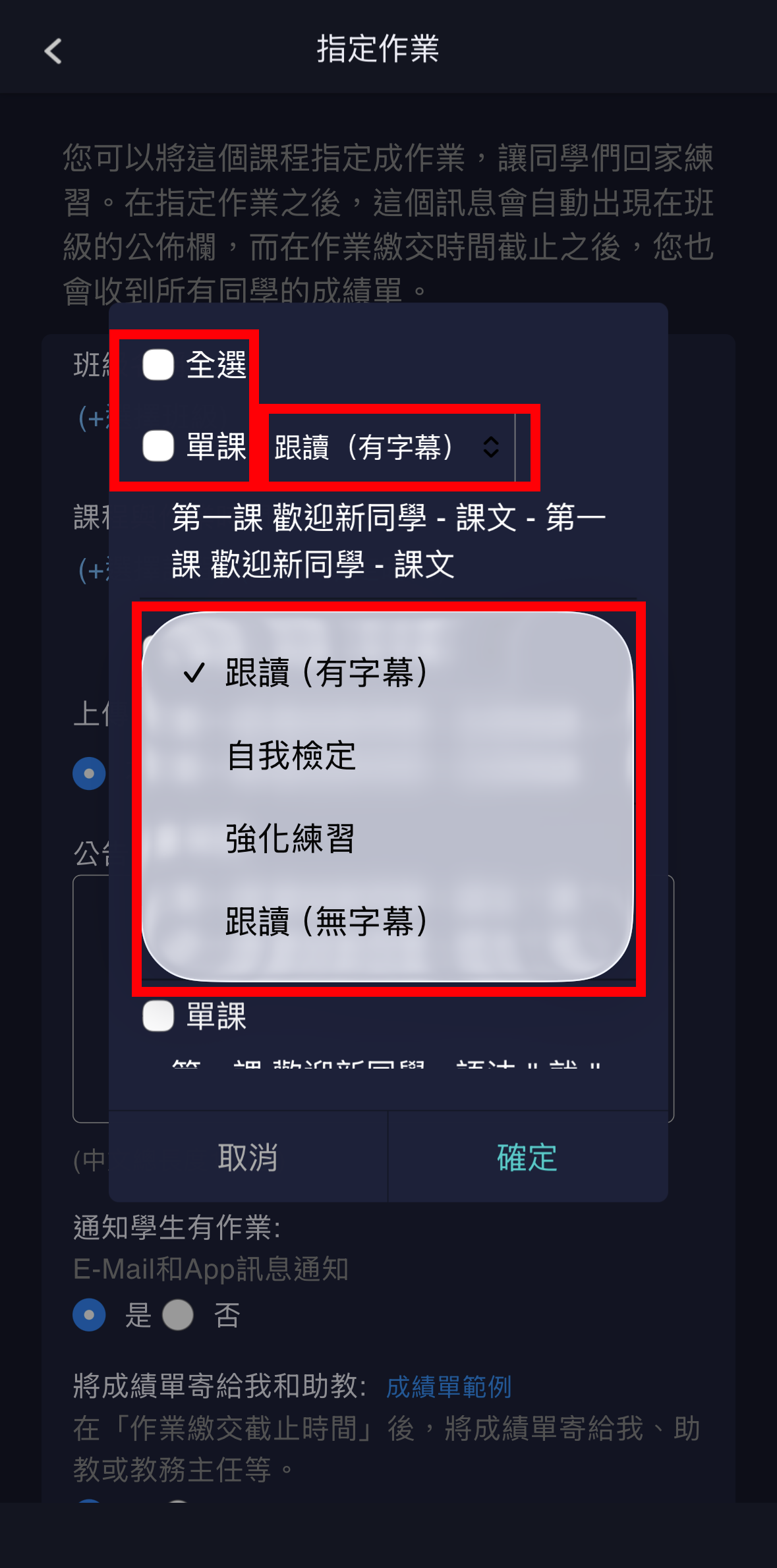
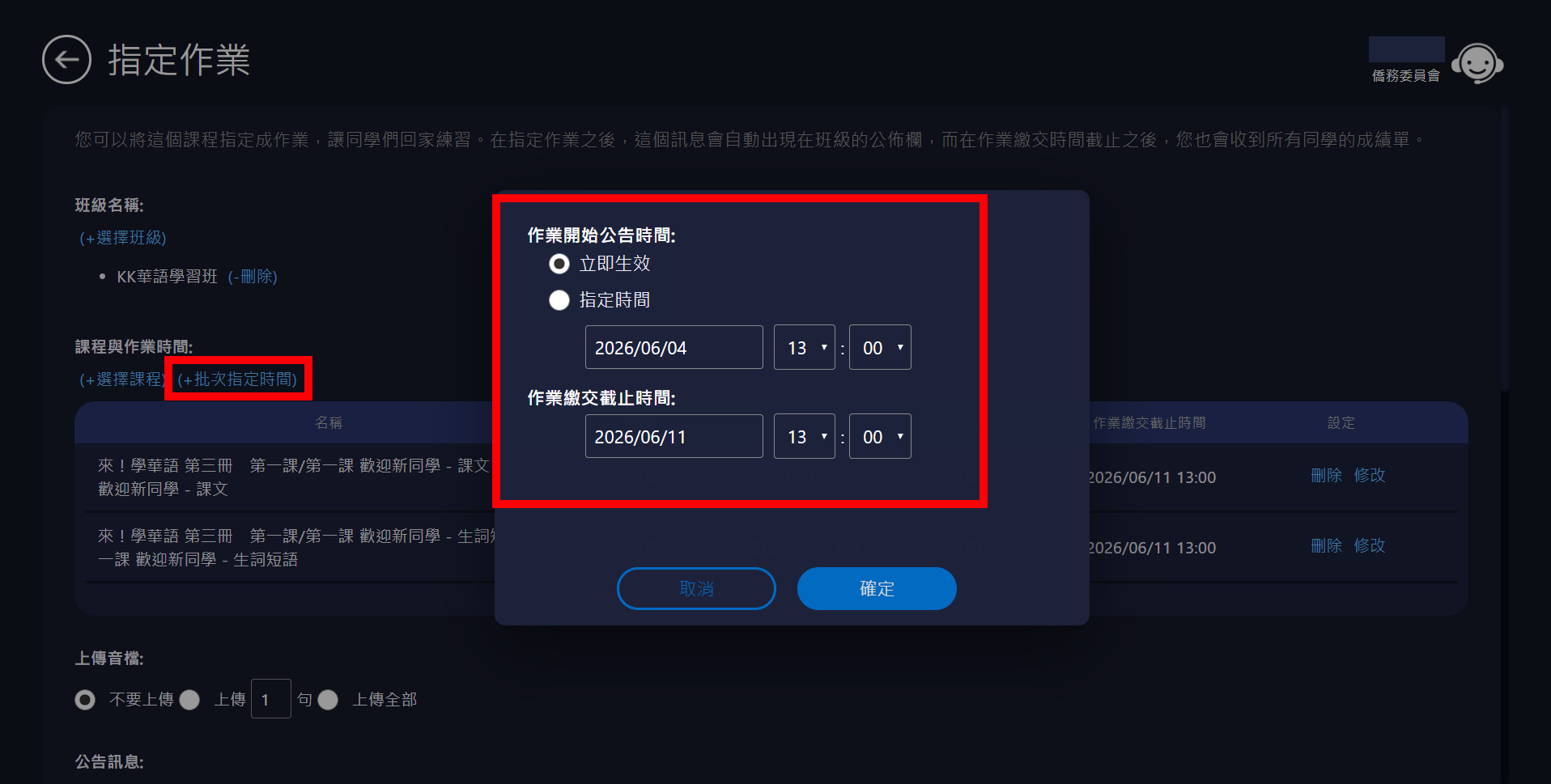
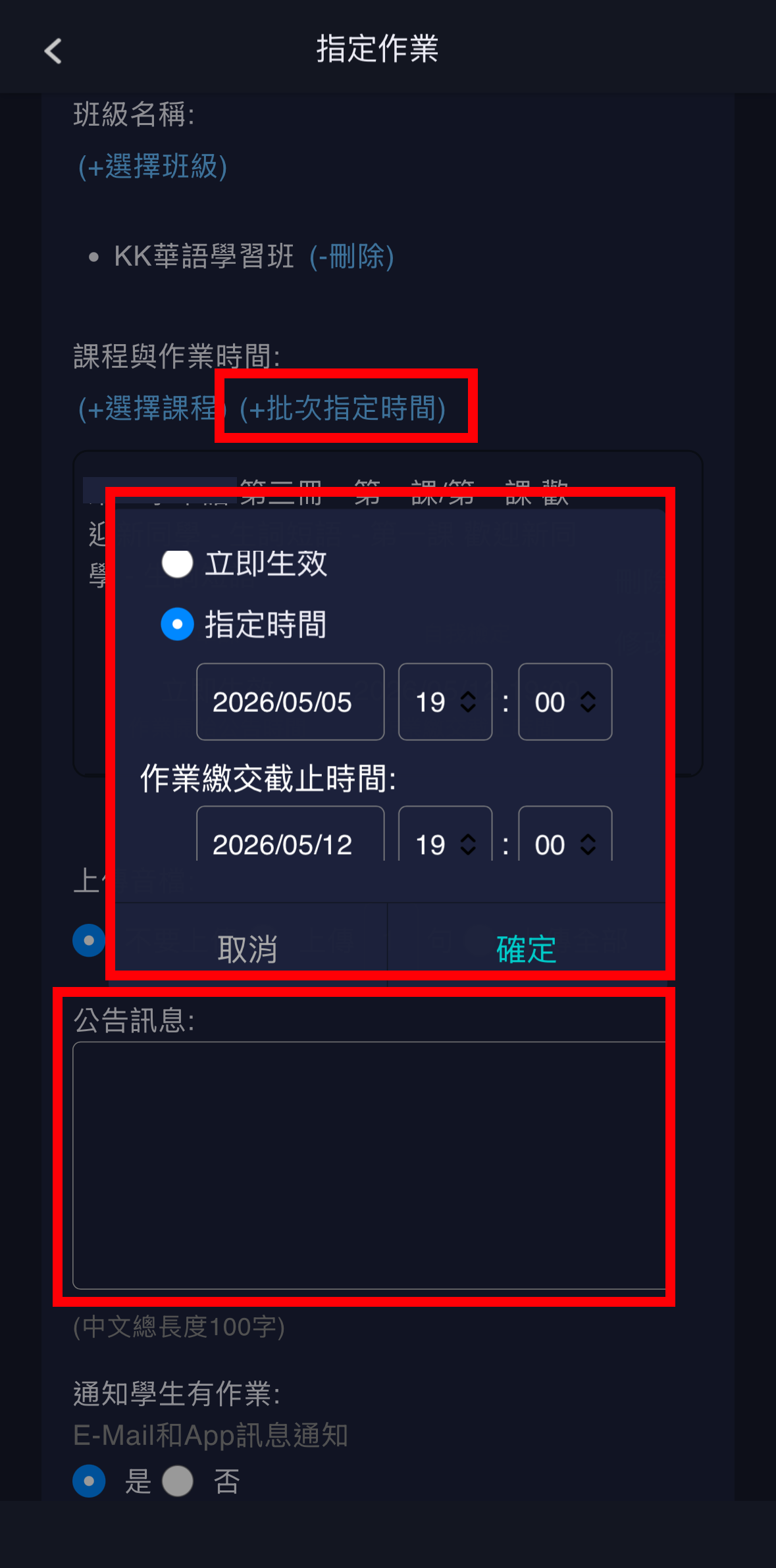
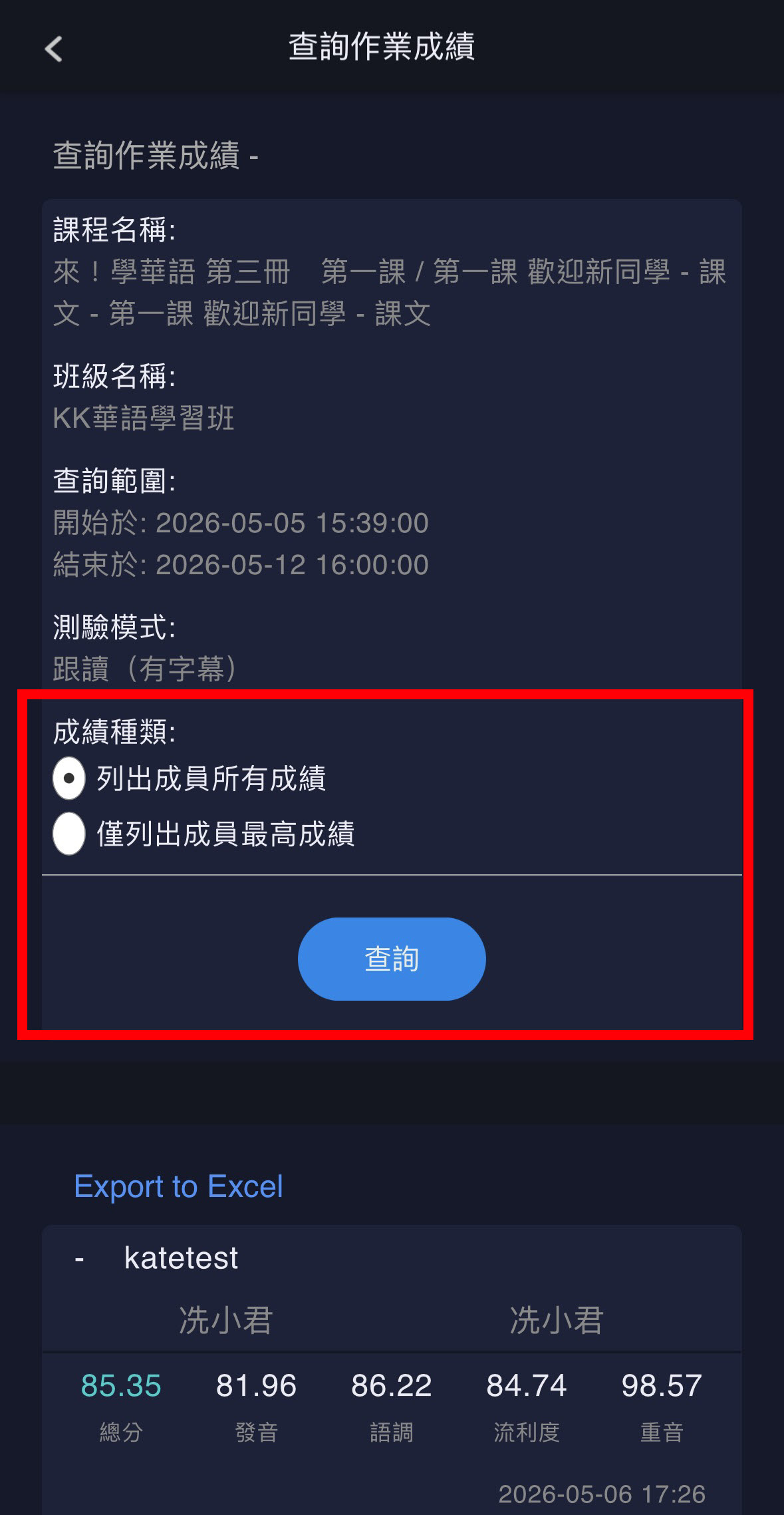
30 秒內指定華語聽說作業,無須親自批改,輕鬆收取作業成績
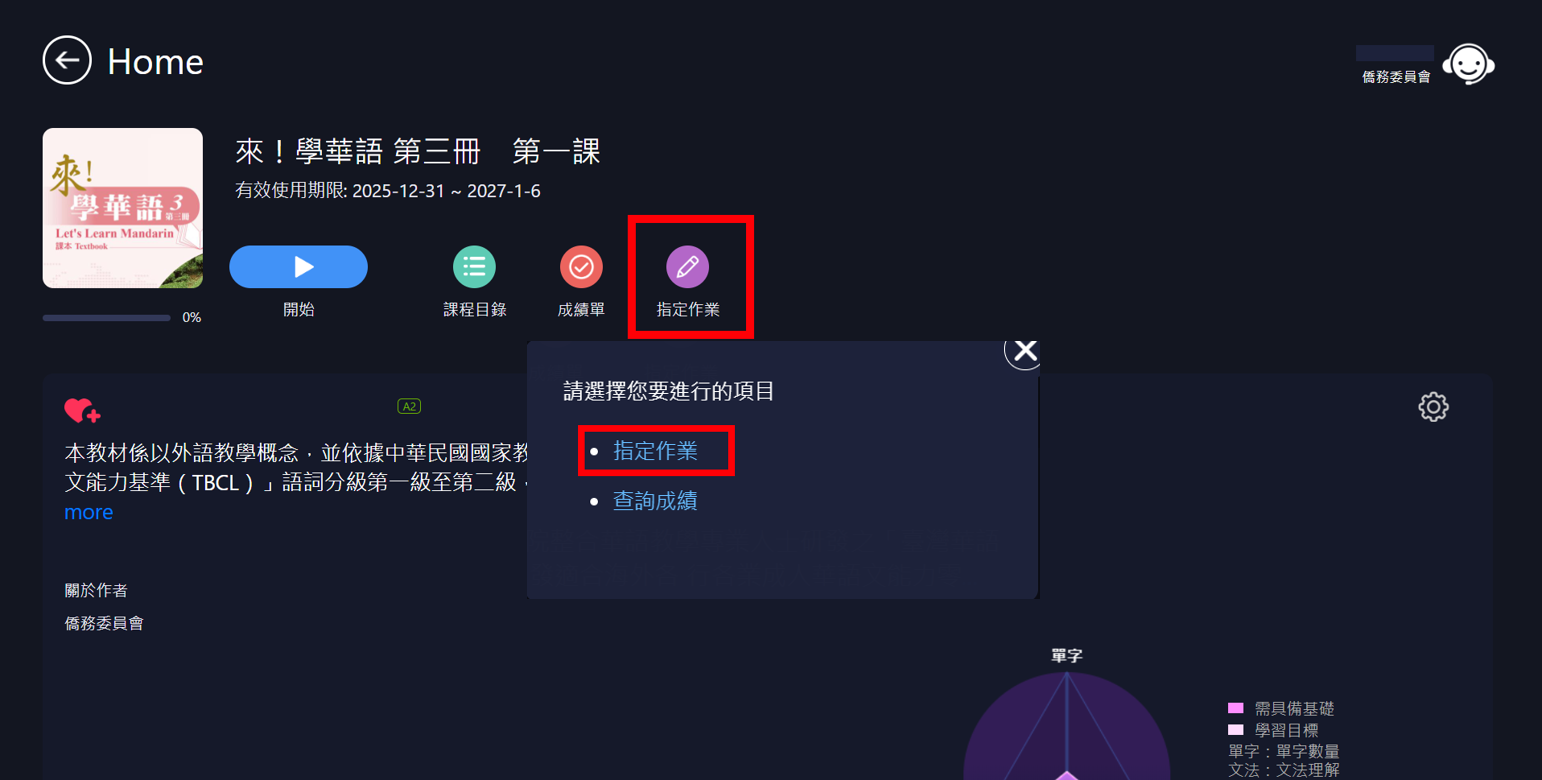
教師在授課結束後,可用 MyCT 快速指定華語聽力口說作業,
而學生必須去聽去說,無法用讀用寫的完成作業取得成績,
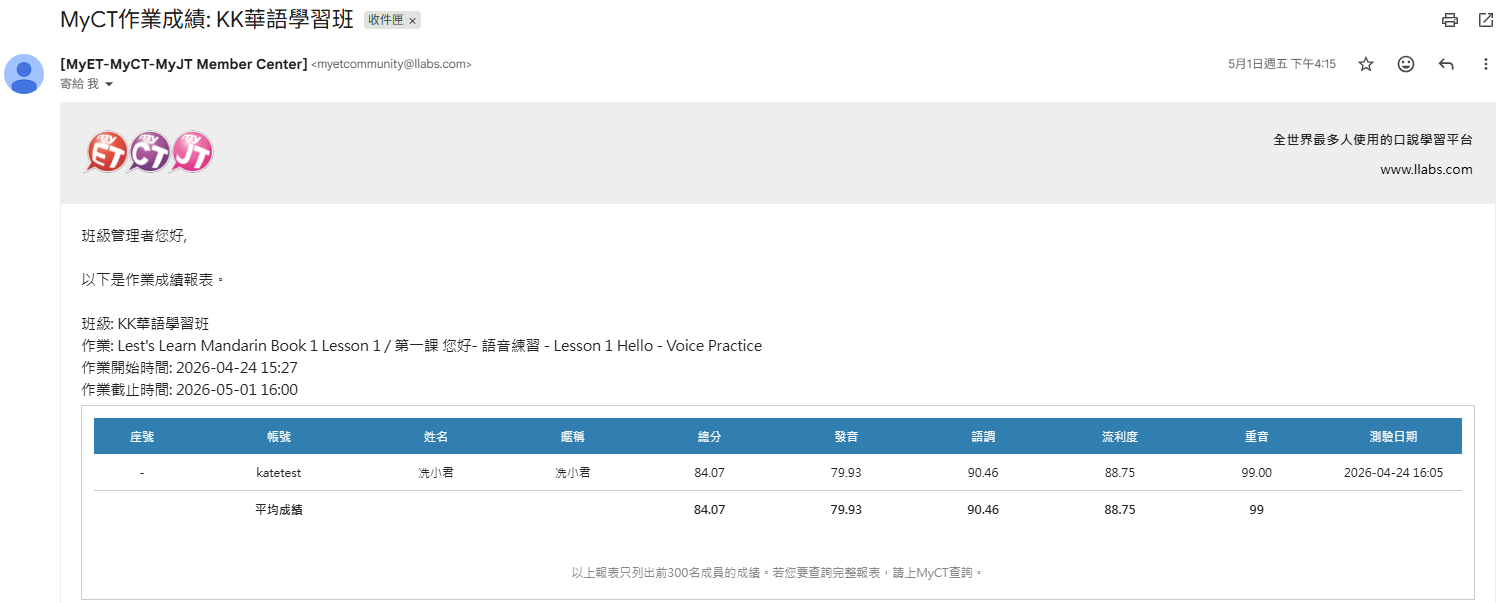
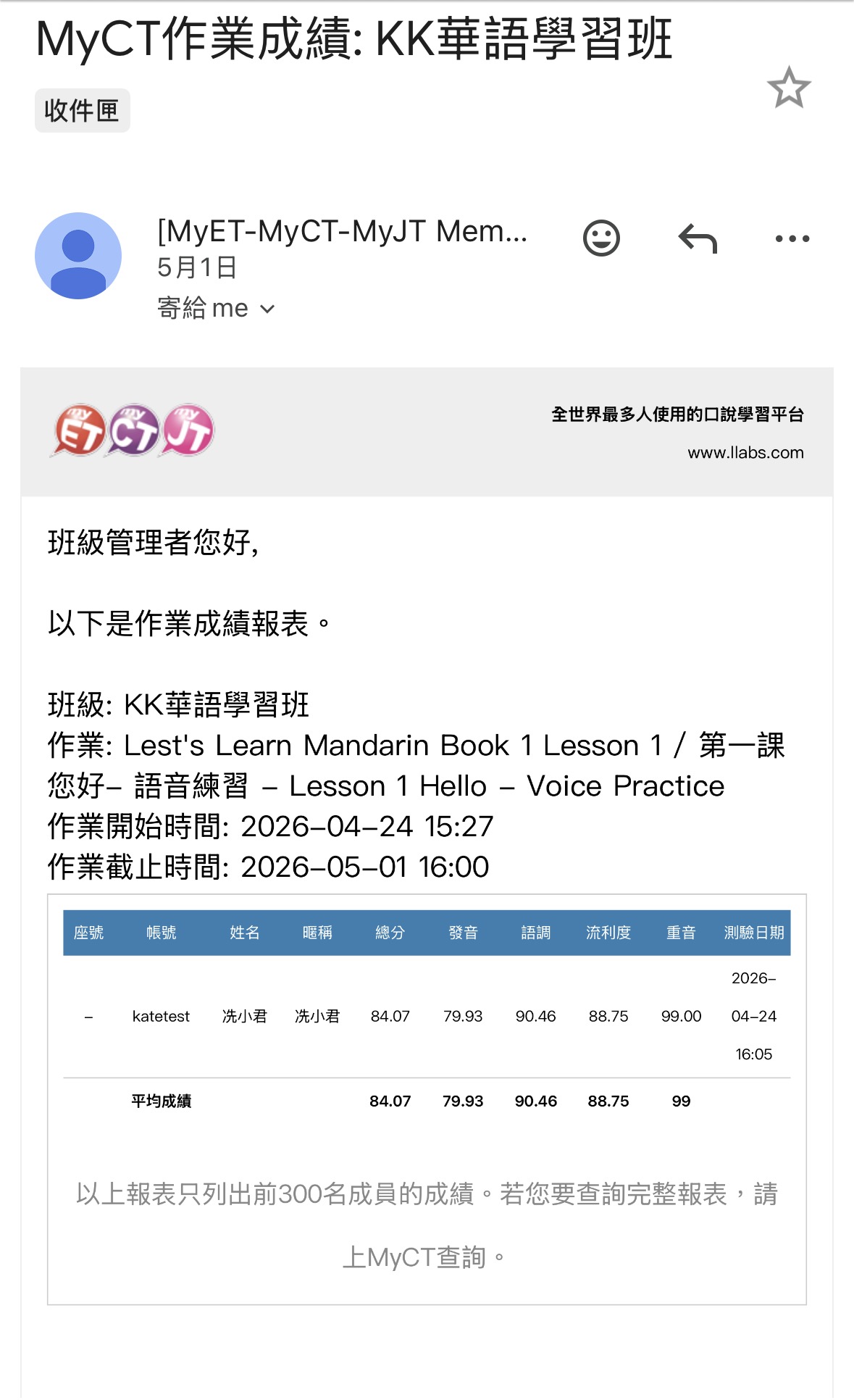
作業繳交截止期限一到,MyCT 即時發送班級學生作業成績通知信給教師,
教師無需自行聆聽批改學生口說作業與結算成績,大幅節省聽說評量花費時間,
換句話說,教學結合 MyCT,讓教師能同時顧及學生聽說讀寫四項能力,綜效倍增!
Complete Assigning Assignments in 30 Seconds and Automatically Settle Grades without Correction
After class, teachers can quickly assign Mandarin listening and speaking tasks through MyCT.
Students must complete the assignments by actually listening and speaking,
rather than simply reading or writing to earn scores.
Once the submission deadline arrives, MyCT instantly sends teachers a notification email
with the class's assignment results.
Teachers no longer need to personally listen to students' recordings,
grade speaking assignments, or calculate scores manually,
greatly reducing the time spent on listening-and-speaking assessment.
In other words, integrating teaching with MyCT enables teachers to address students' listening,
speaking, reading, and writing skills simultaneously—maximizing overall learning effectiveness.
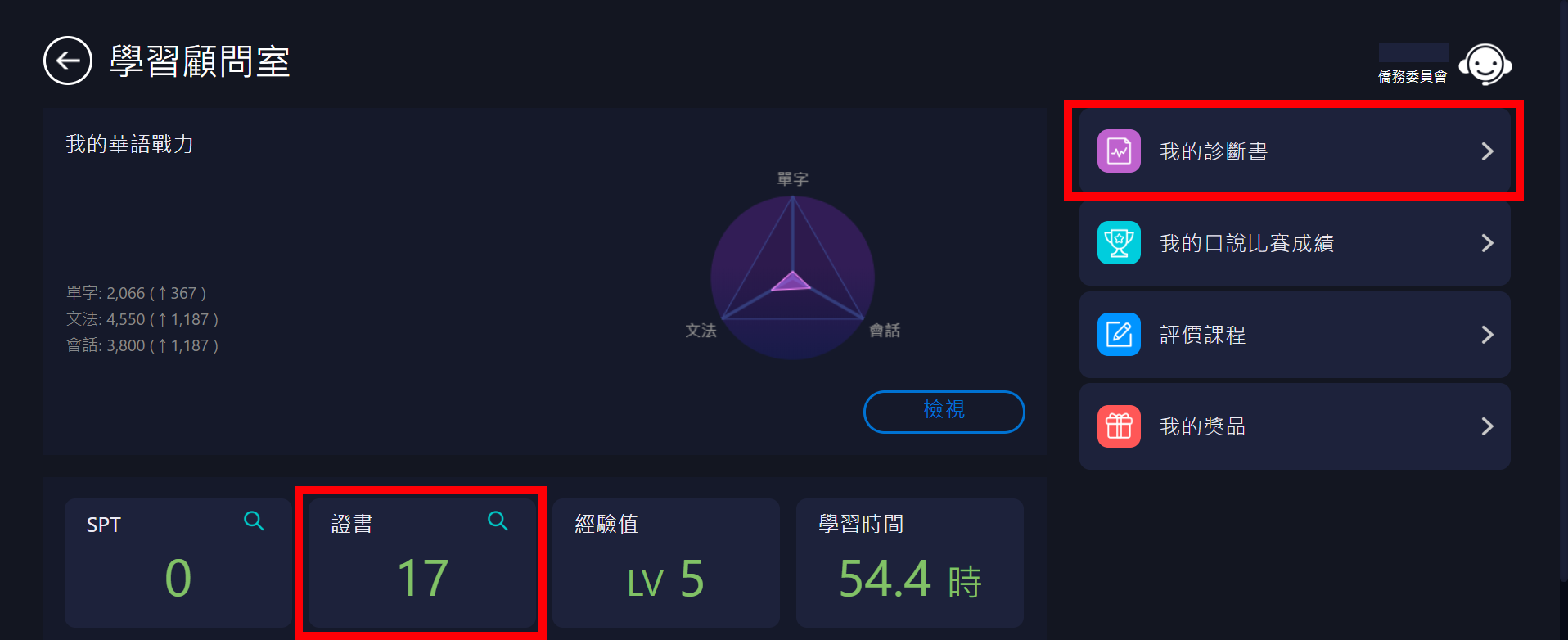
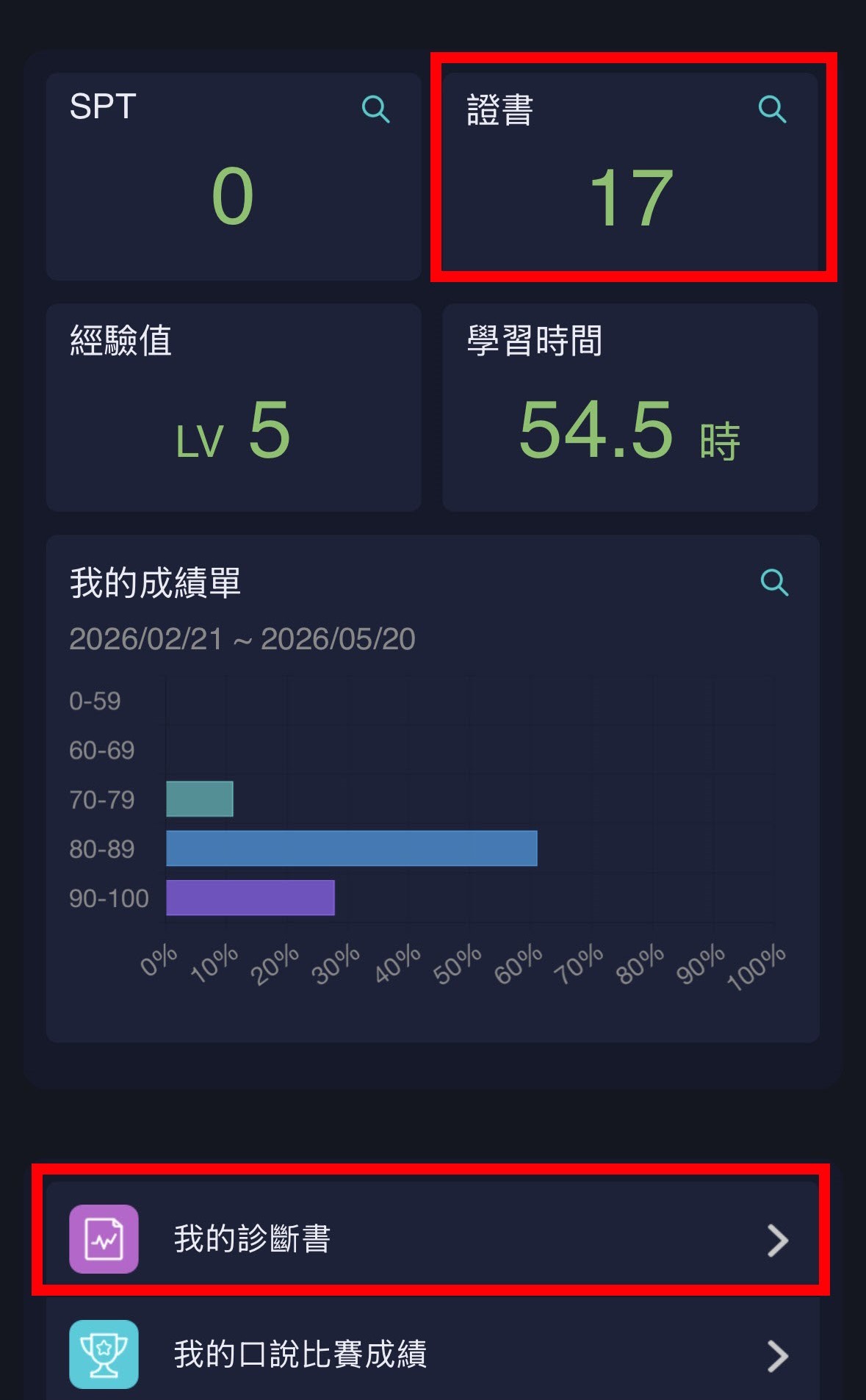
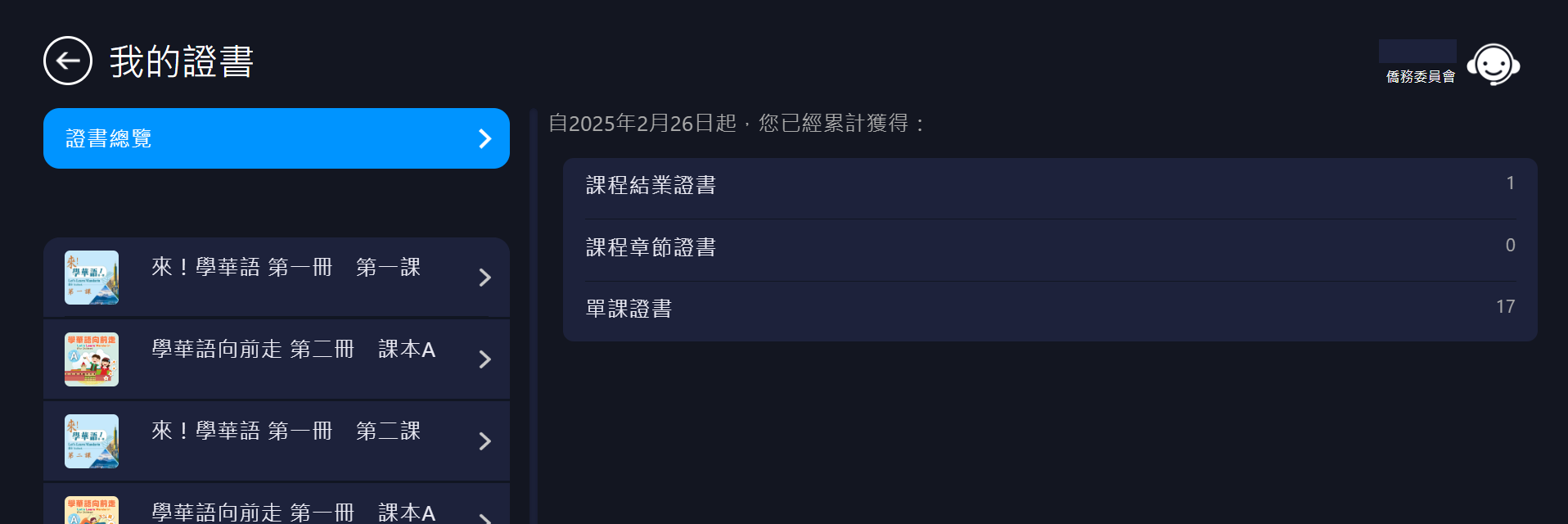
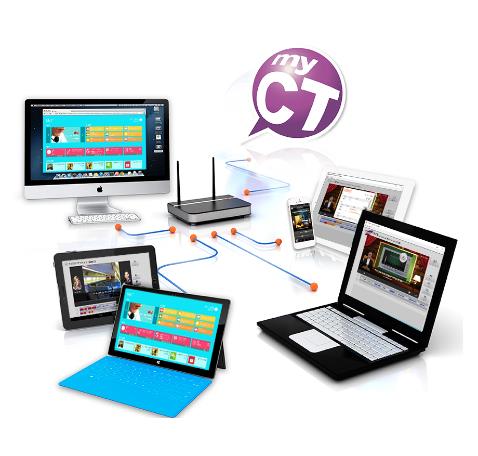
跨平台雲端教學管理系統,整合個人化學習歷程
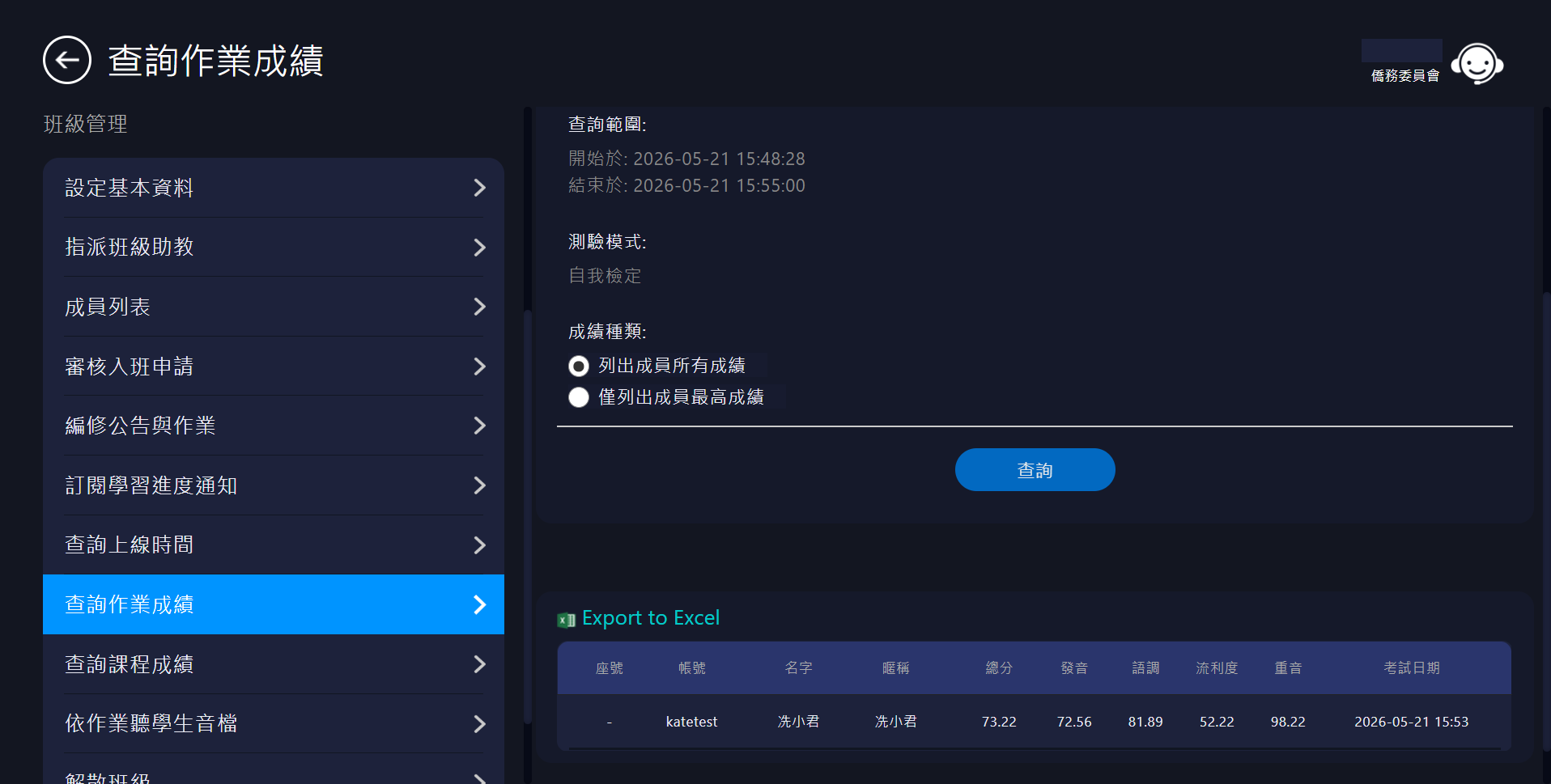
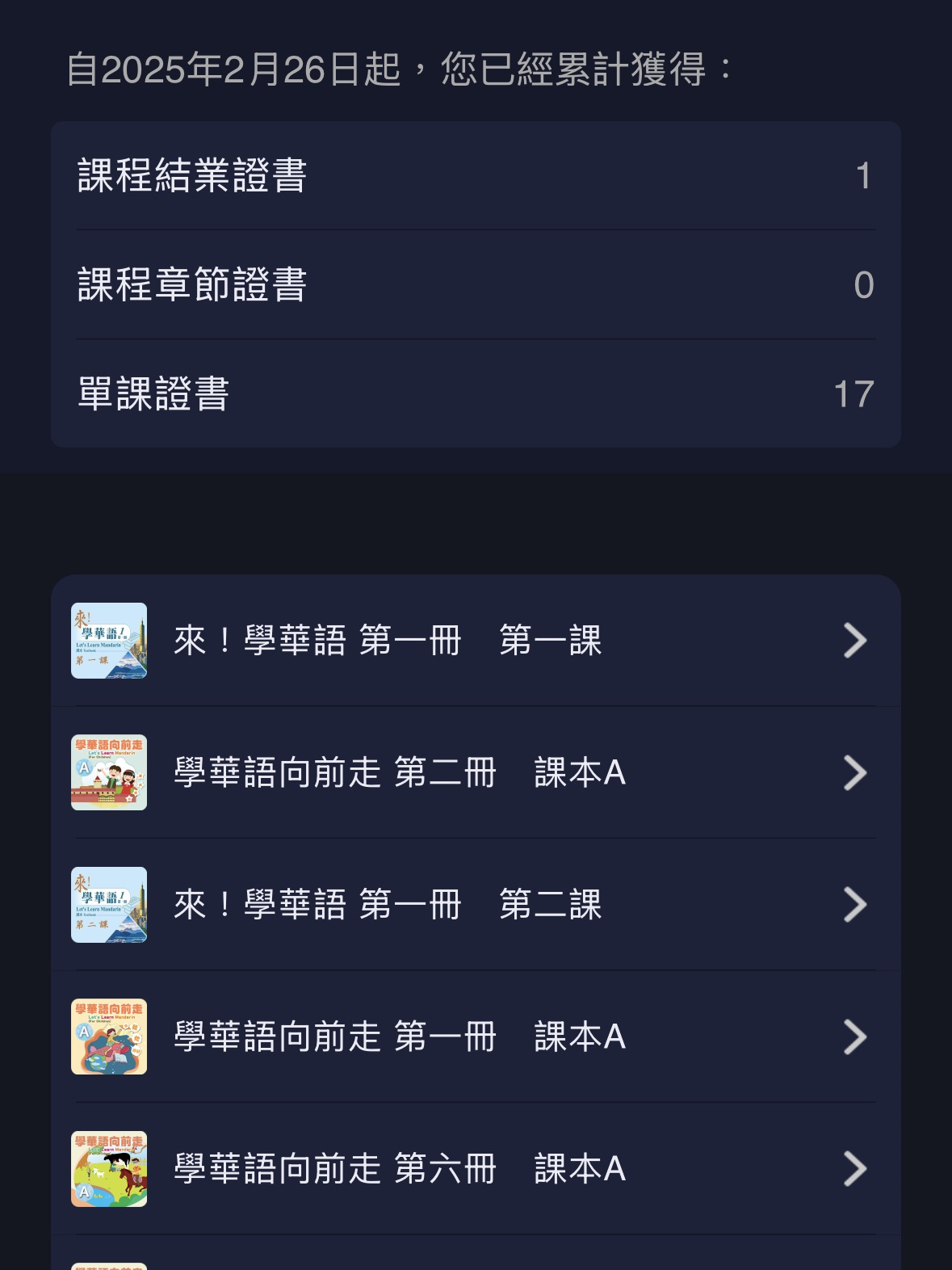
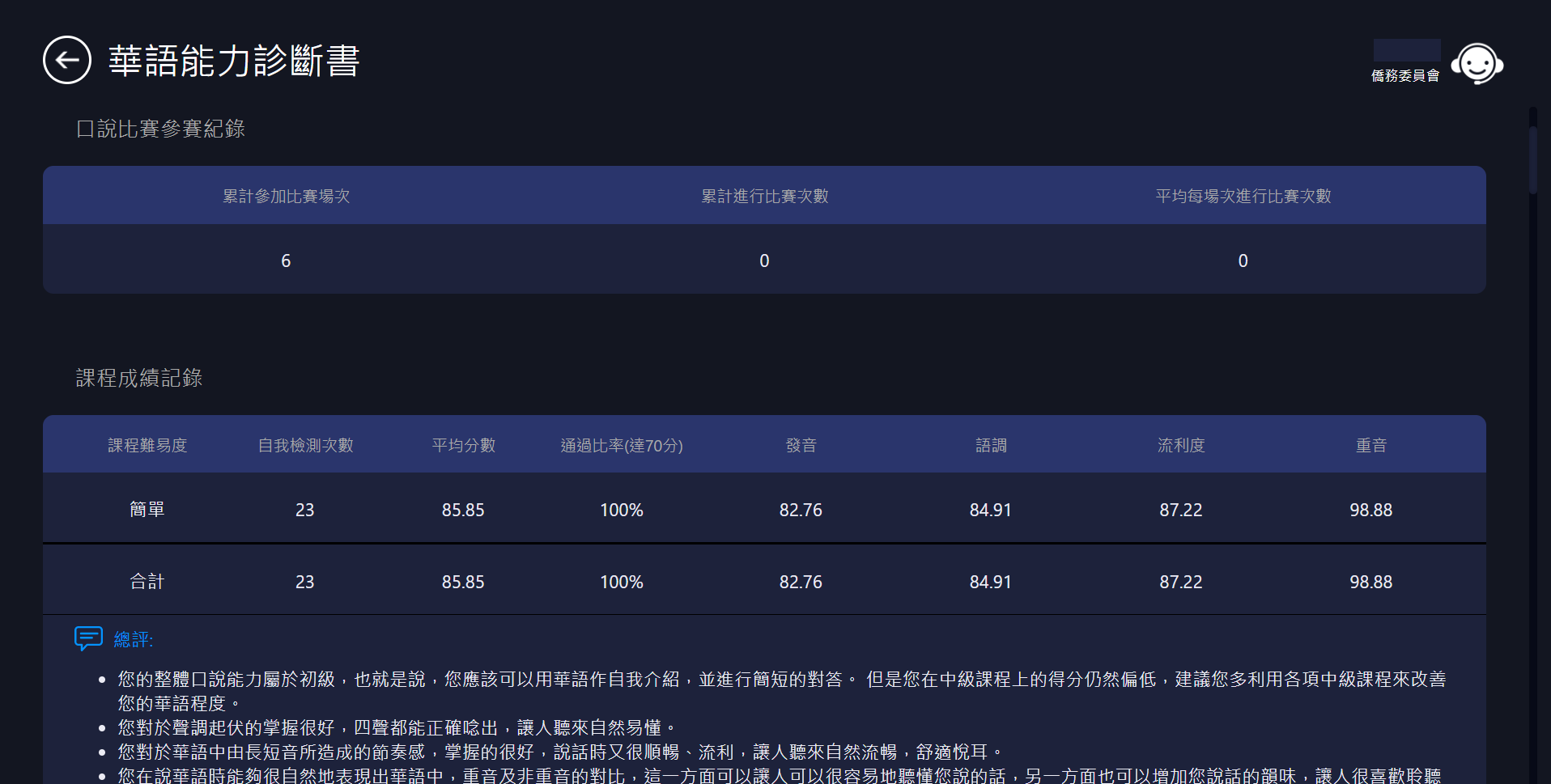
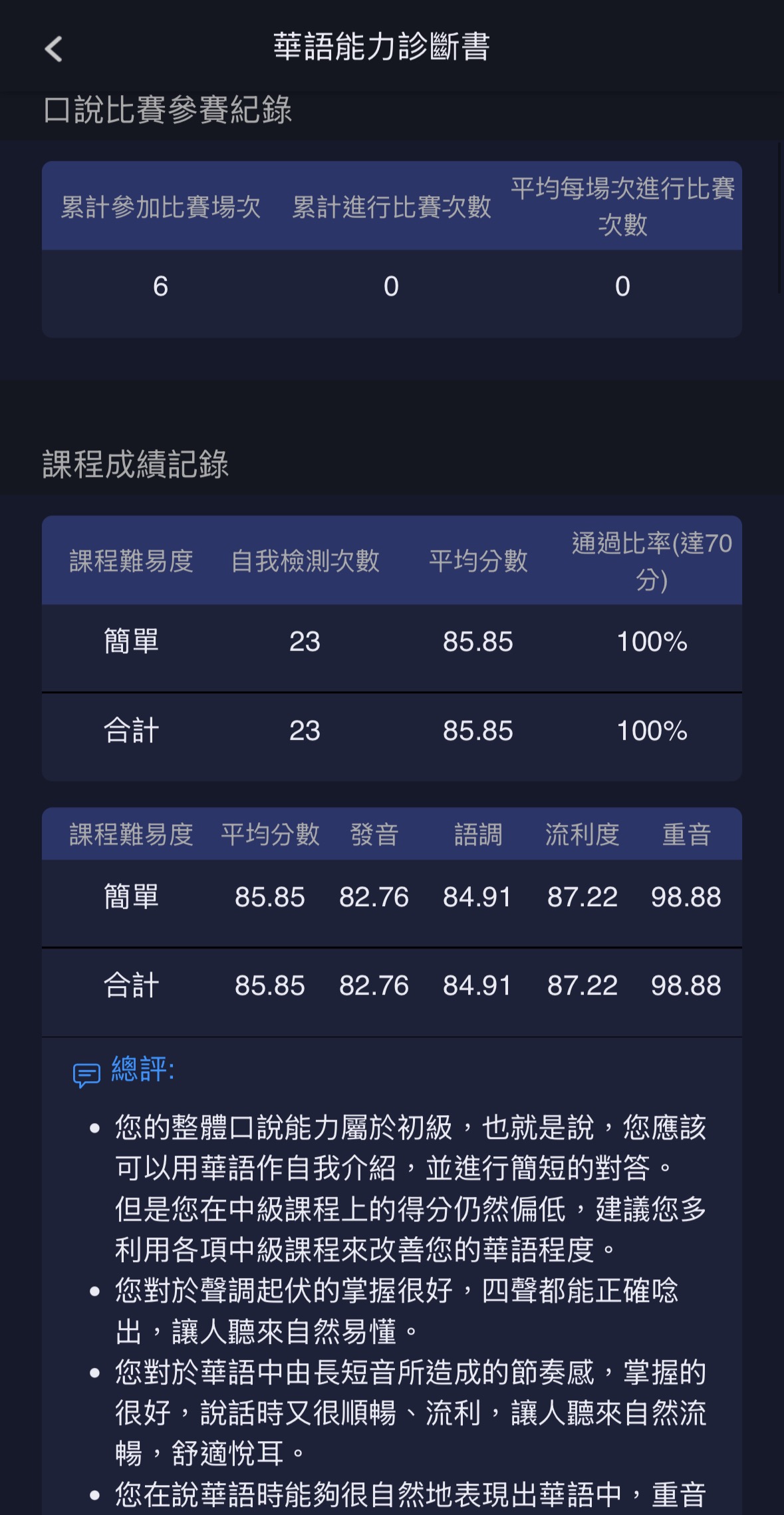
MyCT 將成績,證書及口說能力證書等各種學習歷程記錄儲存在雲端,
教師及學習者可使用 smart phone、Pad 等各種裝置,
不論身在何處,隨時透過網際網路,立即管理班級與個人學習歷程進度!
Cross-Platform Cloud-Based Learning Management System That Integrates Personalized Learning Records
MyCT stores various learning records—including grades, certificates,
and speaking proficiency certificates—in the cloud.
Teachers and learners can access the system using smartphones, tablets, and other devices.
No matter where you are, you can instantly manage class progress
and personal learning records anytime through the Internet.
Step 1: 下載及安裝 MyCT APP
1) PC / NB / Macbook / iMac / Chromebook 裝置
請點擊下方 MyCT LOGO,並依據使用裝置下載安裝最新版 MyCT APP。
Step 1: Download and Install the MyCT App
1) For PC / Laptop / Mac / Chromebook
Please click the MyCT logo to download and install the latest version for your device.
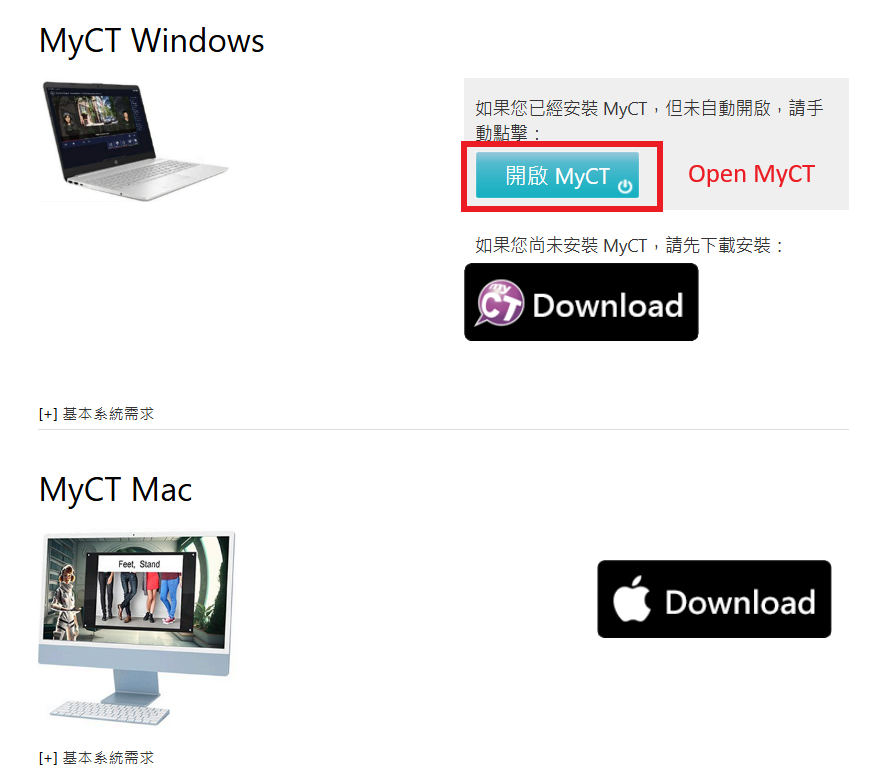
* 若安裝後未自動開啟 MyCT APP,請點「開啟 MyCT」。
* If the app does not launch automatically, please click "Open MyCT."
請掃描右方 QR Code 下載安裝或開啟最新版 MyCT APP。
Scan the QR Code to download, install, or open the latest MyCT App.

Step 2: 登入個人全球華文網帳號
1) 開啟 MyCT 並確認進入「僑務委員會」伺服器入口。
Step 2: Log in with Your Huayuworld.org Account
1) Open the MyCT App and ensure you are in the OCAC server portal.
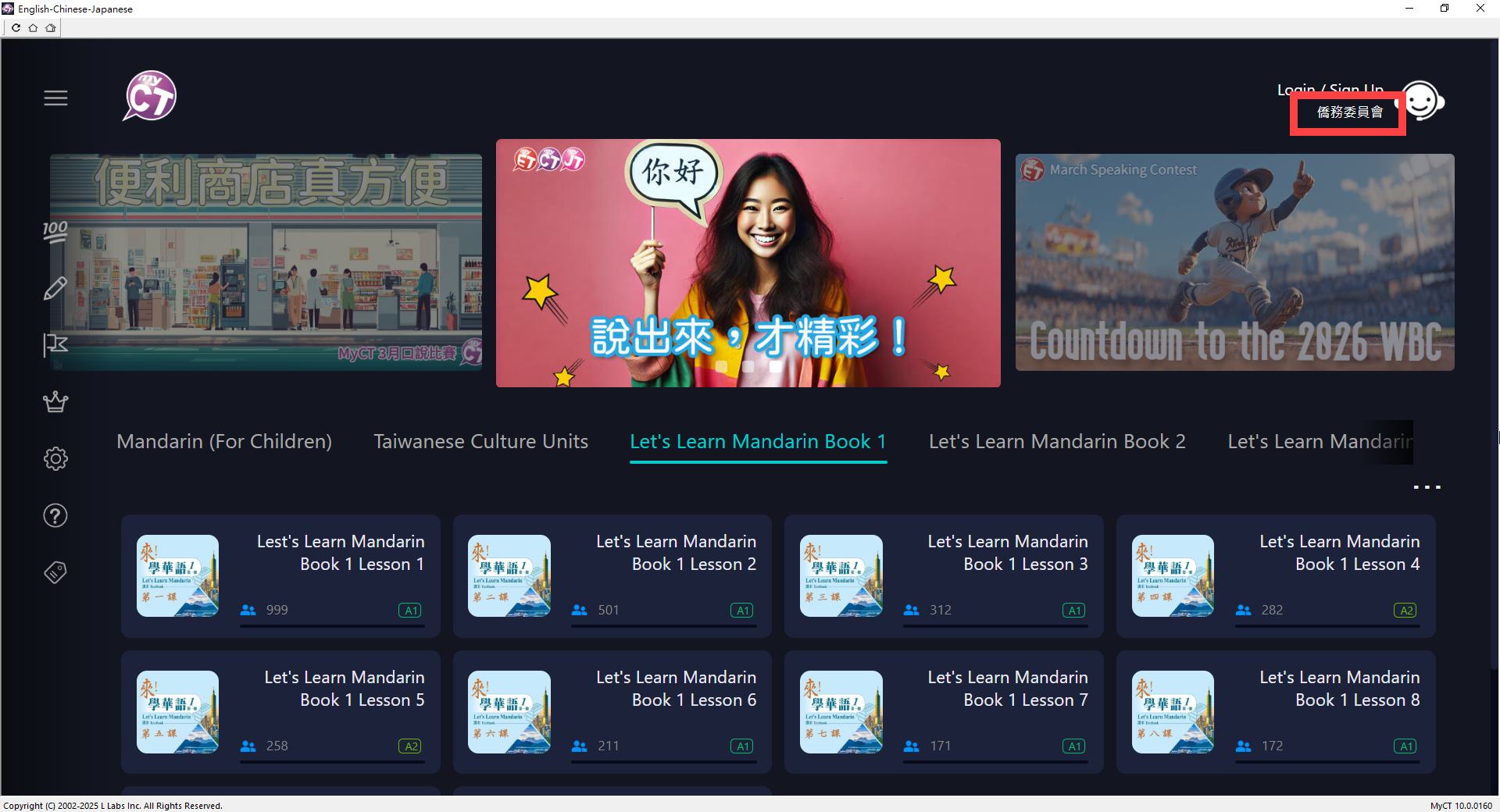
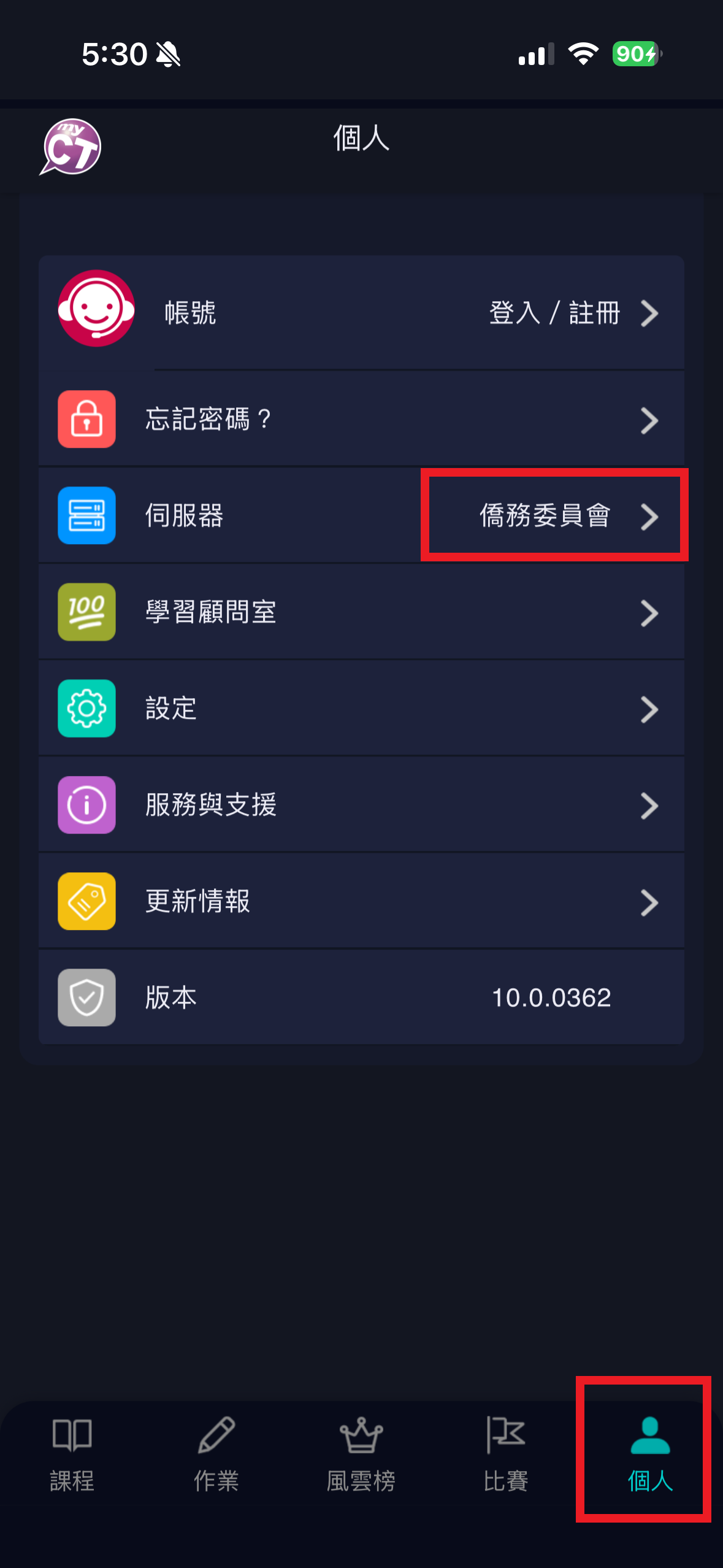
2) 然後點「登入」輸入您的全球華文網帳號密碼,登入 MyCT。
若無全球華文網帳號,請您先到全球華文網申請註冊
https://www.huayuworld.org/Home/Register
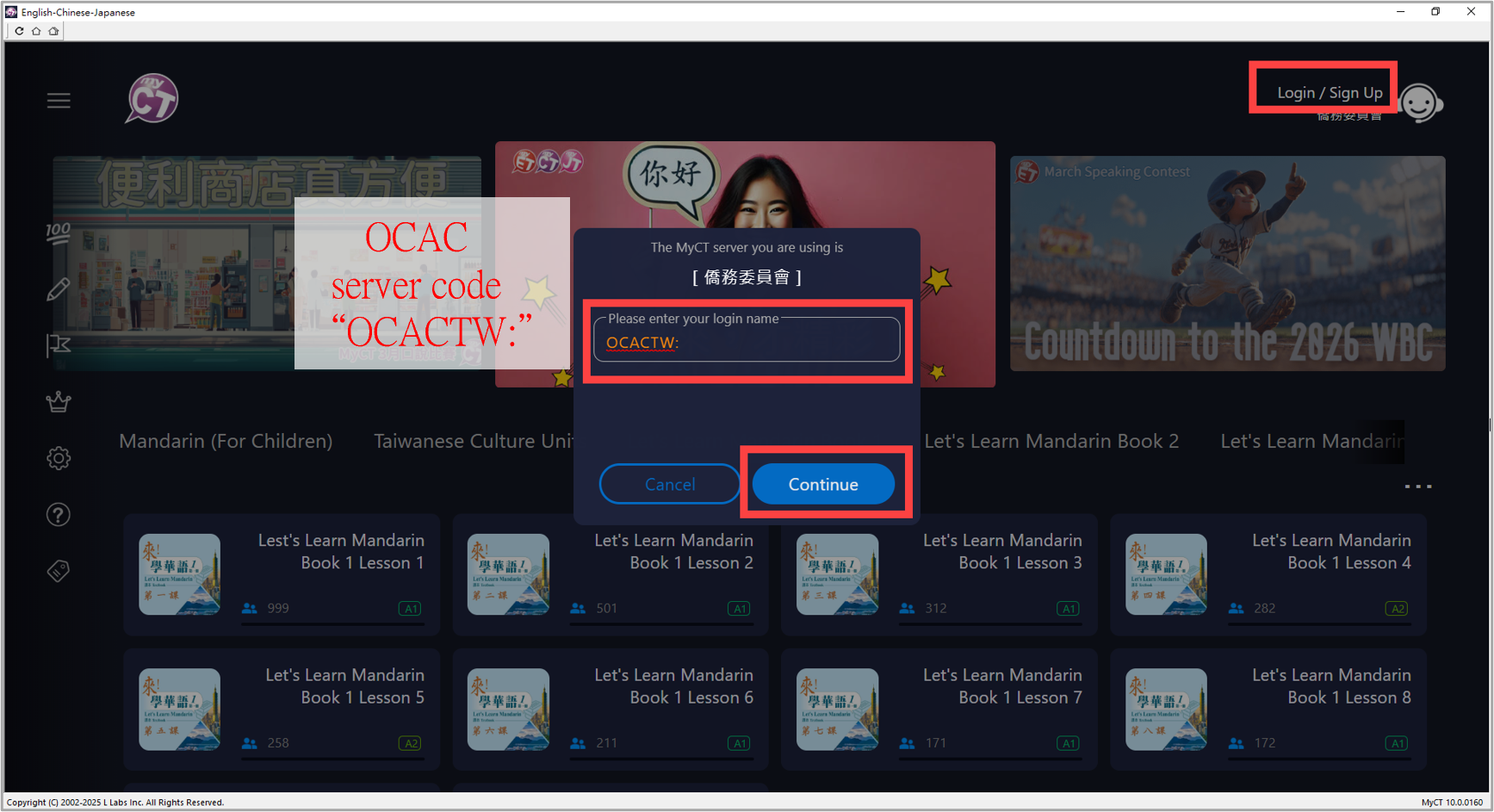
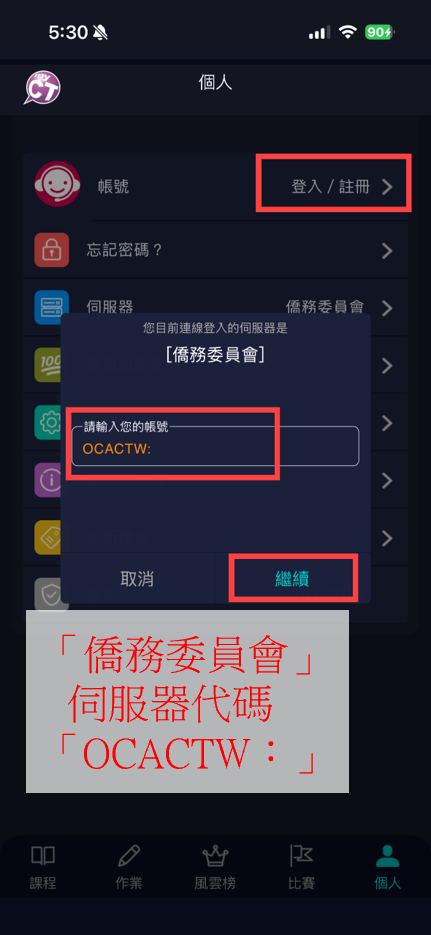
* 若進入錯誤伺服器,請在輸入帳號欄位,輸入「僑務委員會」伺服器代碼「OCACTW:」,點「繼續」。
2) Tap "Log In" and enter your Huayuworld.org account details to log in.
If you don't have an account, please register at Huayuworld.org first.
https://www.huayuworld.org/Home/Register
* If directed to the wrong server, enter the server code "OCACTW:" in the account field and tap "Continue."
Step 3: 使用僑務委員會授權課程
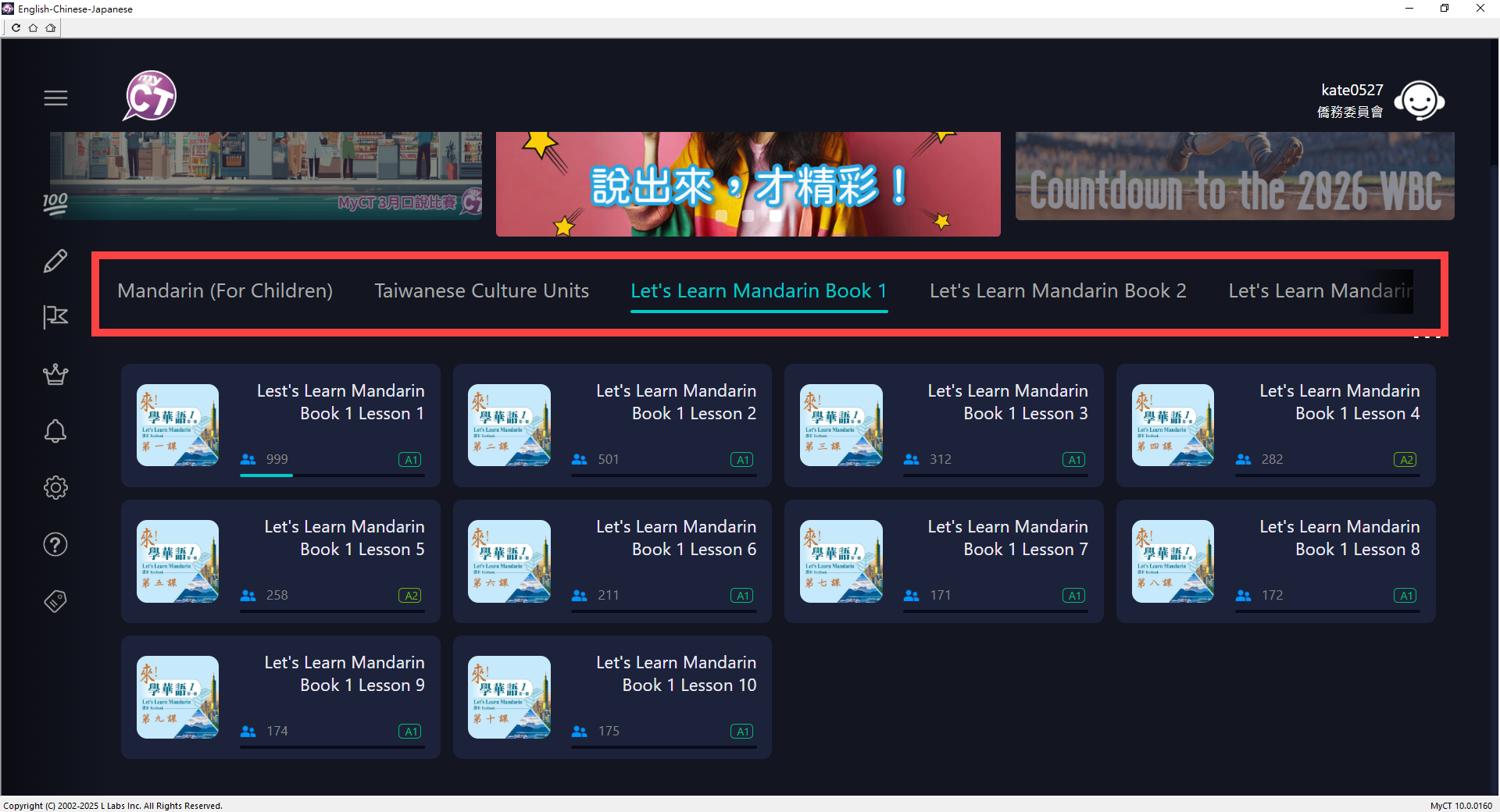
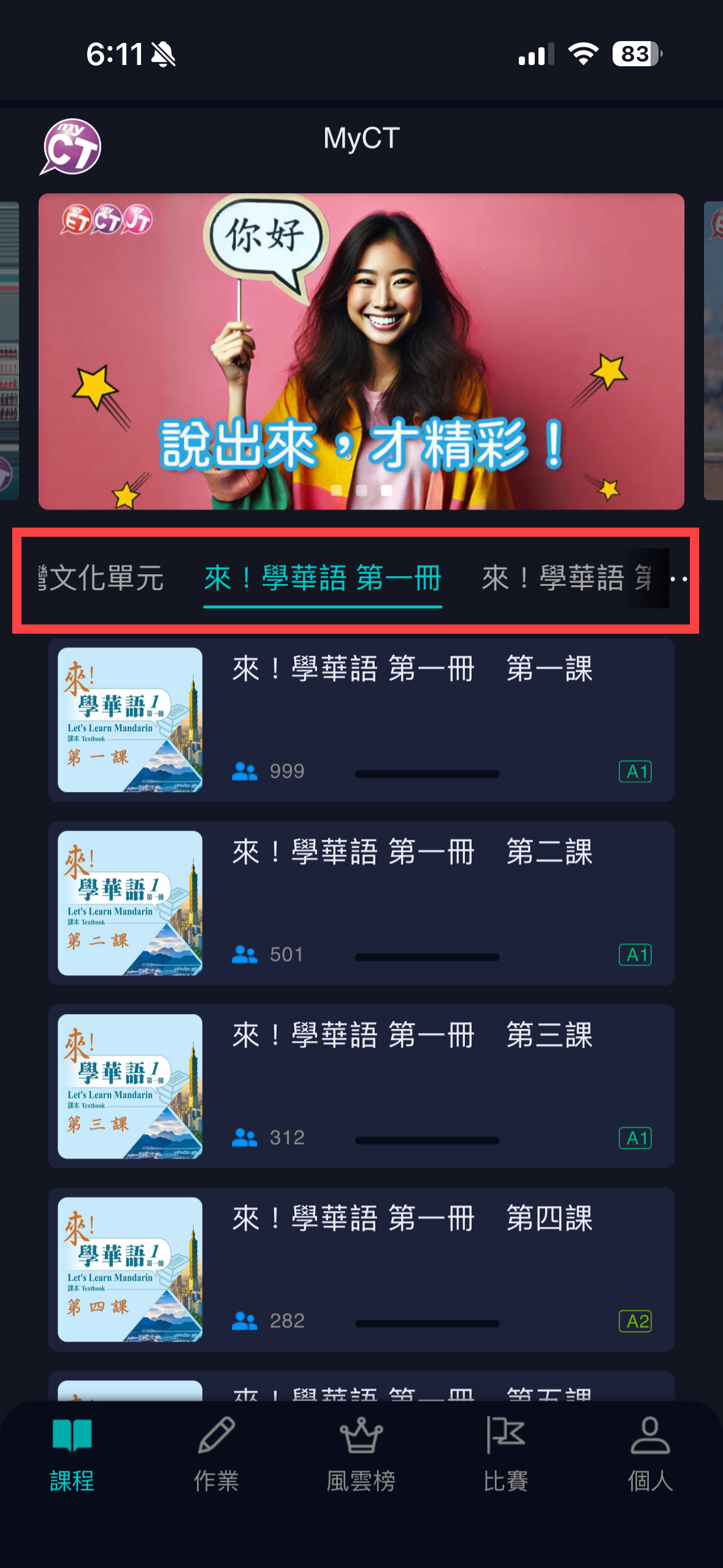
成功登入 MyCT 後,在首頁可點選任一已開通使用權限的「學華語向前走」、「來!學華語」、「臺灣文化單元」系列課程開始學習。
Step 3: Access OCAC Authorized Courses
Once logged in, select any authorized course on the homepage to start learning. These include: Let's Learn Mandarin (For Children), Let's Learn Mandarin, and Taiwanese Culture Units.
請依照您的身分及裝置,下載對應的使用手冊。
Please select and download the appropriate user guide for your role and device.
教師版 For Teachers
行動版
(Apple iOS/Android)
電腦/Pad版
(Windows/Mac/Pad)
學生版 For Students
行動版
(Apple iOS/Android)
電腦/Pad版
(Windows/Mac/Pad)
Step 1:客服官網 Customer Support
方法一:點選MyCT客服專頁連結 https://tw.myet.com/MyETWeb/FAQ.aspx ,
Method 1: Click the MyCT Customer Support link : https://tw.myet.com/MyETWeb/FAQ.aspx
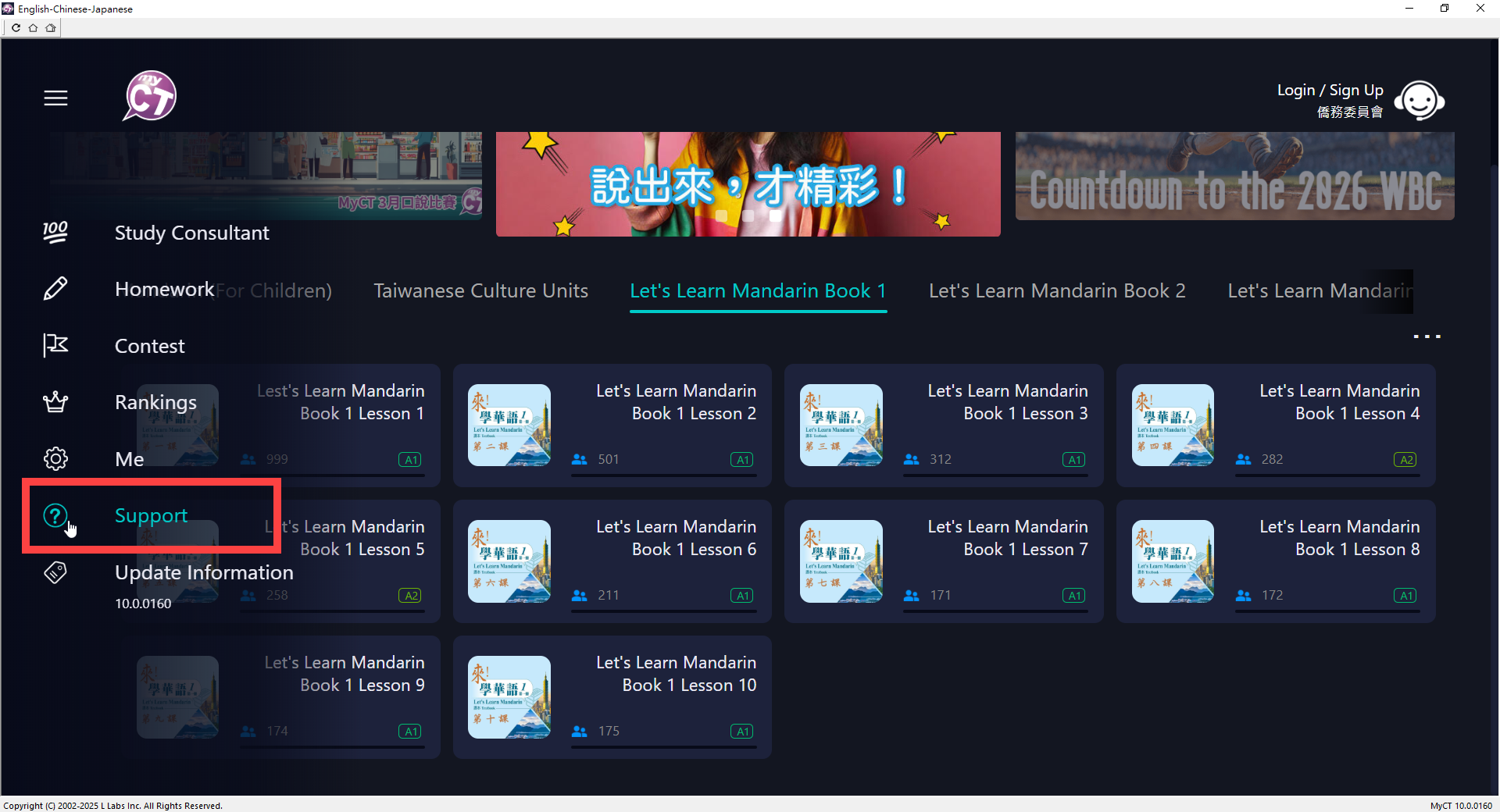
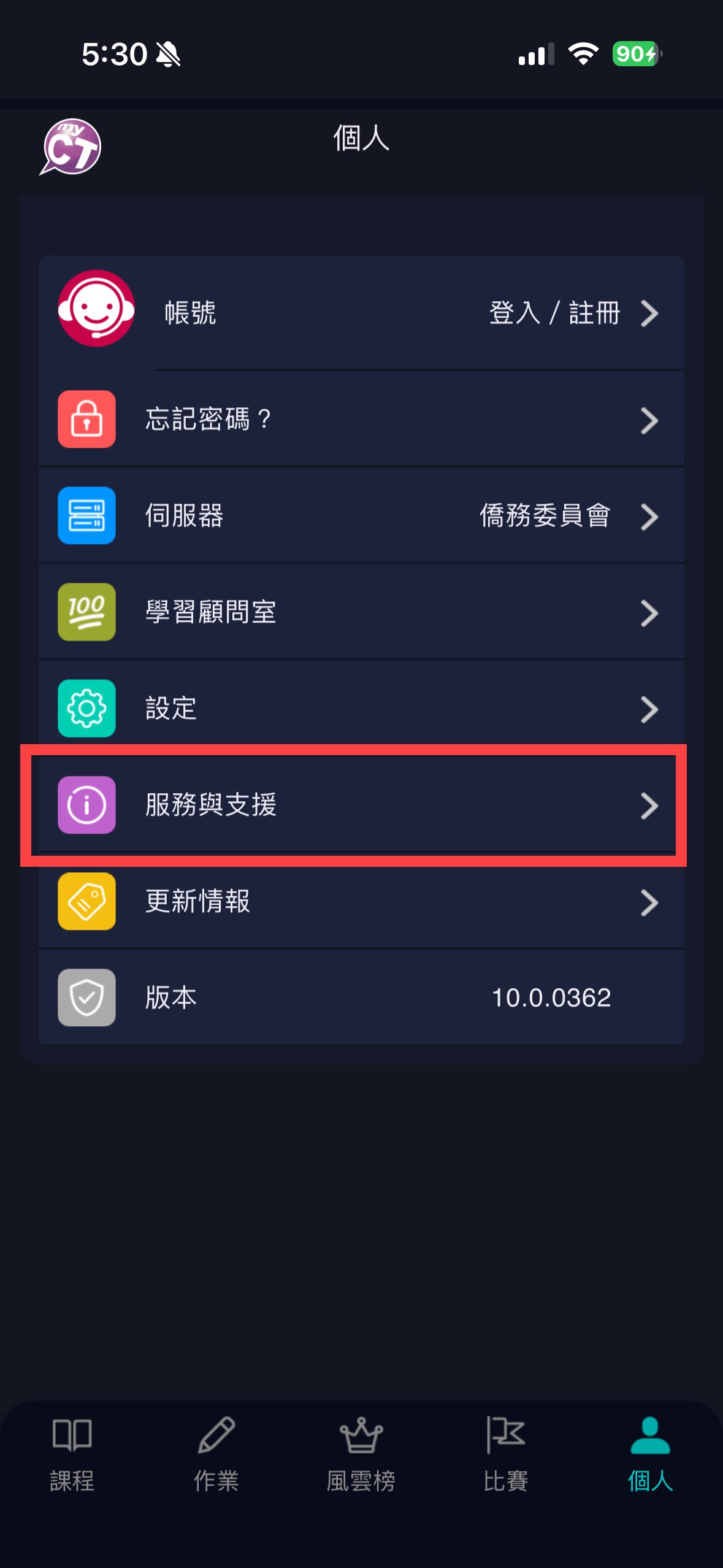
方法二:點選MyCT APP首頁功能列表的「服務與支援」,進入MyCT客服專頁。
Method 2: Tap “Support” in the MyCT App menu to access the Customer Support page.
Step 2:Browse the "Top Questions" (FAQ) section to find quick solutions.
Step 3: 若您在熱門問題列表中,未能找到MyCT發生問題的相關解答,請您透過客服信箱或LINE官方客服, 將使用MyCT所發生問題相關資訊提供給我們,我們會儘快為您服務,協助解決問題。
*請您在客服信中提供以下資訊,以便加速協助您解決使用MyCT所發生的問題
- MyET帳號/密碼:
- 使用的設備:(例如:手機、電腦、平板...等)
- 設備的型號:(例如:Apple、Google、Samsung...等)
- 您當前所使用設備作業系統版本為何?
- MyCT 軟體版本:(在MyET首頁右下方的小字,例如MyCT 10.0.0160)
- 使用哪個課程出現問題?
- 那一個句子、單字或功能出現錯誤訊息?
- 出現錯誤訊息的操作步驟?
Step 3: If you cannot find a solution in the FAQ section, please contact us via email or our official LINE account. Provide the following details about the issue you encountered, and we will assist you as quickly as possible. * To help us resolve your issue more efficiently, please include the following information in your message:
- MyET Account / Password:
- Device Type: (e.g., Smartphone, PC, Tablet, etc.)
- Device Model: (e.g., iPhone 15, Samsung S24, MacBook Air)
- Operating System Version: (e.g., iOS 17, Android 14, Windows 11)
- MyCT App Version: (Small text at the bottom right of the homepage, e.g., MyCT 10.0.0160)
- Affected Course: (Which course has the issue?)
- Error Location: (The specific sentence, word, or feature where the error appeared)
- Steps to Reproduce: (The steps you took before the error message occurred)